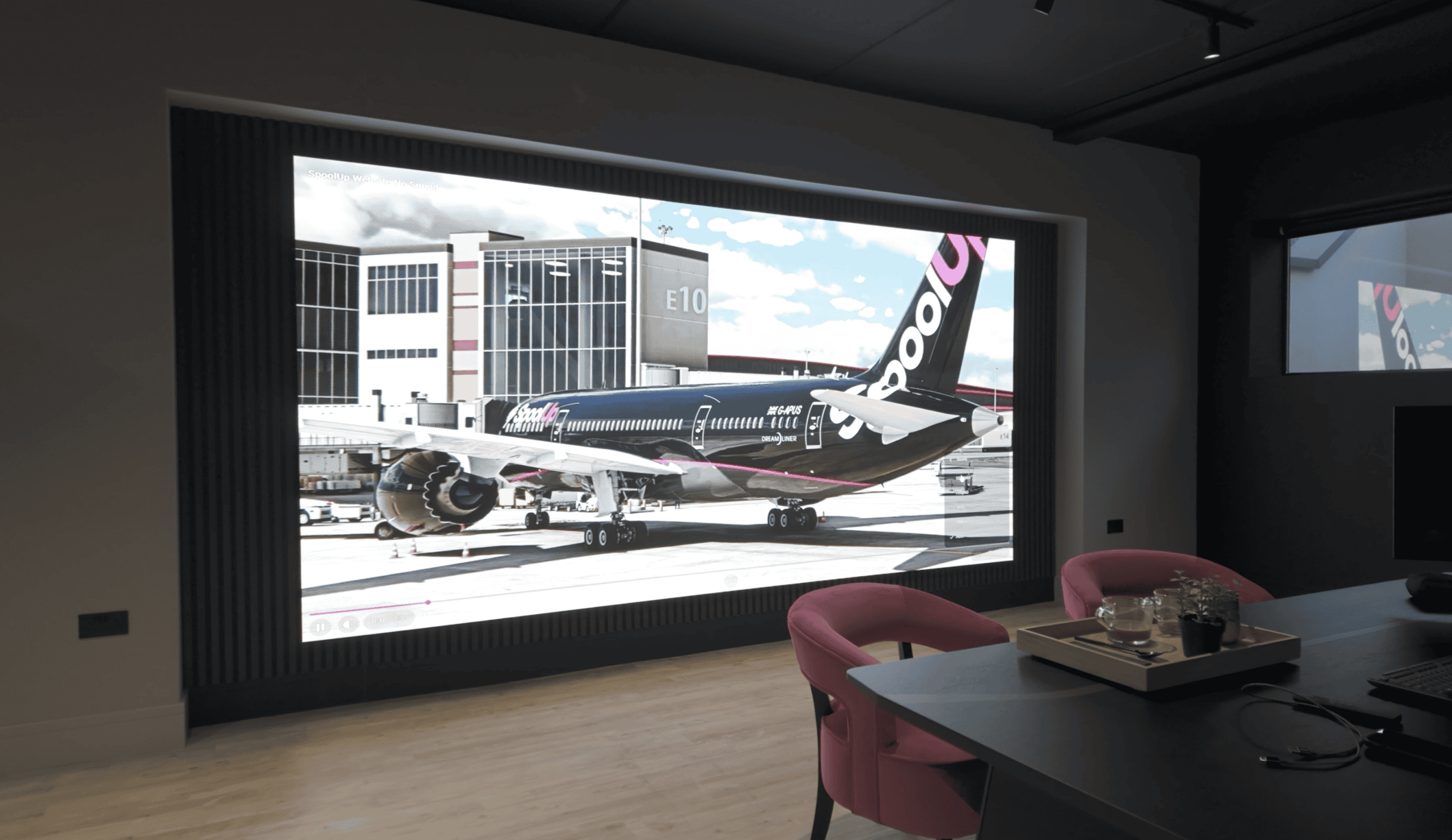
Most people weighing an LED wall vs projector for screening rooms have just sat through a demo that went wrong. A film school converting a classroom into a 60-seat screening room books a viewing, the integrator brings LED panels on whatever controller was in the van, and the room watches slow pans judder and shadow detail collapse into bands. The buyer walks out believing direct-view LED (DVLED) cannot do 24 fps film. In most cases what they saw was a processor problem, not a panel problem.
This guide works through that scenario. It covers where an LED wall beats projection and where it does not, why the processor decides how film looks on an LED wall, how to run a demo that answers the buying questions, how to calibrate for film and slides on the same surface, how many spares to hold, and how to get pixel pitch and resolution right for the front row. The brief it follows is a typical film-school conversion, and the advice comes from our fixed-install work on walls that have to show video and presentation content on the same surface.
Key takeaways
- Frame sync, colour mapping, gamma and bit depth live in the processor. The same panels behave differently on a Brompton Tessera SX40 or a NovaStar VX-series processor than on a basic sending card.
- Never judge an LED wall on a demo that used a lower-spec controller. Insist on the processor you would buy, with the receiving cards and settings you would buy, and bring your own 4K UHD reference discs.
- Film and teaching content need separate calibration profiles saved at the processor. Set both up at commissioning, and specify white luminance separately from white colour.
- 6% spare panels is too thin for a colour-critical room. 10% batch-matched is the working figure we recommend, and higher where the audience is trained to spot mismatch.
- Low ceilings, short throw and presenter shadows favour an LED wall. Projection still wins on native cinema workflow, speakers behind an acoustically transparent screen, and cost at very large image sizes.
- Derive resolution from module and cabinet pixel counts on the datasheet. Never divide wall dimensions by pixel pitch.
- A permanent screening room is a fixed-install job. Spec the DFC Series or DX Series, never a rental panel.
At a glance: a typical screening-room brief
The table sets out the brief we use throughout this guide, alongside what we would ask for before anyone signs a purchase order. We use “screening classroom” for this specific case: a teaching room that doubles as a screening room.
| Project item | Typical brief | What we would require before purchase |
|---|---|---|
| Room | Classroom converted into a 60-seat screening classroom | Seating plan, sightlines and measured room geometry |
| Ceiling | Low, around 2.9 m, ruling out a long-throw projector without shadowing | A worked projection layout for comparison, even if LED is the favourite |
| Image width | Roughly 3.6 to 4.3 m | Front-row eye position and floor-to-image clearance |
| Demo problems | Judder on pans and tilts, banding in darks and whites | Repeat demo on the quoted signal chain, with the buyer’s own content |
| Processor issue | Manufacturer confirms a lower-spec processor was used at the demo | Exact processor model, firmware, receiving cards and configuration in writing |
| Teaching content | White slide backgrounds felt painfully bright | A separate document profile tested with staff |
| Proposed spares | 6% | Review against a 10% batch-matched allowance |
| Products positioned | DFC Series (premium fixed) or DX Series (mid-range fixed) | Processor from the Brompton Tessera or NovaStar VX series |
| Room treatment | Not yet considered | Glare control, acoustic absorption, equipment noise check |
A mis-specced demo explains why the demo needs repeating. It does not prove that a processor swap would cure every visible fault, which is why the repeat demo matters.
LED wall vs projector for screening rooms: which is better?
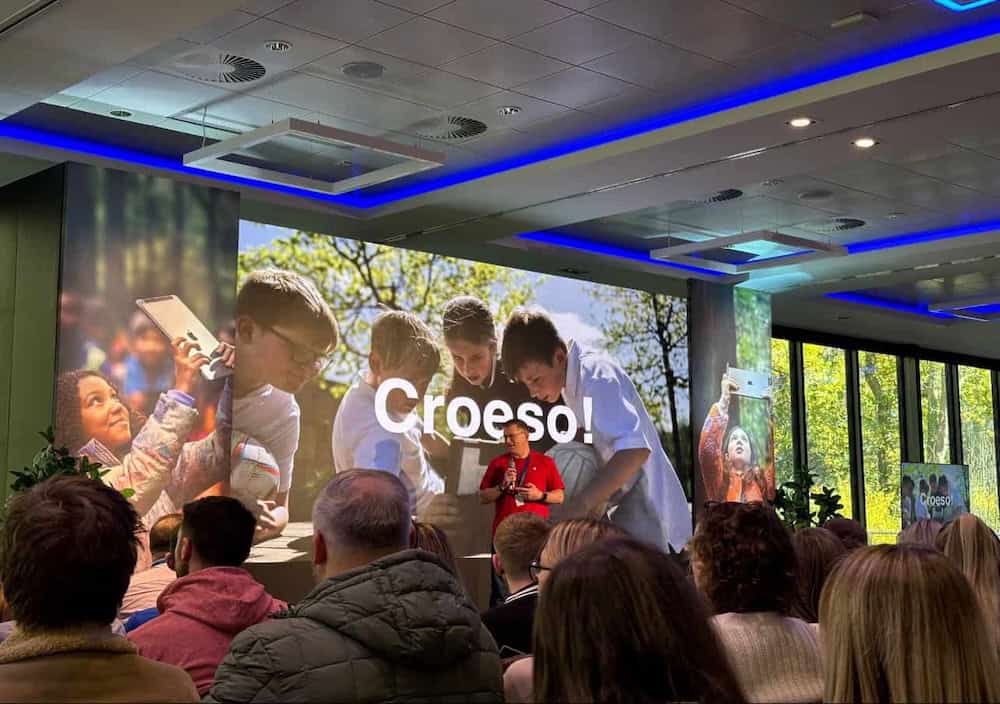
An LED wall beats a projector in a screening room with a low ceiling, presenters standing in front of the image, or teaching that happens with the lights up. A projector still wins for very wide images in a blacked-out room running a native digital cinema workflow with speakers behind the screen. Neither wins everywhere, so here is both sides.
| Criterion | LED wall | Projector | Verdict |
|---|---|---|---|
| Low ceiling, no throw distance | No lens, no throw, no shadow | Long-throw needs height; short-throw puts the presenter in the beam | LED |
| Lights-up teaching | Self-emissive, holds black level under room light | Matte screen returns room light and contrast collapses | LED |
| Image width above 5 m | Cost scales with area and pitch | Cost scales gently with image size | Projection |
| Speakers behind the screen | Solid boundary, audio must work around it | Acoustically transparent screen, centre channel behind the picture | Projection |
| Native cinema (DCP) workflow | Media server route, a different toolchain | Cinema server and projector, the chain faculty know | Projection |
| Maintenance | No lamp, laser module or filter | Lamp or laser life, filters, alignment | LED |
| Pixel structure | Emitter grid visible up close, hard edges | Lens softens edges slightly | Depends on front row |
| Brightness and contrast | Rated in nits, native contrast ratio | Rated in ANSI lumens onto a screen, contrast depends on the room | LED in lit rooms |
Low ceilings are the most common trigger for LED. A 2.9 m ceiling leaves no room for a long-throw lens above the audience, and a short-throw unit puts the presenter in the beam. Ambient light is the next one. A screening classroom is also a classroom, and a projected image with the lights up loses contrast fast because the white screen bounces room light back at the audience. A laser projector is rated in ANSI lumens onto a matte screen, and its on-screen contrast ratio depends on how much room light that screen returns. An LED wall is rated in nits and its contrast is native, because a black pixel emits nothing. There is also no lamp, laser module or filter to maintain. One caveat: an LED wall removes the projected shadow, not the blocked sightline. A lecturer standing between a student and the wall still hides part of the image.
Projection wins on other criteria. Cost at very large image sizes still favours it, because the cost of an LED wall scales with area and pitch. Speaker placement is another. An acoustically transparent projection screen lets the centre channel sit behind the picture where dialogue belongs. An LED wall is a solid boundary, so the audio design has to work around it. Native cinema workflow is a third. Film schools run digital cinema packages through cinema servers and projectors, and faculty know that chain. An LED wall can show the same films through a media server, but it is a different toolchain. If certified cinema playback is a requirement, get evidence for the exact proposed system. Accepting a UHD input does not establish it.
Very close to a fine-pitch LED wall you can still see the emitter grid, and each pixel switches at its own edge, so hard edges look harder than through a projection lens, which always softens slightly. Good processors let you dial in a gentle sharpness reduction, and motion handling that preserves the film’s cadence rather than inventing frames. This deserves an afternoon of commissioning with the people who will teach in the room.
Our post on LED displays for home cinemas reaches the same conclusion at a smaller scale: LED for rooms that cannot be blacked out or cannot fit a throw, projection for very large images in a dedicated dark room. Mixed teaching spaces also need the operational checks in our guide to LED screens for university lecture theatres, and the fixed-install LED video walls we supply are built around that front-wall position.
Why the processor matters as much as the panel
The processor, not the panel, decides how film looks on an LED wall. Frame-rate locking, greyscale bit depth and colour-gamut mapping all happen upstream of the receiving card. A Brompton Tessera SX40 handles all three, and the NovaStar VX series is built for the same job. A basic sending card handles none of them, which is why demos judder and band.
An LED panel is a grid of emitters and a receiving card. It does what it is told. Two identical panels can look like two different products depending on what feeds them, which is why we specify the complete chain rather than treating the controller as an accessory added after panel selection.
Frame sync
Feature film runs at 24 frames per second, or 23.976 fps for a lot of broadcast-derived material. A basic sending card runs the wall at a fixed output rate and resamples whatever it is given. Feeding 24 fps into a 60 Hz pipeline forces a 3:2 repeat pattern with unequal frame durations, which is the judder on slow pans that ruins a film-school demo. A processor that locks its output to the source frame rate shows each frame for the same duration. Brompton’s Tessera SX40 does this. For a NovaStar VX-series unit, confirm frame-rate locking on the datasheet of the exact model quoted, because the feature is checked per model, not per brand. A budget controller often cannot do it at all. Native 24 fps has stepping of its own on slow pans, and correct timing removes the added unevenness but cannot recover motion that was never captured. A high advertised LED refresh figure proves nothing about 24 fps playback either. Ask the integrator to document the actual source and output timing.
Bit depth
Banding in shadows means too few greyscale steps between black and the first visible tone. Once you dim the wall to cinema brightness you are using a fraction of the panel’s drive range, so a pipeline that carries too few bits runs out of steps in the darks. Our DFC Series panels carry 13-bit greyscale and the DX Series 14-bit, but that headroom is wasted if the processor truncates it. Banding is not always the processor’s fault. Check the player, the input format, any switcher or scaler in the path, and the video-range mapping, because a full-range source treated as limited-range crushes blacks and clips whites. Source compression can also band on its own, and no processor upgrade removes that.
Colour mapping
HD content is mastered to ITU-R BT.709, and Ultra HD or HDR material can use the wider ITU-R BT.2020 container. LED panels have native primaries wider than 709. Without proper mapping, saturated reds and greens land in the wrong place and skin tones drift. A good processor takes the source gamut, the panel’s measured primaries and the target white point and does the maths. A basic card passes RGB straight through.
Changing processor ecosystem can mean different receiving cards and fresh calibration, so the processor belongs on the spec sheet at the same level as the panels from day one. We compared the two main ecosystems in our NovaStar vs Brompton processor comparison.
How to spec and demo an LED wall properly
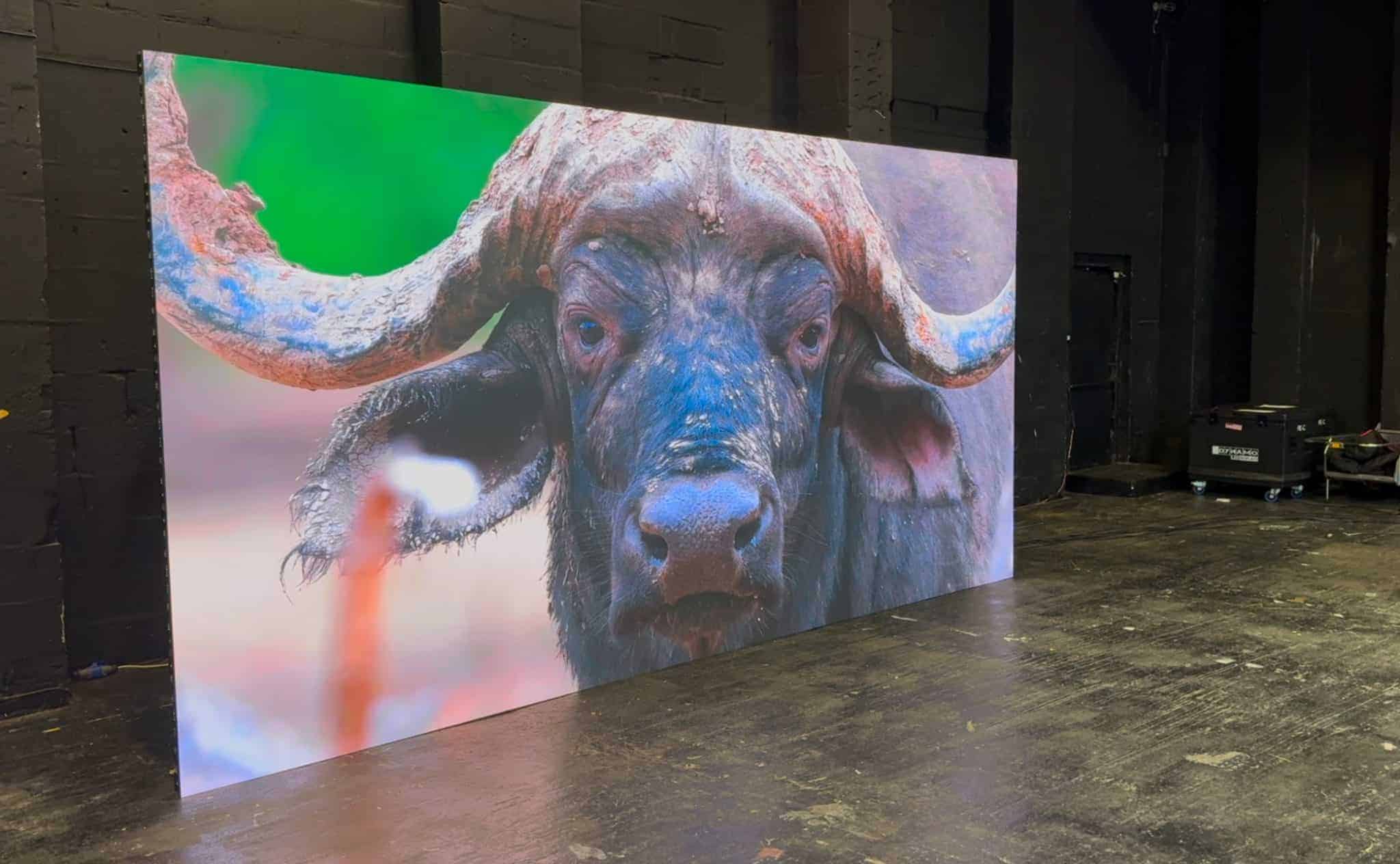
Demo the LED wall on the exact processor, receiving cards and settings you would buy, at the brightness you would run for film, with your own 4K UHD discs, from the planned front row. Anything less tells you nothing about the panels. Ask for these in writing before you travel:
- The exact processor model and firmware that would be delivered on the project, not a stand-in.
- The receiving cards, settings and wall pixel canvas that would be delivered, and every switcher or converter in between.
- Panels from the same product family and pixel pitch you are being quoted.
- The wall driven at the brightness you would use for film, not at showroom maximum.
- Room lighting that matches your screening room, including the ambient level you will teach under.
Then run the demo as a test sequence rather than a viewing:
- Bring your own references. A 4K UHD disc of a film you know well, on a player you control. Choose slow camera moves across textured backgrounds, night interiors with faces in shadow, bright skies, subtitles and end credits for text on black. Confirm whether playback is HDR or SDR and where any conversion happens.
- Watch sustained sequences from the planned front row. Include the faculty members who are sensitive to motion or sharpness. Then watch from the back.
- Inspect gradients and greyscale. Put test patterns alongside the film. Look for shadow clipping, colour casts, visible steps and differences between modules at the intended brightness.
- Switch to teaching. Open real slides, documents and an editing interface. Check full-white comfort, small text and the return to the film profile.
- Record the accepted setup. Note every setting and measured target, and make those demo conditions part of commissioning acceptance.
If judder remains, compare the same passage on a known reference display. If banding remains, change one thing at a time until you find where it first appears. If the demo judders on that content and the processor is the one you would buy, you have learnt something real. If it judders on a lower-spec controller, you have learnt nothing about the panels. Do not let anyone write off the technology on a mis-specced demo, and do not approve a purchase on a promise that an unseen processor will fix it.
A permanent screening room is a fixed-install application. That points to our DFC Series flip-chip COB panels at 1.58 mm or 1.9 mm for a premium room where students sit close, or the DX Series at 1.9 mm to 2.5 mm where the budget is tighter and the front row is further back. Rental panels are built for repeated rigging and de-rigging. They are the wrong tool for a wall that will hang on one surface for ten years.
If you want both routes priced on your own drawings, send us the room and we will price DFC, DX and projection side by side.
Calibration profiles for film and teaching content
A wall tuned so that film looks right will blast a full-white slide at a brightness that makes people squint. The fix is two calibration profiles saved at the processor: a film profile at cinema luminance with a cinema gamma curve, and a document profile at a comfortable white luminance for reading. Set both up at commissioning rather than on the first day of term. Professional processors store several profiles and switch between them from a control system or a network command.
| Setting | Film profile | Document and teaching profile |
|---|---|---|
| Brightness | Around 48 cd/m² (14 fL), the SMPTE ST 431-1 reference for SDR cinema; higher if the room runs with lights up | Comfortable full-screen white for twenty minutes of reading |
| Tone response | Cinema gamma: a 2.4 curve per ITU-R BT.1886 for video, 2.6 for a fully dark room; correct transfer handling for HDR | Gentler curve so mid-greys read neutral and text edges stay clean |
| Colour | Mapped to the mastering space, BT.709 for most HD; wider native volume held for HDR, not stretched over 709 content | Controlled mapping with a tightly checked greyscale |
| White | Calibrated to the agreed viewing target | Reduced white luminance with neutral colour maintained |
| Recall | One labelled button or command | One labelled button or command |
“Lower white point” is an ambiguous instruction. If white slides hurt to look at, the problem is white luminance, the amount of light the wall emits. Changing colour temperature alone does not fix it. We specify luminance and white chromaticity as separate targets so the commissioning engineer measures both. The ITU-R BT.1886 reference curve and the SMPTE cinema standards give the commissioning engineer published targets to measure against rather than a matter of taste.
Profiles should be measured with a colorimeter, saved on the processor, backed up at handover and documented so the AV team can recall them without an engineer. Check dark detail again after the brightness comes down. A profile that makes documents comfortable but reveals contouring in shadows has not passed. Also confirm exactly which parameters the chosen processor saves in a preset, because a label alone proves nothing.
Spare panel strategy: why 6% is not enough
10% batch-matched spares is the working figure we recommend for a permanent LED wall, and a colour-critical screening room should go higher, with the figure stated in the quote. 6% is too thin. It is a planning allowance, not a predicted failure rate, and it exists because of how panels are made.
LED panels are calibrated in batches at the factory, so every module in a batch matches its neighbours for colour and brightness. A panel from a later batch, even the same product, was corrected against a different reference and can sit visibly warmer, cooler or dimmer than the wall around it. Per-module correction at the processor pulls it closer but cannot fully hide a batch mismatch on a critical surface.
That is why spares are bought with the wall, from the same batch. A screening room is colour-critical by definition, the audience is trained to notice faults, and a wall in place for a decade will need more than one replacement. We recommend the spares line is written into the quote as a named allowance so it is not the first item cut. Define the unit as well: “spare panels” might mean LED modules, complete cabinets or a service assembly, and the quote should name the part and the denominator. On a wall of 200 modules, 6% is 12 and 10% is 20.
Add a spare receiving card and power supply where the product allows, because failures are not limited to LEDs. The DFC Series carries dual receiving-card and dual power backup in the cabinet, which reduces but does not remove that need. Ask for the batch number and calibration data on the handover documentation, agree storage conditions, and remember that stored modules age differently from those in daily use, so a fitted spare still needs checking against its neighbours.
Pixel pitch, room geometry and real resolution
Minimum viewing distance in metres is roughly the pixel pitch in millimetres, and a comfortable distance is about double that. A front row at 2 m therefore points to a pitch of 2 mm or finer, which is why DFC Series 1.58 mm and 1.9 mm dominate our screening-room quotes. The room geometry fixes most of the answer before pitch enters the discussion. Measure usable wall width, ceiling height, the nearest seated eye position, and the clearance you need below the image for structure, services and sightlines over the row in front.
A 2.9 m ceiling gives a practical image height of around 2 m once you allow for a floor gap and a border. At 16:9 that is an image roughly 3.6 m wide, which is where a 12 ft brief comes from. Stretch to a 4 m width and the image is 2.25 m high, which leaves almost nothing above it. Then measure the first-row distance. In a 60-seat room the front row is often 2 to 3 m from the wall, and sometimes less. At 3 m from a 4 m image, a centred viewer is looking across roughly 67 degrees horizontally, which is a demanding angle for a feature-length sit. Making the pitch finer does not change that angle.
Our pixel pitch guide works through the same rule of thumb. A 2.5 mm pitch is fine for a boardroom with the first seat 4 m away and marginal for a film-school front row at 2.5 m. A pitch label is not a guarantee of invisible pixels, so compare samples at the real front-row distance. AVIXA publishes display sizing and viewing standards that formalise the relationship between image height, content type and viewer distance, and they are worth reading before you fix the seating plan.
Resolution then follows from the product, not the wall dimensions. A wall’s pixel count is set by how many modules fit across and down, and each module has a fixed pixel count on its datasheet. Dividing the wall width by the pitch gives a number that is nearly always wrong.
Take the DFC Series 1.58 mm. Its standard cabinet is 608 mm wide by 342 mm high at 384 by 216 pixels. Six cabinets across and six down gives a wall 3,648 mm by 2,052 mm at 2,304 by 1,296 pixels. That is a 16:9 image above Full HD, and it fits the room. Native 4K UHD across a wall that size needs a finer pitch and a different budget.
The DX Series 1.9 mm uses a 250 mm square module at 128 by 128 pixels, so a 500 mm square cabinet is 256 by 256 pixels. Seven cabinets across and four down is 3,500 mm by 2,000 mm at 1,792 by 1,024 pixels. That is a good screening classroom image, but the difference from the DFC option is visible from the front row.
A processor that accepts 3,840 by 2,160 does not make either wall a native UHD display. The quote should state the physical canvas, the source resolution and the scaling arrangement separately, including how wider film formats will be letterboxed. Costs scale with pitch as well as area, and our guide to how much an LED display costs explains why a finer pitch multiplies the LED count faster than intuition suggests. For a rough figure on your own dimensions, the LED screen configurator gives a starting point.
Room factors: glare, acoustics, noise and running cost
Get the room wrong and the audience never sees the image you paid for. Three things need settling before the wall goes up: reflections off the panel face, the acoustic effect of a hard surface where a perforated screen used to be, and the noise and running cost of the electronics behind it.
An LED wall can emit deep blacks yet still bounce room lights, exit signs and windows straight back at the audience, and it shows most in dark film scenes when the wall is barely emitting. Matte-finish modules, careful placement of practical lighting, darker finishes near the wall and window blackout all help. Our post on LED screen glare and reflection control goes through the options in order of cost. The cheapest fix is often to move or dim two light fittings.
An LED wall is also a hard, flat surface across the front of the room, exactly where a cinema would put a perforated screen with absorption behind it. It reflects sound back at the audience and shifts the room’s reverberation. The usual answer is absorption on the side and rear walls, treatment above and below the wall, and a speaker layout that accepts the wall as a solid boundary. Resolve that early, especially if the original proposal assumed speakers behind the screen. We covered the practical side in acoustic treatment for indoor LED rooms. Rack the power supplies and processor outside the room so fan noise does not sit under the dialogue, and listen during a quiet scene with everything running before you sign off.
On cost, compare complete installed scopes on both routes: display, processor, mounting, electrical work, control, calibration, spares, blackout, audio changes and cooling. For running cost, ask for estimates tied to the agreed brightness, representative content and annual hours. Full-white slides and dark films impose very different loads, and headline power figures for LED and projection mean little unless they assume the same room and the same maintenance.
From the field: why showroom LED demos judder
Most clients who tell me LED cannot do film saw it judder in a showroom. When I ask what the wall was running on, the answer is almost always the controller that came in the box with the panels. Nobody had frame-locked the output to the source, so a 24 fps disc was being pushed through a 60 Hz pipeline and every slow pan stuttered. Put the same panels on a Brompton Tessera processor, play the same disc, and the complaint disappears. My rule now is simple: I will not demo a screening-room wall on anything other than the processor I intend to deliver, and I ask to see the awkward material first, the slow pan the faculty know and the dark scene that banded.
The other thing I push on every fixed-install quote is the spares line. It is the first item a procurement team tries to strike out, and it is the item that decides whether the wall still looks like one surface in year six. If the budget only stretches to 6%, I would rather drop a row of cabinets and keep the 10%.
LED wall vs projector for screening rooms: frequently asked questions
Can a better processor fix judder and banding on an LED wall?
Usually, but the cause needs isolating. Judder on 24 fps film normally comes from a processor that cannot lock its output to the source frame rate. Banding comes from a pipeline that carries too few greyscale bits at low brightness, or from wrong range mapping. A Brompton Tessera SX40 addresses both, and a NovaStar VX-series unit should be checked for the same on its datasheet. Native 24 fps stepping and banding baked into a compressed source will remain.
Is an LED wall too bright for a screening room?
Not if the system performs properly at a low operating level. Professional processors store separate profiles, so a film profile runs at around 48 cd/m² with a cinema gamma curve and a document profile runs at a comfortable white luminance for reading. Reducing luminance is the fix for painful white slides. Changing colour temperature alone does not help. Check shadow detail again once the brightness comes down.
How many spare LED panels does a screening room need?
10% batch-matched is the working figure we recommend for a fixed install, and a colour-critical room such as a film-school screening classroom should go higher, with the figure written into the quote. 6% is too thin. Spares must come from the same factory batch as the wall, because later batches can show visible colour or brightness mismatch. Define whether the percentage means modules or cabinets, and record batch numbers at handover.
What pixel pitch does a screening room need?
It depends on the front-row distance. Minimum viewing distance in metres is roughly the pixel pitch in millimetres, and a comfortable distance is about double that, so a front row at 2 m points to a pitch of 2 mm or finer. For film schools and post houses we normally quote DFC Series 1.58 mm or 1.9 mm. Compare samples at the real distance, and derive resolution from module pixel counts on the datasheet.
When does a projector still beat an LED wall?
Projection still wins for very large image widths on cost, for rooms that run a native digital cinema toolchain the faculty already know, and where speakers need to sit behind an acoustically transparent screen. It also suits a fully blacked-out dedicated cinema. An LED wall takes over when the ceiling is low, when presenters stand in front of the image, or when the room has to work with the lights up.
Does a 4K input mean the LED wall is a 4K cinema display?
No. Input acceptance, native wall resolution and cinema-system compliance are separate questions. A processor can accept UHD material and scale it to fewer physical pixels. Ask for the cabinet pixel calculation, the source resolution and the scaling and letterboxing arrangement in the quote. Where certified cinema playback is a requirement, the supplier must demonstrate it for the exact proposed system.
Which Dynamo product suits a permanent screening room?
The DFC Series flip-chip COB panels at 1.58 mm or 1.9 mm suit a premium room with close seating, with 13-bit greyscale and a 37 mm cabinet depth. The DX Series at 1.9 mm to 2.5 mm suits a mid-range budget with a slightly deeper front row. Both are fixed-install products. We do not spec rental panels for a permanent screening room because they are engineered for repeated rigging, not for a ten-year wall.
Conclusion
When a demo goes wrong it is nearly always the processor, not the panels. Once you know that frame sync, greyscale depth and colour mapping all live upstream of the LED wall, the rest falls into place. Insist on the delivered processor at the demo, bring your own 4K UHD discs, and get a film profile and a document profile measured and saved at commissioning. Hold 10% batch-matched spares or more. Derive resolution from module pixel counts and check the front-row distance against the pitch before anything is ordered. Then treat the room for reflection and sound, and listen for fan noise in the quiet scenes.
The LED wall vs projector for screening rooms decision comes down to the room you actually have. If the ceiling is low, the presenter stands in front of the image and the lights are often up, a DFC or DX Series LED wall on a proper processor will serve a screening room well. If you are building a very wide image in a dedicated dark room on a native cinema workflow with speakers behind the screen, projection may still be the right call. Send us your drawings, seating plan and content list or call +44 (0)203 489 9878, and we will spec both routes and tell you which one we would buy.