What a lower pixel pitch costs you
Price per square metre
A lower pitch means more LEDs, more driver ICs and tighter manufacturing tolerances on every module, so the price per square metre rises with each step down. The exact step depends on the range, but it is never small, and on a large wall the difference between 1.9 mm and 2.6 mm can fund the processing, structure or installation that the project also needs.
Processing and content
More pixels need more sending capacity and more capable media servers. The 2,304 × 1,152 wall above is more than 2.6 million pixels; the same footprint at 2.58 mm is 1,152 × 576, a little over 660,000. Content has to be produced or rendered at the higher count too, or it will be scaled and the sharpness you paid for is lost. Budget for the pipeline, not just the panels.
Installation tolerance
The closer people stand, the more visible a misaligned cabinet or a brightness step between modules becomes. Fine-pitch walls need flatter mounting structures, more careful seam alignment and a proper calibration pass at commissioning. That is time on site, and it should be in the quote.
Lower pixel pitch in practice: Dynamo projects
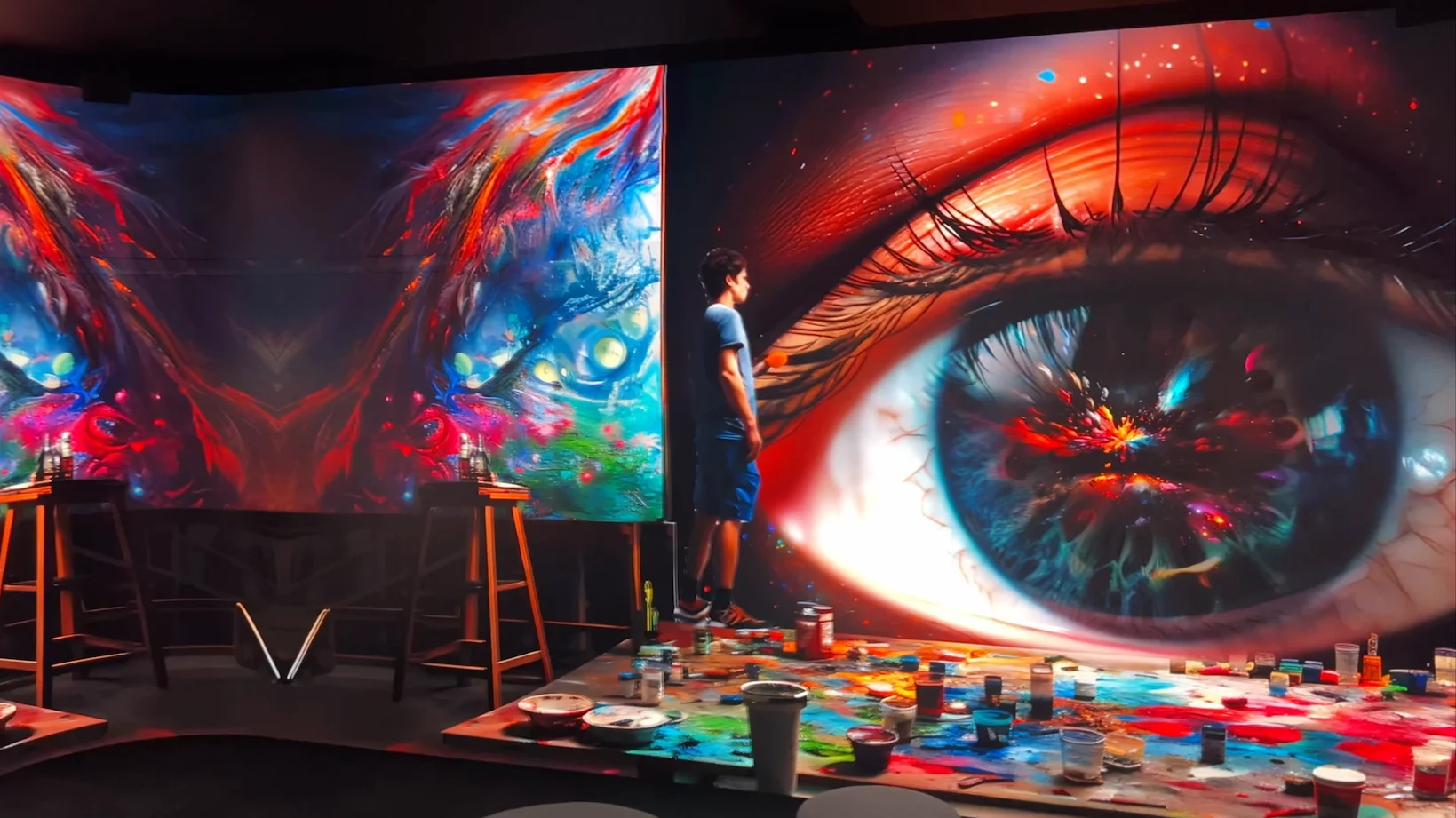
1.9 mm immersive room for Pixel Artworks, London
At the Pixel Artworks Lighthouse in Farringdon, visitors walk right up to the walls of an immersive LED room with curved corners. Pixel Artworks chose a resin-protected 1.9 mm DRE Series for it: close enough viewing to justify fine pitch, with a surface that stands up to being touched.

0.93 mm 4K wall in a corporate meeting room
For a client’s meeting room at 45 Mortimer Street, Dynamo installed a native 4K (3,840 × 2,160) DYF Series wall at 0.93 mm, used for VR-style interactive walkthroughs viewed at close range. Sub-1 mm was the right call because the content was fine-detail interactive rendering viewed from a table, not video from across a foyer.
1.29 mm plinth panels for a gallery
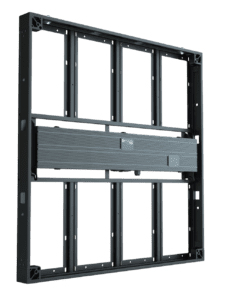
For Botto’s Algorithmic Evolution exhibition at Verse, London, 22 single 496 mm DRE cabinets at 1.29 mm sat on plinths at eye level, each showing one artwork at 384 × 384 pixels. Visitors stand about a metre from a plinth, which is exactly the datasheet viewing distance for that pitch.
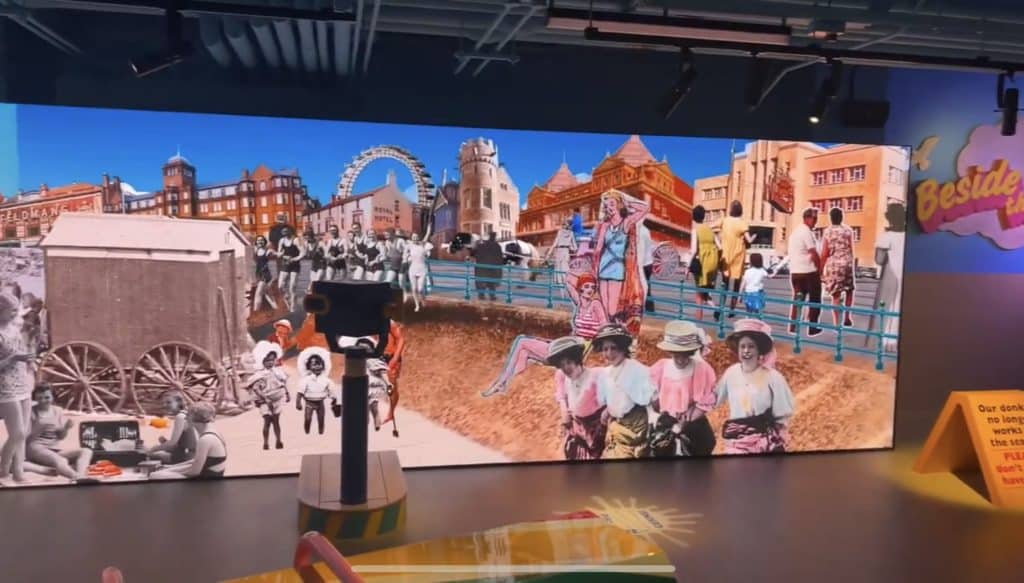
1.95 mm museum wall in Blackpool
The 15 m museum wall in Blackpool runs at 1.95 mm with a 7,936 × 1,024 pixel canvas. Visitors walk along it at a couple of metres, so 1.95 mm holds the historical photo collages cleanly without the cost of going finer across 15 m of width.
How to choose the right pixel pitch
- Measure the closest realistic viewing distance, not the average. The person at the front row or the reception desk sets the pitch.
- Decide what the content is. Video and graphics tolerate a coarser pitch; text, data and design proofs do not.
- Pick the largest pitch that passes both tests. Then check the module maths: cabinet pixels × cabinets across and down gives you the canvas your content team must design for.
- Cost the whole system. Panels, processing, structure, calibration and content production all scale with pixel count.
- Look at surface and package below 1.5 mm. Flip-chip COB and resin-protected modules matter more than the last 0.2 mm of pitch when people can touch the screen.
If the wall is a general-purpose display in a lobby or event space, Dynamo’s LED video walls page covers the standard fixed-install pitches; the full product range lists each series by pitch and use case.
Higher or lower pixel pitch: frequently asked questions
Is a lower pixel pitch better than a higher one?
Lower is better when viewers are close, higher is better when they are far away and the wall is large. The pitch in millimetres is roughly the minimum viewing distance in metres, so a 1.9 mm wall suits viewers from about 2 m and a 3.9 mm wall from about 4 m. Choose the largest pitch your nearest viewer will not notice and spend the saving on processing and installation.
What is a small pixel pitch LED display?
Small pitch, fine pitch and narrow pitch all describe LED screens with a pitch of roughly 2.5 mm or less, built for indoor viewing at a few metres or closer. Dynamo’s DRA, DRE, DFC and DYF ranges cover 0.93 mm to 2.58 mm. Below about 1.5 mm most projects move to flip-chip COB or resin-protected modules so the surface is flat, non-reflective and robust to touch.
Does a lower pixel pitch mean higher resolution?
For the same screen size, yes. Resolution is module pixels multiplied by module count, and a lower pitch puts more pixels on each module: a 496 mm DRE cabinet is 192 × 192 pixels at 2.58 mm and 384 × 384 at 1.29 mm. A wall of the same cabinets therefore has four times the pixels at 1.29 mm, and needs a processor and content sized to match.
Does a lower pixel pitch make text and detailed graphics easier to read?
Yes, at close range. Thin lines, small type and spreadsheets break up on a coarse pitch when viewed from a desk or a meeting table, which is why boardrooms and design studios specify 1.2 mm to 1.9 mm. From five metres or more the difference is invisible, so a foyer or auditorium screen showing the same content can use a larger pitch without anyone noticing.
What pixel pitch do I need for a meeting room or boardroom?
Most boardrooms sit people two to four metres from the wall, so 1.2 mm to 1.9 mm is the usual band. Go to the finer end if the screen will show spreadsheets, drawings or video calls with small faces, and to 1.9 mm if it is mainly presentations and video. Sub-1 mm is reserved for rooms where people sit within about a metre of the screen.
Is a lower pixel pitch always worth the extra cost?
No. Below the distance at which viewers can no longer see the pixels, a finer pitch adds cost, power and processing without any visible gain. It is worth it for close-view rooms, retail windows and galleries; it is wasted on a screen viewed from a mezzanine or across a car park. Match the pitch to the nearest viewer and put the budget into calibration and content instead.
Need a pixel pitch recommendation?
Send the room dimensions, where the nearest viewer will stand and the kind of content you will show, and Dynamo will come back with the pitch, cabinet layout and resolution for the wall.
Get a quote for an LED wall at the right pixel pitch. Contact Dynamo LED Displays or call 020 3489 9878.