LED display power and cooling maintenance is the routine that keeps power supplies, connectors and fans healthy, because those parts fail long before the LEDs do. A quarterly visual and connector check, an annual load and thermal check, clean airflow and a PSU bay held below 40 °C ambient prevent most unplanned outages on a fixed LED display.
Updated September 2026. Guide first published June 2025.
Look through Dynamo’s RMA log and one pattern repeats: the LEDs almost never fail first. The PSU does. Or the fan does. Or a connector loosens, the panel sees a brown-out, and a module loses one row of pixels for good. The diode itself, the part everyone worries about, typically outlives every other component in the cabinet several times over. So if you want an LED display still earning its keep at year ten, you spend the maintenance budget on the boring bits: the power supplies, the connectors and the cooling.
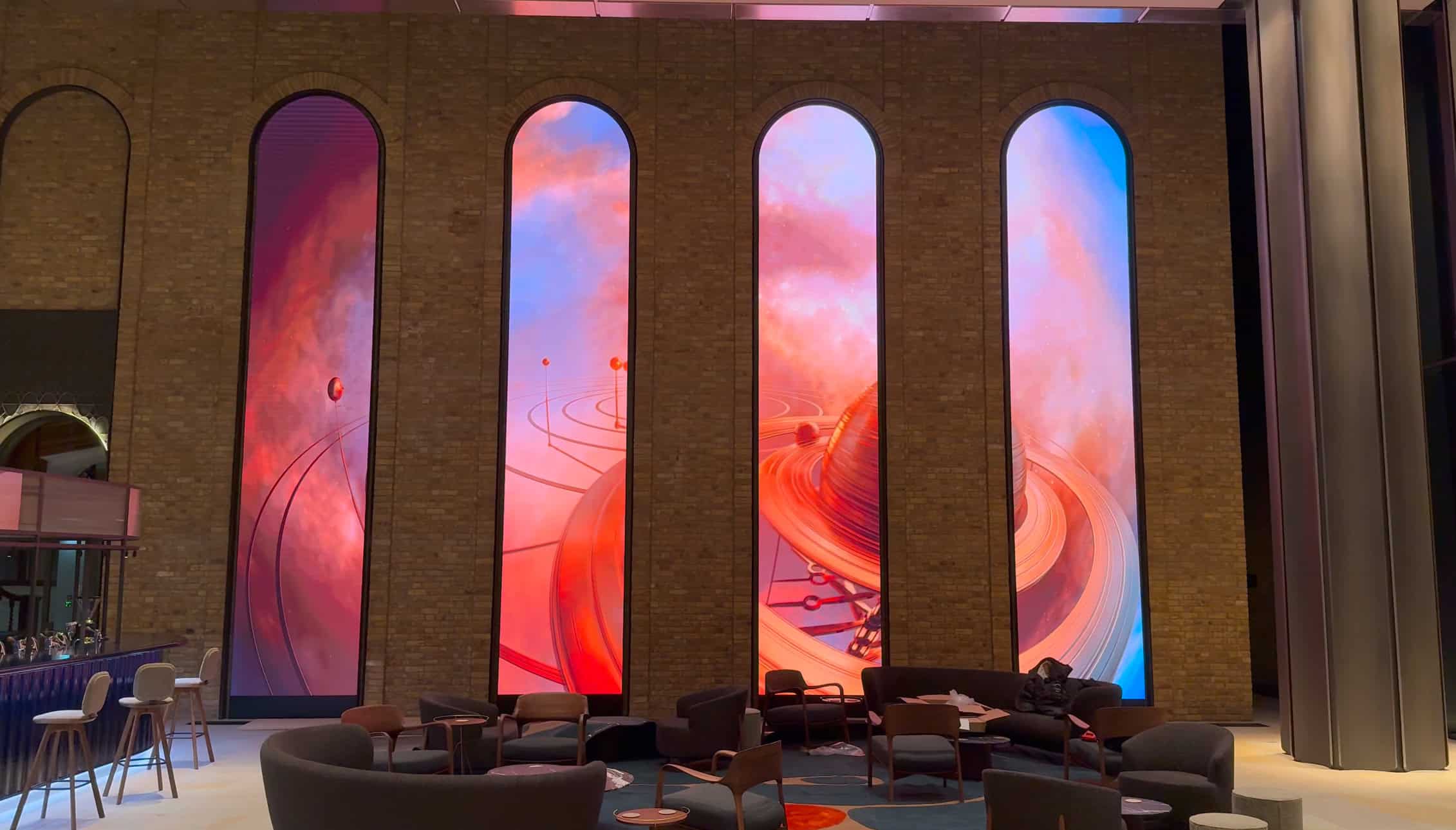
This guide is what we would hand a facilities manager on day one of a new install. It is not exhaustive, because panel-specific procedures vary by series, but it is the routine behind the LED arches at 40 Leadenhall, which have run 24/7 for more than two years without a service call, and the Dubai Airport columns, which have come through Gulf summers with no thermal events.
Key takeaways
- Power supplies and fans fail before LEDs. Budget maintenance time for them, not for the diodes.
- Keep the PSU bay below 40 °C ambient. Electrolytic capacitor life roughly halves for every 10 °C rise, so heat is what kills a power supply.
- A quarterly walk-round of connectors, cabling, earth bonding and supply quality is the highest-return check on the list. It needs no panel removal.
- Once a year, measure rail voltage under full white load and thermal-image the cabinet rear. A PSU more than 5% below nominal is on borrowed time.
- A dark or dim stripe across the screen is a PSU, not a module. Flicker is usually a loose connection or poor mains, not a software fault.
The two systems doing all the work
The PSU and the cooling stack are the only two systems in a cabinet whose failure takes the whole display offline. The controller has redundancy, the data network has redundancy and the LEDs degrade gracefully. Power and cooling do not. When they go, the cabinet goes black, or worse, throttles to half brightness in a way that looks like a software fault and burns diagnostic hours before someone checks the fan.
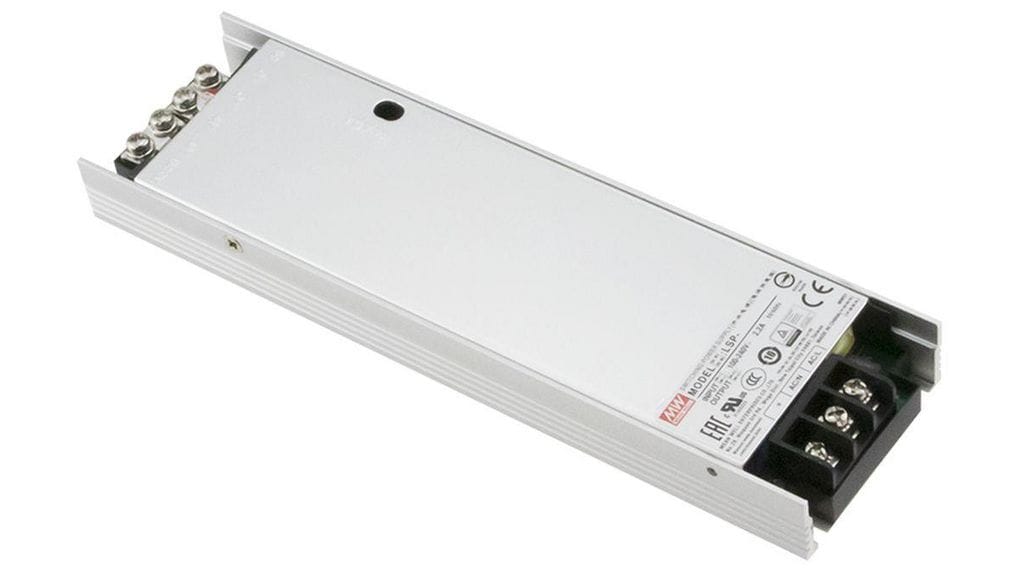
The power supply unit (PSU)
The PSU converts mains AC into the regulated low-voltage DC the LED modules and control electronics need, typically around 5 V or 4.2 V to the driver ICs, with 12 V or 24 V rails for fans and ancillaries. Commercial-grade cabinets use industrial switched-mode units rated for continuous operation with quoted lifetimes in the tens of thousands of hours. Two things to know:
- Heat is the killer. The electrolytic capacitors inside a PSU dry out roughly twice as fast for every 10 °C rise in temperature. As they age, output ripple climbs and eventually the controller throws under-voltage faults that look like a software bug. If you remember one thing from this guide: keep the PSU bay below 40 °C ambient.
- One PSU usually drives several modules. So a single PSU failure takes out a block of the screen, not one cabinet, and it is often shaped like a stripe. If a horizontal or vertical band goes dark or dim, that is a PSU, not a module.
The cooling system
LEDs are efficient, but only a minority of the input power becomes light; most of it becomes heat. A 12.3 m² wall at a datasheet maximum of 600 W/m² can be dissipating around 5 kW of heat at full white. That has to go somewhere, and the cooling stack gets it out of the cabinet before it reaches the diodes, which lose brightness as junction temperature climbs, or the PSU, which derates as its case temperature rises. Two approaches are used across current Dynamo product:
- Passive (heatsink-only). The die-cast cabinet body and finned heatsinks shed heat by convection. No moving parts means nothing to service, but the cabinet must be installed with the rear clearance on its datasheet, often around 100 mm, or the convection does not work. Our outdoor thermal management guide covers the air-gap arithmetic.
- Active (fan-assisted). Standard on rental cabinets and higher-power outdoor cabinets. Brushless DC fans pull air through the cabinet, across the PSUs and heatsinks, and out of the rear. The fans are the consumable: they outlast the panel only if their intake stays clean.
PSU maintenance schedule
We split this into quarterly checks the on-site team can do and an annual inspection, usually by a Dynamo engineer or a trained AV partner. Both are about catching faults before they take the screen down. Dynamo’s position is that pulling modules unnecessarily creates more risk than it removes, because every reseat is a chance to damage a connector pin or pick up dust, so none of the quarterly items needs panel removal.
Quarterly: visual and connector check
This is the single highest-return activity on the list. One person, about 90 minutes for a 12 m² wall.
- Visible cabling and connectors. Walk the back of the wall, or open the front-service hatches on a flush-mounted install. Look for discolouration on connector housings, scorching around PSU output terminals, and frayed or kinked cable runs. Loose mains connections arc, the arc burns the contacts brown over weeks, and once you see the brown you have limited time before it fails.
- Smell. An overheating PSU gives off an acrid plastic smell you will not mistake for anything else. If you notice it on a routine walk, isolate the section that PSU feeds and call your installer. Do not wait.
- Earth bonding. Check the cabinet earth strap is still bonded and that resistance to building earth matches the value recorded on the commissioning handover document. A failed earth on a multi-kilowatt screen is a safety problem before it is a reliability one. The HSE guidance on electrical maintenance sets out the employer’s duty here.
- Mains supply quality. A logging power meter clipped to the supply for 72 hours tells you whether the building delivers clean 230 V or drops out when the HVAC starts. We have diagnosed “intermittent LED faults” that turned out to be the building’s UPS bypassing to raw mains for a fraction of a second at HVAC kick-in.
Annually: load test and thermal imaging
- Output voltage at full load. A PSU nearing end of life holds nominal voltage at no load but sags under full load. Measure the rail voltage at the cabinet’s output terminals while the screen shows 100% white. More than 5% below nominal means the PSU is on borrowed time.
- Thermal imaging. A thermal camera pointed at the cabinet rear during peak content shows hot spots immediately. A PSU running 15 °C hotter than its neighbours is flagged for replacement before it fails. Bulged capacitors, visible on close inspection, are a definite replace, not a wait-and-see.
- Stock spares. Keep at least one spare PSU per 4 m² of installed screen on site, matched to the part number used across the run. Replacing one in service takes minutes; sourcing one in an emergency can take days.
Power quality: UPS, surge protection and filtering
Clean, stable mains is the cheapest PSU protection there is. Periodically confirm the input voltage sits within the range on the panel datasheet. A UPS carries the display through short outages and smooths the sags and surges that stress components. Surge protection shields against lightning-induced spikes and grid disturbances, and in electrically noisy environments such as industrial units, a power-line filter keeps interference out of the supply. Fixed installations should be wired and inspected to BS 7671.
Operating practices that extend PSU life
- Power-up sequence. Follow the manufacturer’s procedure. On older displays a staged power-on, bringing sections up in order, avoids the inrush surge that accounts for a large share of power failures.
- Do not overload circuits. Make sure the display never draws more than the circuit or the PSU is rated for, including at 100% white.
- Rest periods for 24/7 screens. Where the operation allows it, Dynamo recommends a 3-hour cooling cycle each day. It measurably reduces thermal stress on PSUs and everything around them.
Replacing a failed PSU
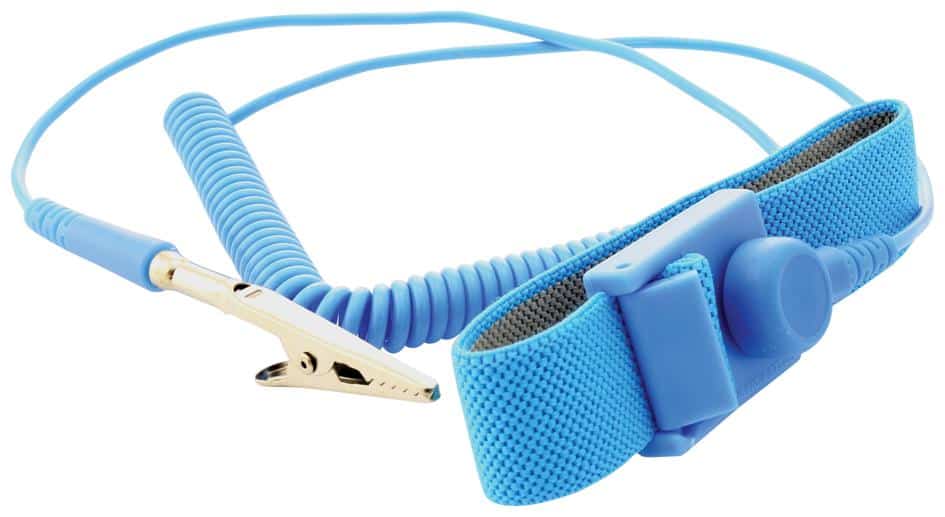
- Isolate first. Disconnect the display from the mains before any internal work and use anti-static precautions such as a wrist strap.
- Match the specification. Use a replacement with the same voltage, current and wattage rating, approved for the cabinet. A mismatched PSU can damage the display, void the warranty and create a safety risk.
- Mount and terminate securely. Loose terminals are how the next fault starts.
Cooling system maintenance schedule
Effective cooling protects brightness, colour consistency and the lifespan of the whole display. Heat is also what makes LEDs dim and shift colour over time.
Cleaning vents, fans and filters
This is the most important cooling task. Clean vents, fan blades and any filters monthly or quarterly depending on the environment; dusty sites need it more often. Power the display down, then use a soft brush, low-pressure compressed air or a vacuum with a brush attachment to clear dust and debris. Confirm every fan spins freely before powering back up.
Airflow and clearance
Keep the area around vents clear. Do not stack stock, signage or cabling against the back of a display, and manage cables inside the enclosure so they do not block the airflow path. On passive cabinets, respect the rear clearance on the datasheet; on flush and recessed installs, that gap is part of the design, not an option.
Fan checks
- Visual: every fan turning when the display is on.
- Sound: grinding or a rising whine means failing bearings.
- Vibration: a fan you can feel through the cabinet is a fan about to fail. Replace it promptly rather than waiting for the overheating alarm.
Environment: temperature, humidity, sun and dust
Operate within the range on the panel datasheet. Dynamo’s indoor COB ranges are rated for −10 °C to +45 °C, and the DFA outdoor range for −20 °C to +45 °C, with humidity of 10–90% RH. Direct sun on an outdoor cabinet adds to the internal heat load, so orientation and shading matter as much as fan count; our IP ratings guide explains how sealing and ventilation trade off. Keep dust and moisture out, and on outdoor displays check that gaskets and seals are intact at every service.
Air-conditioned enclosures
Where a display sits in a sealed enclosure with its own air-conditioning unit, clean or replace the AC filters to the unit’s own schedule and have a qualified HVAC technician check refrigerant levels and overall system health periodically. Adding auxiliary fans can help in enclosed or unusually hot locations; if a display consistently runs hot, ask us about a cooling upgrade before it costs you a PSU.
Troubleshooting: symptoms and likely causes
| Symptom | Likely cause | First check |
|---|---|---|
| Dark or dim horizontal/vertical stripe | PSU feeding that block has failed or is sagging | Rail voltage at the affected cabinet under full white |
| Flicker or intermittent operation | Loose connection, unstable mains or a failing PSU | Connector inspection, then a 72-hour mains log |
| No power to a section | Fuse, breaker, connection or PSU | Fuses and breakers, then PSU output |
| Overheating alarm or shutdown | Blocked vents, failed fan or high ambient temperature | Fan operation and intake cleanliness |
| Reduced brightness or colour shift | Sustained heat | Thermal image of the cabinet rear during peak content |
| Buzzing, humming or whining | Stressed PSU or fan bearings | Locate the source; replace before it fails |
| Acrid plastic smell | PSU overheating | Isolate that section and call your installer |
A combined maintenance checklist
Power and cooling are linked. A failing PSU runs hot and loads the cooling system; a failing fan cooks the PSU. One schedule should cover both.
- Daily or weekly: a quick look for obvious faults: sections off, fans not turning, unusual noise or smell.
- Monthly or quarterly: vents and fans cleaned, visible cabling and connectors inspected, earth bonding confirmed.
- Annually: full-load voltage check, thermal imaging, seal inspection on outdoor cabinets and a decision on professional servicing.
Write the results down each time. A log of rail voltages and hot-spot temperatures turns a surprise failure into a scheduled replacement. Our broader LED display maintenance guide covers the module-level and calibration checks that sit alongside this one.
Monitoring and when to call an engineer
- Thermal imaging. A periodic thermal survey finds hot PSUs and blocked airflow before either causes a failure.
- Software monitoring. Modern LED processing and controller hardware can report cabinet temperatures, fan status and in some cases PSU status in real time, giving early warning without a site visit.
- Professional servicing. Routine cleaning and inspection can be done in-house. Component-level diagnostics, PSU replacement on a live wall and anything involving the mains supply should go to a qualified technician. Dynamo provides LED screen repair and maintenance services for its own installations and third-party screens.
LED display power and cooling maintenance: frequently asked questions
What are the first signs of power supply failure in an LED display?
The early signs are a dark or dim stripe across part of the screen, flickering or intermittent operation, buzzing or humming from the PSU area, the display failing to power on consistently, and discolouration or a burning smell around the power terminals. Any of these means the PSU should be load-tested and, if it sags, replaced before it fails outright.
How often should I clean the cooling fans and filters on my LED display?
It depends on the environment. An indoor display in a clean office or lobby is usually fine with a quarterly clean. Outdoor displays and screens in dusty locations such as industrial units or busy public spaces need monthly attention. Whatever the interval, check that every fan spins freely after cleaning and follow the cabinet manufacturer’s recommendation where one exists.
Can I use any replacement power supply for my LED display?
No. The replacement must match the voltage, current and wattage of the original and be approved for the cabinet it goes into. A mismatched PSU can damage modules, void the warranty and create a safety risk. Keep spares of the exact part number on site, ideally one per 4 m² of screen, so a swap never has to wait on a supplier.
What is the ideal operating temperature range for an LED display?
Check the datasheet for your panel. Dynamo’s indoor flip-chip COB ranges are rated for −10 °C to +45 °C and the DFA outdoor range for −20 °C to +45 °C, with humidity of 10–90% RH. The figure that matters most for lifespan is the ambient in the PSU bay, which we recommend keeping below 40 °C regardless of the panel rating.
Does running an LED display 24/7 shorten its life?
Continuous operation is what commercial LED displays are built for, but it does keep every component at working temperature all the time. Where the operation allows it, a daily rest period of around three hours lets the PSUs and cabinet cool and reduces thermal stress. If the screen must run around the clock, tighter cleaning intervals and an annual thermal survey compensate.
Why does my LED screen look like it has a software fault when nothing has changed?
A cabinet that throttles to half brightness, drops a stripe or flickers under load is more often a power or cooling fault than a software one. Under-voltage from an ageing PSU, a loose connector arcing under vibration, or a blocked fan intake all produce symptoms that look like a control problem. Check power and temperature first; it saves hours of diagnostic time.
Need a maintenance plan for your LED display?
Send us the screen size, series, location and how many hours a day it runs. We will come back with a written maintenance schedule, a spares recommendation and a price for annual servicing.
Get a quote for LED display maintenance. Contact Dynamo LED Displays or call 020 3489 9878.