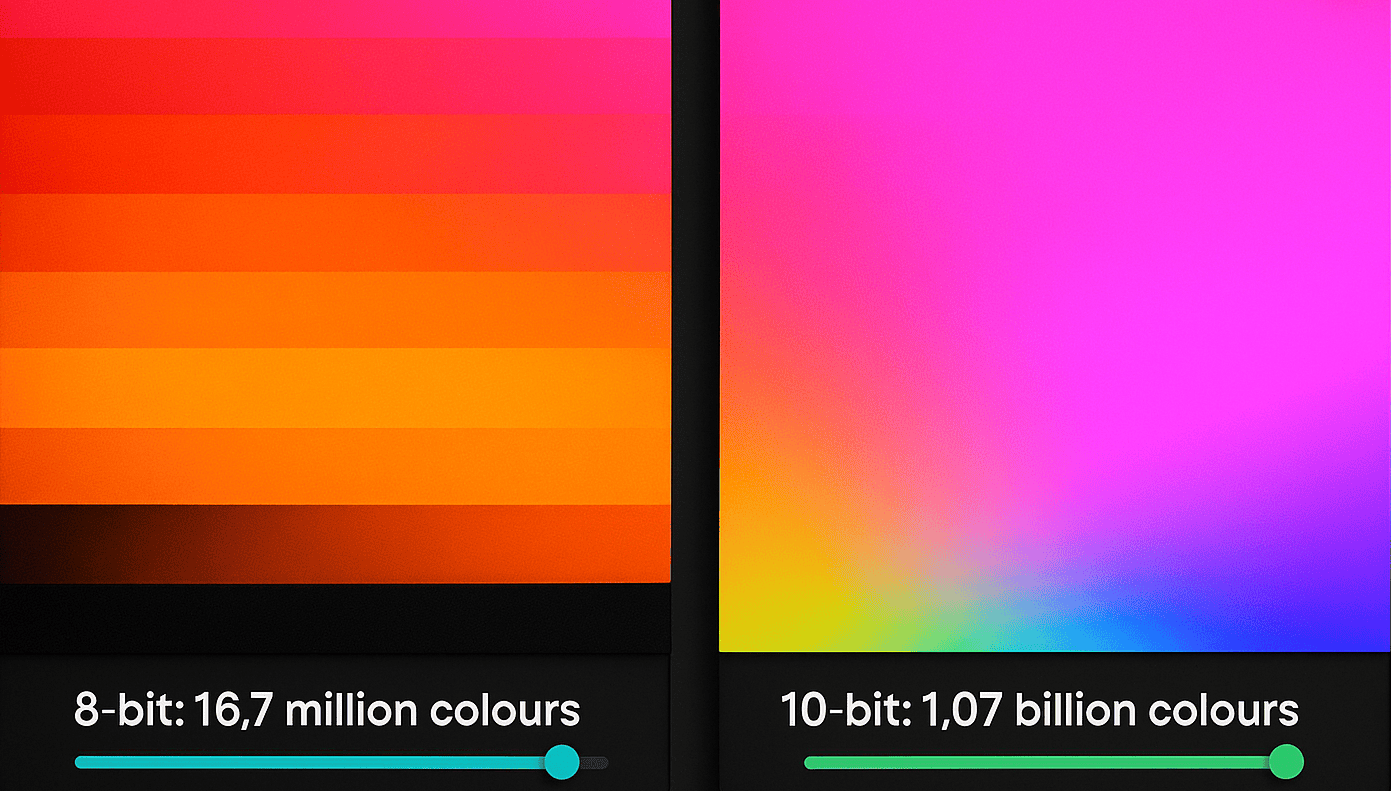
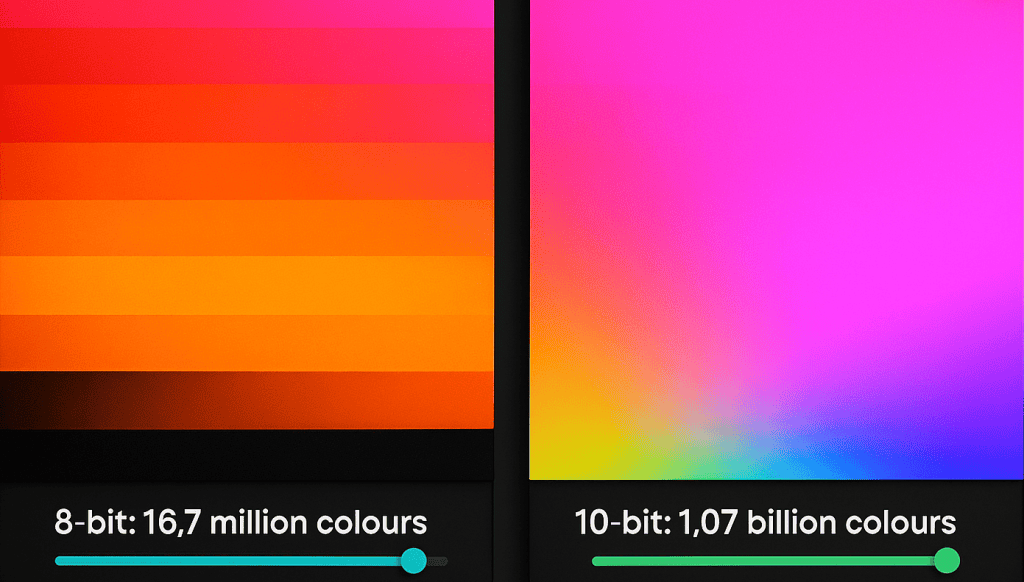
Bit depth, also called colour depth, is the number of bits used to describe each red, green and blue sub-pixel. 8-bit gives 256 steps per channel and 16.7 million colours; 10-bit gives 1,024 steps and 1.07 billion. More steps mean smoother gradients, so a 10-bit LED display shows a sunset without visible bands.
Updated September 2026. Guide first published July 2025.
You have seen the problem even if you did not know its name: a blue sky or a product shot on a big screen that breaks into chunky stripes instead of a smooth gradient. That is not a resolution fault. It is bit depth, and it decides whether an LED display looks like a professional screen or a cheap one. This guide explains what the numbers mean, why brightness quietly eats into them, and what to specify for each type of job.
Key takeaways
- Bit depth is bits per colour channel (8, 10 or 12). Colour depth is the same idea expressed per pixel (24, 30 or 36 bits) or as a colour count.
- 8-bit = 256 steps per channel = 16.7 million colours. 10-bit = 1,024 steps = 1.07 billion colours. The gain is smoothness, not “more colours you can see”.
- Dimming an LED wall reduces its effective bit depth, because the driver has fewer PWM steps to work with. Camera-facing walls run dim, so they need the most headroom.
- The whole chain has to carry the bits: content, player, processor and panel. A 10-bit screen fed 8-bit video still bands.
- Dynamo panels are specified by grey scale on the datasheet: 13-bit on the DYF and DFC COB series, 14-bit on the DX and DFA series.
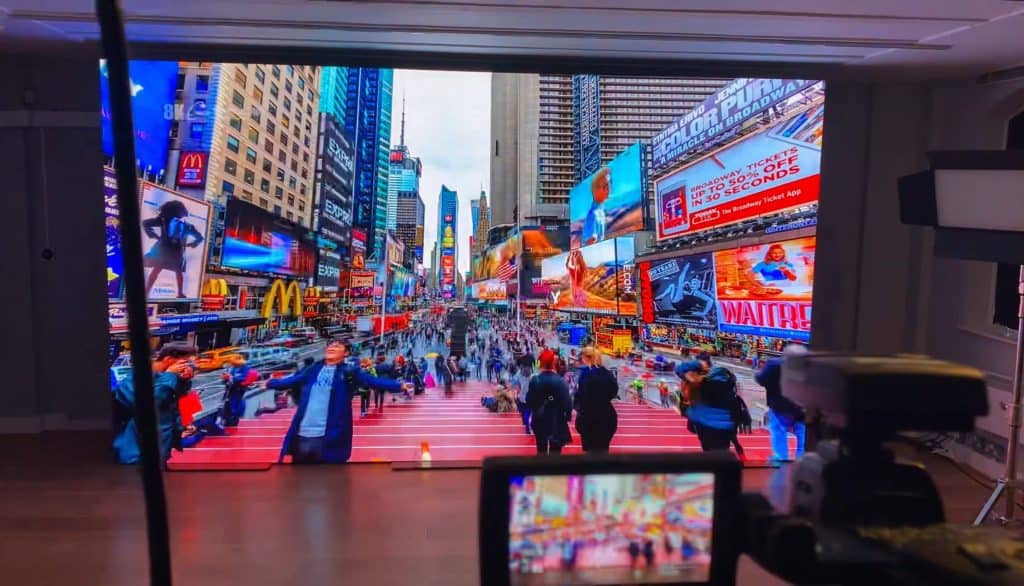
What bit depth and colour depth mean
Pixels, sub-pixels and bits
Every image on an LED display is made of pixels, and each pixel contains three light sources: one red, one green and one blue. To make a colour, the screen tells each of those three LEDs how brightly to shine. It does that with bits.
A bit is a single on/off value, a 1 or a 0. The number of bits assigned to each red, green and blue sub-pixel sets how many brightness levels that sub-pixel can produce. That number is the bit depth, and the range of colours it produces is the colour depth. Wikipedia’s colour depth article has the full arithmetic.
The staircase analogy
Picture a ramp from the ground (black) up to a platform (full colour), built as a staircase.
- Low bit depth: a few large steps. The transition is clunky and visibly stepped.
- High bit depth: many small steps. The transition is so fine it reads as a smooth ramp.
That is exactly how bit depth works. More bits create more steps between black and full colour, and more steps mean smoother gradients with no visible colour banding.
8-bit versus 10-bit in numbers
- 8-bit colour: 8 bits per channel gives 28, or 256, steps. Across three channels that is 256 × 256 × 256 = 16.7 million colours. This is the standard for HD broadcast under ITU-R BT.709 and for most web video.
- 10-bit colour: 10 bits per channel gives 210, or 1,024, steps. That is 1,024 × 1,024 × 1,024 = 1.07 billion colours. ITU-R BT.2020, the UHD standard, specifies 10 or 12 bits per channel.
Bit depth versus colour depth: is there a difference?
In everyday use the two terms mean the same thing and most datasheets use them interchangeably. Strictly, bit depth is the bits per channel (8-bit, 10-bit, 12-bit) and colour depth is the total per pixel (24-bit, 30-bit, 36-bit) or the resulting colour count (16.7 million, 1.07 billion). So “10-bit colour” and “30-bit colour depth” describe the same screen. LED datasheets usually quote a third term, grey scale, which is the bit depth the driver electronics can actually resolve per channel, and that is the number to compare between panels.
Why 10-bit matters if the eye sees about 10 million colours
The human eye is generally quoted as distinguishing somewhere around 10 million colours, so why would anyone need the 1.07 billion of a 10-bit display? The answer is not about seeing more colours. It is about having more shades in between the ones you can see. The extra steps of a 10-bit display fill the gaps that cause banding on an 8-bit screen. Our eyes are poor at counting colours but very good at spotting an edge where there should not be one, and a band in a gradient is exactly that kind of edge.
8-bit plus FRC explained
Some displays marketed as 10-bit are really 8-bit plus FRC, which stands for frame rate control. The panel flickers rapidly between two adjacent shades to simulate the shade between them. It happens fast enough that the eye averages the two, so you perceive a colour the panel cannot produce on its own. It is not a true 10-bit experience, but it reduces banding and is a clear step up from plain 8-bit. When you compare quotes, ask whether the figure is native or FRC.
Bit depth on LED displays: grey scale, brightness and processing
Grey scale on the datasheet
LED panel datasheets state bit depth as grey scale. Dynamo’s current ranges are specified as follows.
| Dynamo series | Technology | Grey scale (datasheet) |
|---|---|---|
| DYF Series (0.93 mm, 1.25 mm) | Flip-chip COB, indoor premium | 13-bit |
| DFC Series (1.58 mm, 1.9 mm) | Flip-chip COB, indoor | 13-bit |
| DX Series (1.9 mm to 5.9 mm) | SMD, indoor fixed install | 14-bit |
| DFA Series (2.97 mm, 3.9 mm) | SMD, outdoor | 14-bit or higher |
| DIT Series interactive floor (2.6 mm to 6.25 mm) | SMD, indoor floor | 13-bit to 14-bit |
A 13-bit or 14-bit grey scale gives the driver 8,192 or 16,384 steps per channel, which is the headroom that lets a panel still show a clean 10-bit gradient after it has been dimmed. The figures above are taken from the product datasheets; the full parameter set is in our LED display parameters guide.
Brightness and effective bit depth
Here is the point that catches out even experienced buyers: lowering the brightness of an LED screen reduces its effective colour depth.
LEDs are dimmed with pulse-width modulation (PWM). Instead of dimming like a filament bulb, an LED switches on and off thousands of times a second, and to look dimmer it stays off for longer in each cycle. Think of it as a dimmer switch with a fixed number of clicks.
- At 100% brightness the driver has all of its PWM steps available to reproduce the 1,024 levels of a 10-bit signal.
- At 20% brightness only a fifth of those steps remain. The processor has to squeeze the 1,024 levels into a much smaller range, so bits are effectively lost and banding creeps back in.
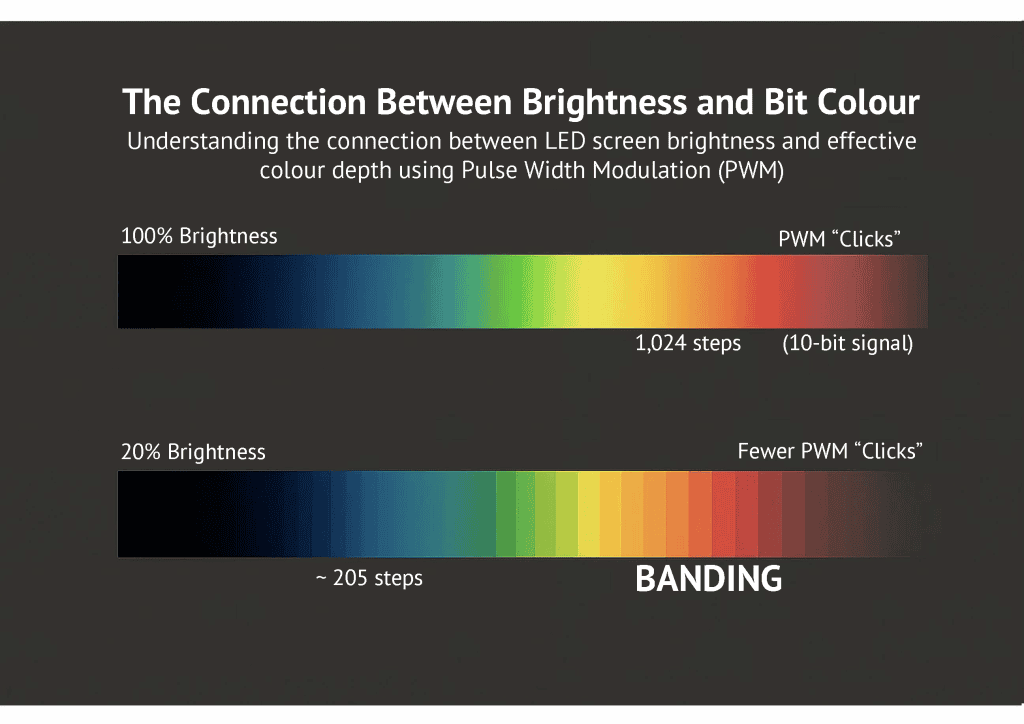
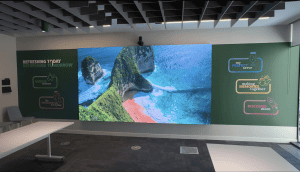
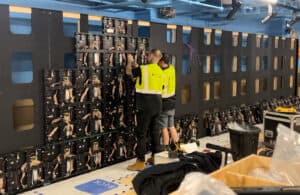
This is why panel grey scale and processor quality matter most in broadcast and virtual production. Camera-facing walls, such as the 8 m × 4.5 m backdrop we built for DEFY’s promo video and the XR stage at Brook Sixth Form, are typically run well below full brightness to match the camera’s exposure, which is exactly when the headroom is squeezed. A 14-bit panel driven by a processor that dims in the digital domain keeps the gradient clean where a low-grey-scale panel would band.
The processing chain
A 10-bit panel only helps if 10 bits reach it. The player, the signal path and the LED video processor all have to be set to carry 10-bit, and the source content has to have been made in 10-bit in the first place. Most consumer content, including almost everything on YouTube, is 8-bit. Professional camera formats and animation workflows are usually 10-bit or higher.
Bit depth, colour gamut and HDR
These three terms travel together but describe different things.
- Bit depth: how many steps between colours (16.7 million versus 1.07 billion). The number of crayons in the box.
- Colour gamut (sRGB, DCI-P3, BT.2020): the range of colours the display can reach. How vivid the crayons are.
- HDR (high dynamic range): a standard, defined for television in ITU-R BT.2100, that combines high bit depth, a wide gamut and high contrast. An HDR LED display needs 10-bit or better to work as intended.
Get one of the three wrong and the other two cannot rescue the image. Our LED display calibration guide covers how gamut and white point are set on site.
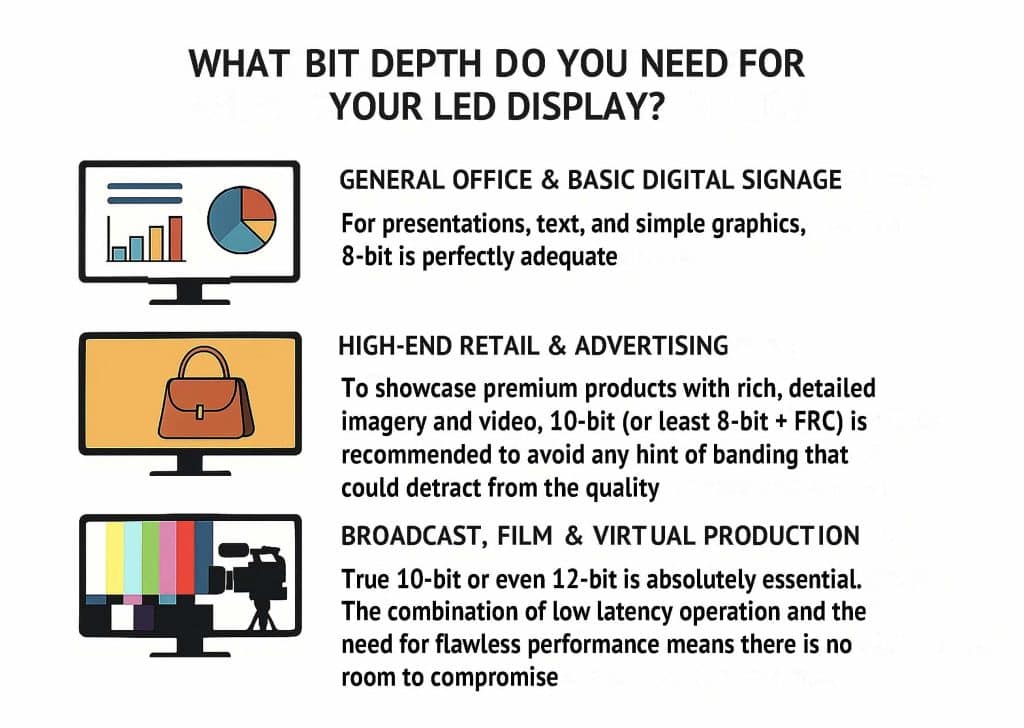
What bit depth do you need for your LED display?
The right answer depends on the content and how the screen will be run.
| Application | Recommended | Why |
|---|---|---|
| General office and basic digital signage | 8-bit | Presentations, text and simple graphics have few gradients to band. |
| High-end retail and advertising | 10-bit (or at least 8-bit + FRC) | Product photography and brand video show banding immediately on skies, skin and metallics. |
| Broadcast, film and virtual production | Native 10-bit or 12-bit, high grey-scale panel | Walls run dim for camera and every artefact is magnified on screen. |
Bit depth and colour depth: frequently asked questions
What does colour depth mean?
Colour depth is the amount of information used to define the colour of each pixel, usually stated as bits per channel (8-bit, 10-bit) or bits per pixel (24-bit, 30-bit). More bits mean more possible shades and smoother transitions between them. On an LED display it is the difference between a gradient that looks continuous and one that breaks into visible steps.
What is the difference between bit depth and colour depth?
In practice they are used to mean the same thing. Strictly, bit depth is the bits assigned to each red, green or blue channel, while colour depth is the total bits per pixel or the number of colours that results. An 8-bit-per-channel screen has 24-bit colour depth and 16.7 million colours; a 10-bit screen has 30-bit colour depth and 1.07 billion colours.
Is higher bit depth always better?
Not on its own. If the source video is 8-bit, a 10-bit screen cannot invent the missing shades and the banding stays. The whole chain, from content creation through the player and processor to the panel, has to support the higher bit depth. Higher bit depth also costs more in bandwidth, so match it to the content rather than buying the biggest number.
How do I know what bit depth my content is?
Professional video-editing and design software shows the bit depth in the export settings, and a media-info tool will read it from the finished file. Most consumer content, including YouTube video, is 8-bit. Professional camera formats, colour-graded masters and animation renders are usually 10-bit or higher. If you are not sure, send us a sample file and we will check it.
Does lowering the brightness of an LED screen reduce its colour depth?
Yes. LEDs are dimmed by pulse-width modulation, so at low brightness the driver has fewer steps to reproduce each level of the signal and the effective bit depth falls. This matters most in studios, where walls run dim for camera. Panels with a high grey-scale figure and processors that dim in the digital domain keep more of the gradient intact.
What bit depth do Dynamo LED displays support?
Dynamo datasheets state grey scale per series: 13-bit on the DYF and DFC flip-chip COB ranges, 14-bit on the DX indoor range and 14-bit or higher on the DFA outdoor range. Each accepts a 10-bit signal from a suitable processor. Tell us the content and the brightness the screen will run at and we will recommend the panel and processor pairing.
Specifying an LED display for smooth colour?
Send us the content you plan to show, the brightness the screen will run at and the viewing distance. We will come back with a written recommendation for panel grey scale, processor and signal chain, with pricing.
Get a quote for a 10-bit-ready LED display. Contact Dynamo LED Displays or call 020 3489 9878.