Immersive LED room and interactive LED displays at the Pixel Artworks Lighthouse (London)
This case study explains how we delivered an immersive LED (Light‑Emitting Diode) room and multiple interactive LED displays at the Pixel Artworks Lighthouse in Farringdon, London. It’s written for teams planning a similar space — whether that’s a boardroom, brand experience centre, museum, gallery, or visitor attraction. You’ll find practical guidance on specification, content planning, installation realities, and the details that most often cause delays.
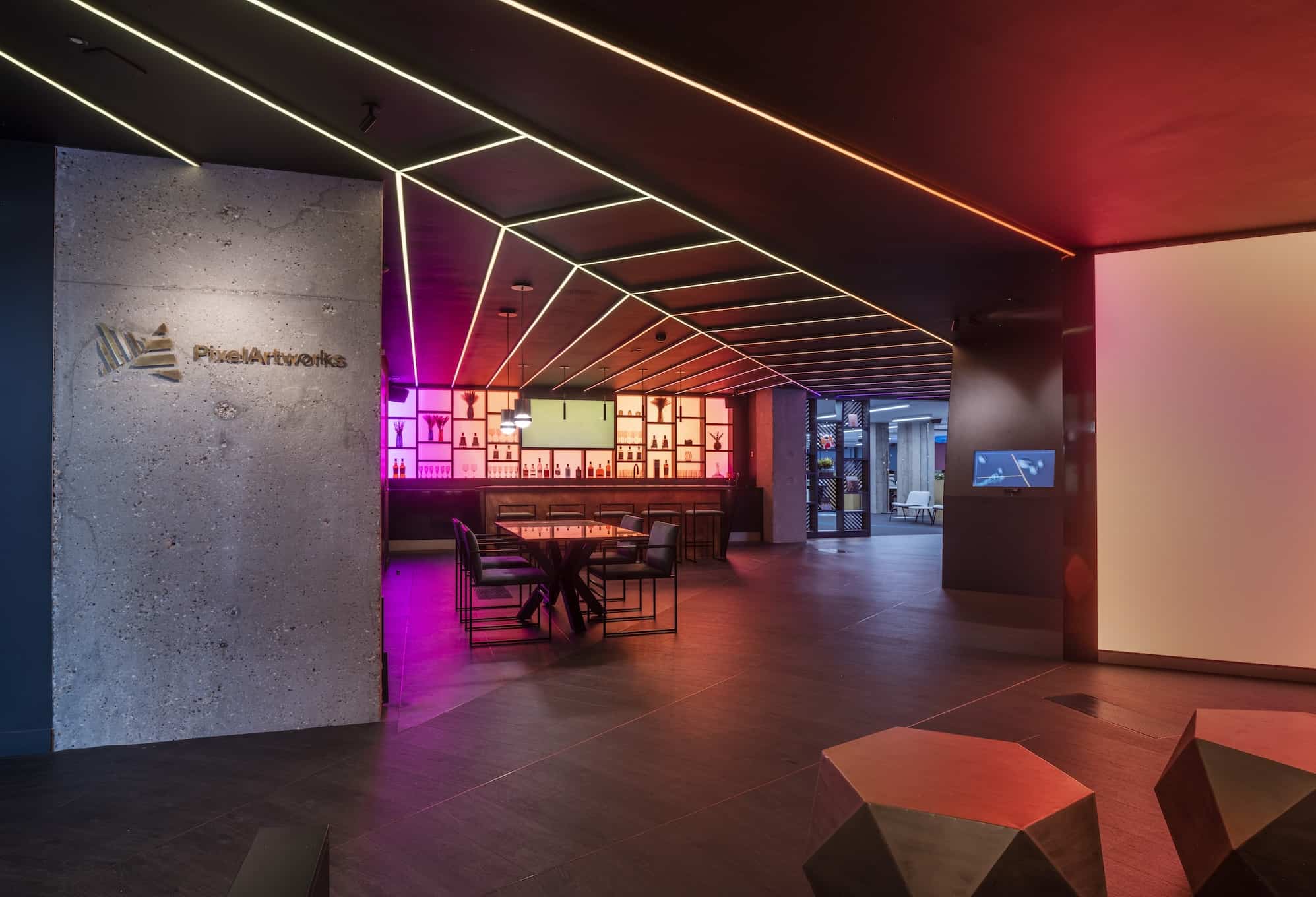
Pixel Artworks’ Lighthouse is their London headquarters and client experience space — you can see their own overview of the venue here: Visit pixelartworks.com
Key takeaways
An immersive LED room works best when the physical geometry (corners, joinery, sightlines) is designed alongside the content workflow from day one.
Pixel pitch (the distance between pixel centres) should be chosen based on the closest viewing distance and the type of content you’ll show, not on a single “best” number.
Resin‑protected LED surfaces can be a sensible choice where visitors get very close to the screen or where durability and cleanability matter.
Interactive LED walls succeed when the camera/sensor inputs, processing, and content mapping are engineered as one system, not assembled as add‑ons.
A multi‑screen environment needs a clear plan for signal routing, calibration, and maintenance access — otherwise day‑two operation becomes expensive and frustrating.
Project facts
Location: Farringdon, London, UK
Environment: Creative office headquarters / client experience space
Design partner: Pixel Artworks
Installed by: Dynamo LED Displays
Screen types delivered:
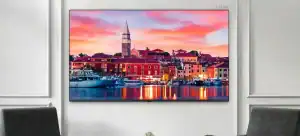
History Wall (LED feature wall)
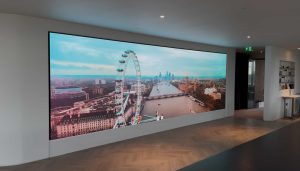
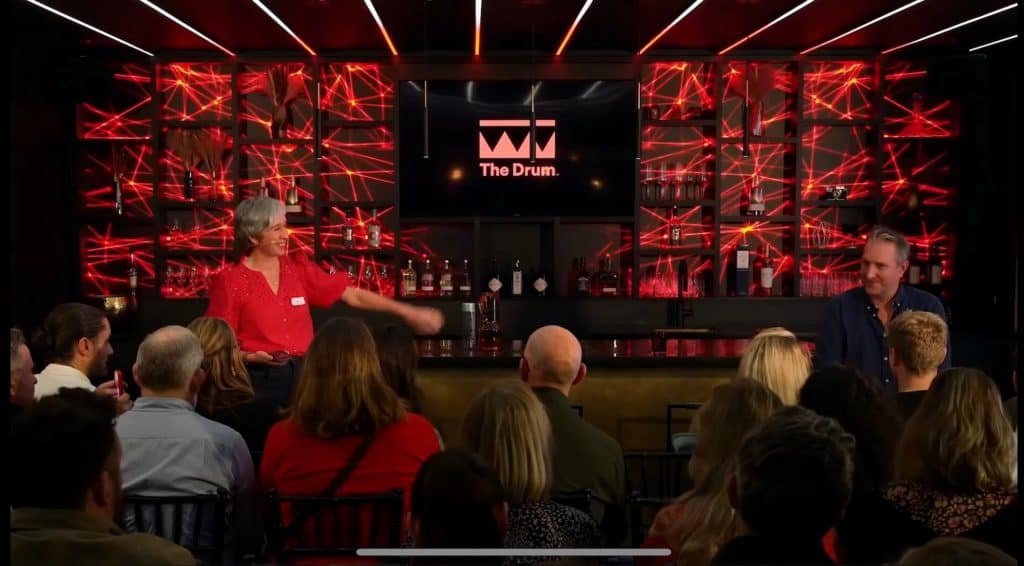
The Bar (LED wall integrated into joinery, split into sections)
Interactive Wall (tablet‑prompted, camera‑driven interactive display)
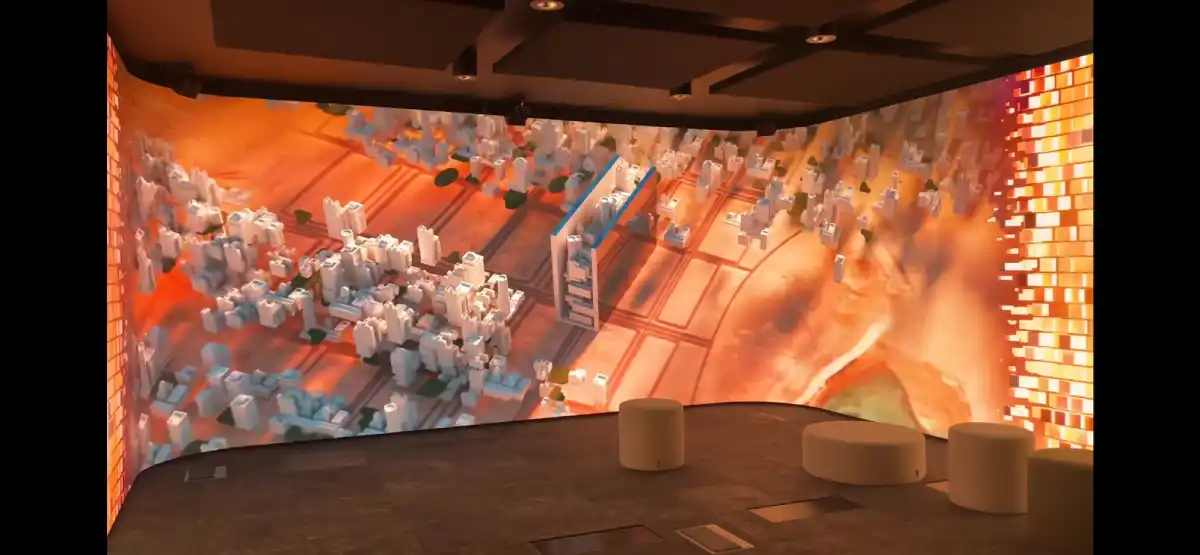
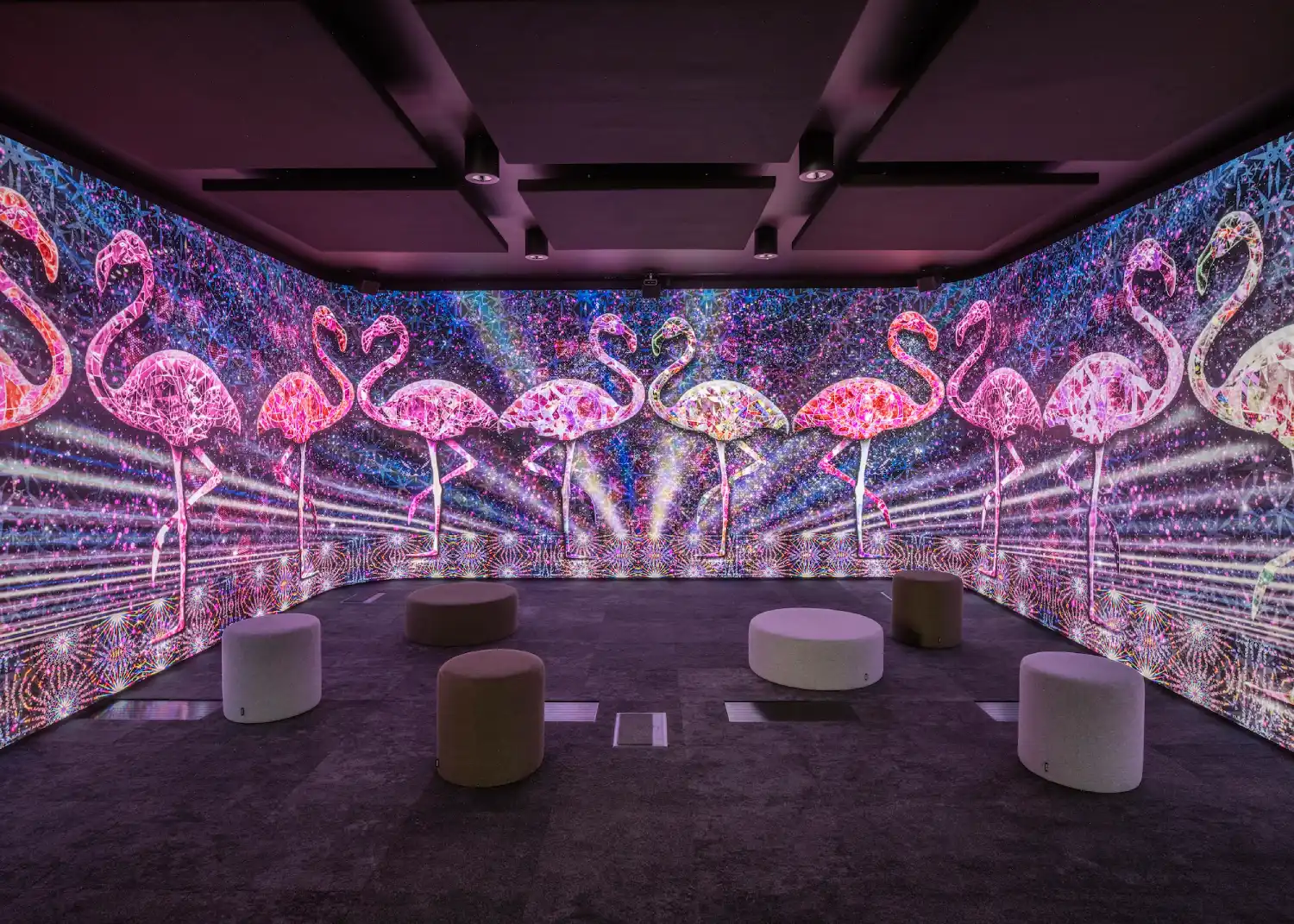
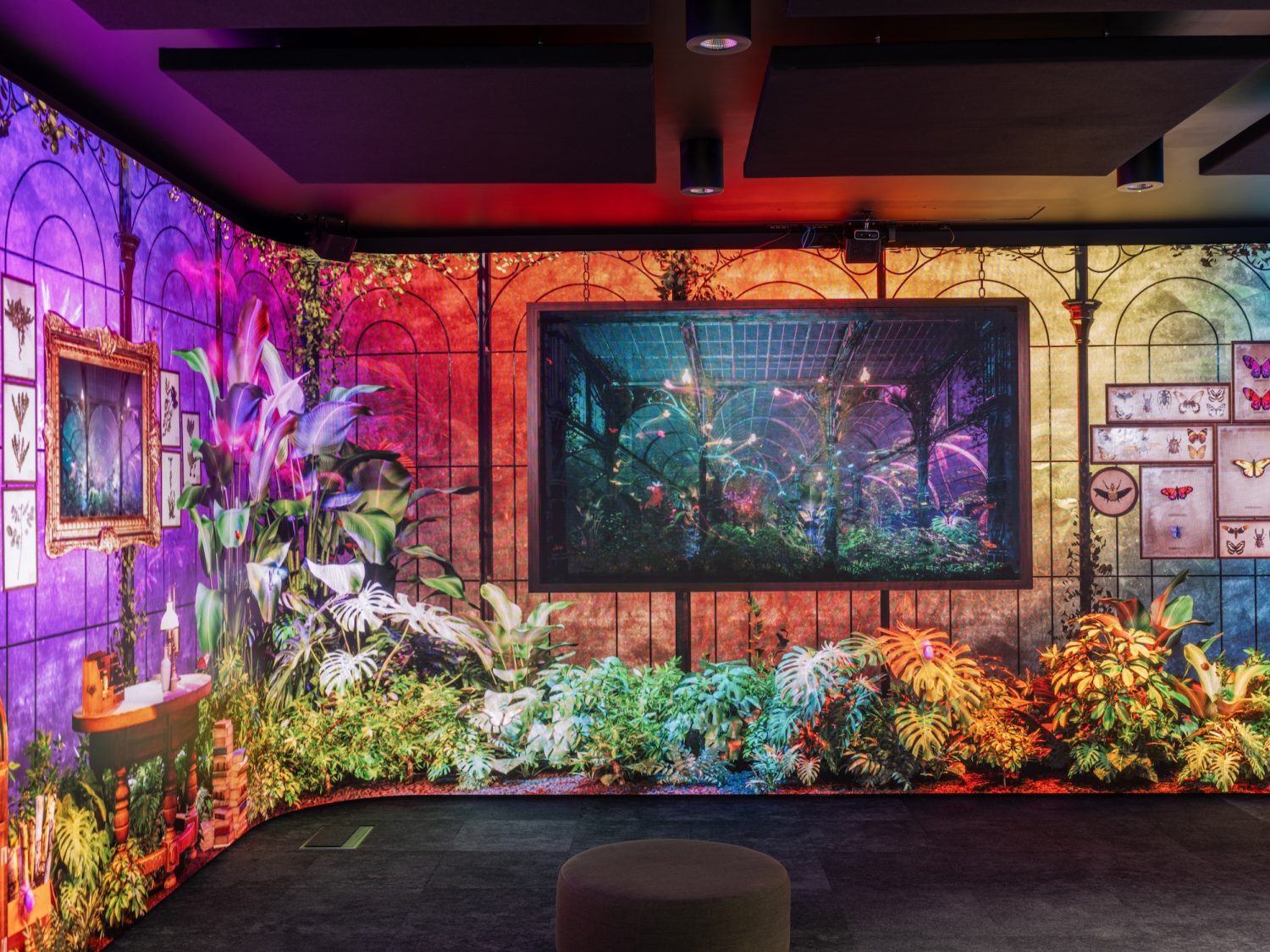
The Originals Theatre (270° immersive LED room)
Immersive room format: 270° wraparound
Pixel pitch (immersive room): 1.95 mm
Approximate LED surface areas: ~61.0 m² across the listed screens (combined).
Control / processing: A NovaStar H2 was specified to suit the content and interactive workflow. Dynamo regularly deploys NovaStar and Brompton ecosystems depending on the operational and performance requirements.
The installation is located in Farringdon, London, and is used as a working office environment as well as a space for client demonstrations.
What we mean by an “immersive LED room”
An immersive LED room is a space where LED screens wrap around the viewer — typically 2–4 walls, sometimes with a ceiling or floor — to create a continuous visual environment.
In this project, the immersive space (“The Originals Theatre”) is a 270° wraparound LED room designed to support close‑range viewing and consistent perspective across curved corners.
Quick definitions (so we stay precise)
Pixel pitch: the distance (in mm) between the centre of one pixel and the next. Lower pitch generally increases pixel density and supports closer viewing.
SMD (Surface‑Mounted Device): a common LED packaging method where LEDs are surface mounted on the PCB.
GOB (Glue on Board): a protective coating over the LED surface designed to improve durability (often used where people get close to, or may touch, the display).
What we delivered at The Lighthouse (screen by screen)
The Lighthouse includes several distinct LED features — each with a different purpose, content type, and build constraint.
| Area | Approx. size (W × H) | Primary purpose | Engineering notes (what we plan for) |
|---|---|---|---|
| History Wall | 1.98 m × 2.48 m | Showcase content highlighting recent projects | Content should be authored to the native pixel map and calibrated for consistent colour alongside adjacent screens. |
| The Bar (joinery‑split LED wall) | 5.45 m × 1.48 m (total) | Single canvas playback or segmented playback across sections | Segmentation affects mapping, cabinet access, serviceability, and how media templates are built (“whole wall” vs “per section”). |
| Interactive Wall | 3.0 m × 2.5 m | Tablet‑prompted interaction with camera‑driven visuals | Interactive systems need a defined signal chain (camera → compute → processor → LED) to manage latency and reliability. |
| The Originals Theatre (immersive LED room) | 16.36 m × 2.48 m (wrap width × height) | 270° immersive storytelling and client demonstrations | Curved corners reduce perspective breaks, but increase the importance of mechanical tolerances, calibration, and content workflow. |
Why the immersive theatre used resin‑protected LED (and why that matters)
In Pixel Artworks’ own words, the immersive room was designed with curved corners to reduce breaks in perspective, and they chose a ~1.9 mm DRE Series option over SMD for contrast, colour reproduction, and durability for close‑range audiences.
A short excerpt from their project commentary captures the intent:
“We designed the LED room with curved corners… [and] opted for the 1.9mm DRE series… The resin coating also provides… durability.”
Our technical view (what this means in practice)
When people can stand very close to an LED surface, two things become obvious very quickly:
Surface finish and contrast matter as much as headline resolution.
Durability matters because “hands happen” in real spaces — even when it’s not intended to be touch‑interactive.
The DRE Series is one of our resin‑protected product families, which can be appropriate for close‑viewing environments where you want a robust front surface and strong perceived contrast.
Cabinet‑level resolution (example, not project‑specific): a typical ~1.9 mm DRE cabinet is 256 × 256 pixels per cabinet, which is why we always design content to the final cabinet map (cabinet pixels × cabinets across / high), not to “per m²” assumptions.
Interactive LED walls: what makes them feel seamless (and what breaks them)
The Lighthouse AI screen requires users to input prompts via a tablet, and the system uses that input to drive camera‑based visuals on the LED wall.
For interactive installs, we document the full signal chain (input → compute → processing → LED) before build, so responsiveness and stability are engineered in — not patched later.
The practical checklist we run through
Input devices: What sensors/cameras/tablets are used, and where do they physically live?
Compute: Where does the real‑time processing happen (local PC, server, or edge device), and what’s the redundancy plan?
Latency budget: What level of delay is acceptable for the experience to feel responsive?
Mapping & calibration: How will interactive content be authored and tested to the native LED pixel map?
Operations: Who starts/stops the experience, updates content, and monitors issues day‑to‑day?
If you want to explore interactive options beyond this case study, see our page on interactive LED screen apps, sensors and software development.
Specification checklist for an immersive LED room (what to decide early)
This is the part that helps projects stay on track. Most delays come from missing decisions rather than technical limitations.
1) Viewing and content
Closest viewing distance: how close can a person realistically stand to the LED surface?
Content type: cinematic video, UI‑driven content, generative visuals, camera feed, or mixed?
Camera capture (if used): will the LED be on camera, and if so, what are the capture requirements?
Ambient light: daylight, controlled lighting, or mixed conditions?
2) Physical build
Room geometry: flat corners vs curved corners (and how that affects content design).
Joinery integration: If a display is integrated into joinery (like the “bar wall”), we agree maintenance access points and cabinet removal routes early, because access decisions affect both uptime and long-term running cost.
Serviceability: front access vs rear access, and what “maintenance space” exists behind/around the LED.
3) Control system and signal flow
We regularly specify NovaStar and Brompton control ecosystems depending on the performance requirements and the wider workflow (e.g., broadcast‑style pipelines vs corporate signage‑style operation).
If you’re planning a multi‑screen venue, it’s worth deciding early:
How many independent canvases you need
What input formats you expect (HDMI, SDI, IP video, etc.)
Who will operate the system (in‑house, agency, or technical team)
Installation and compliance: the unglamorous bits that protect the programme
Even in a “clean” corporate environment, installation usually involves access equipment, routing power and data, and verifying the wall structure.
Working at height: any elevated installation work should follow the UK’s Work at Height requirements and HSE guidance.
Electrical: your supply and distribution should be designed and installed in line with UK wiring regulations (BS 7671).
Ingress Protection (IP) ratings: if an LED surface is exposed to dust, moisture, cleaning regimes, or public touch, the enclosure protection should be assessed against IEC 60529 (IP ratings).
Common pitfalls we see (and how to avoid them)
Content arrives late or in the wrong format. Fix this by confirming the native pixel map early, then building content templates to that map.
Joinery blocks service access. A beautiful finish is still a problem if a cabinet can’t be removed safely for maintenance.
Interactive systems are “bolted on”. Define your input/compute/processing chain upfront so the experience feels responsive and remains stable.
No operational owner. Assign a named person/team responsible for day‑to‑day operation, updates, and fault reporting.
Under‑planned power and data routes. Confirm cable paths, containment, and termination locations before joinery and finishes are locked.
From the field (Daniel Reynolds)
Most immersive LED projects don’t fail because the technology is “too advanced”. They stall because one practical detail is missing — usually service access, content mapping, or a clear plan for who owns the system after handover.
When we scope an immersive room, I always ask two questions early: “How close will people stand to it?” and “Who is responsible for content updates in six months’ time?” Those answers shape the product choice, processing approach, and how we design the system to stay reliable in the real world.
Related pages on our site
Standards and references (external)
Want to plan an immersive LED room?
If you’re considering an immersive LED room, an interactive LED wall, or a multi‑screen environment like the Lighthouse, we’re happy to talk through feasibility, specification, and what information we need to quote accurately.
Call: +44 (0)203 489 9878
Email: sales@dynamo-led-displays.co.uk
London HQ: 146a Brick Lane, London, E1 6RU, England, GB
Oxfordshire office: Rowan House, Long Toll, Oxfordshire, RG8 0RR, Oxfordshire, GB
Immersive Room FAQs
What is an immersive LED room?
An immersive LED room is a space where LED screens wrap around the viewer (often 180°–360°) to create a fully surrounding visual environment for storytelling, demonstrations, or experiences.
How do you choose the right pixel pitch for an immersive LED room?
We start with the closest realistic viewing distance and the type of content you’ll show. Lower pixel pitch generally supports closer viewing, but contrast, surface finish, and content workflow also matter.
What’s the difference between SMD and resin‑protected (GOB) LED?
SMD (Surface‑Mounted Device) is a common LED packaging method. Resin‑protected or GOB (Glue on Board) LED adds a protective coating over the surface to improve durability and can help in close‑contact environments.
Do interactive LED walls need special software?
Yes. Interactive LED walls usually require software that connects inputs (tablet, sensors, cameras) to real‑time content generation or playback, as well as a stable processing chain to keep latency low.
Which control systems do Dynamo use — NovaStar or Brompton?
We work extensively with both NovaStar and Brompton. The best choice depends on the content workflow, performance requirements, and how the system will be operated day‑to‑day.
What information do you need to scope an immersive LED room?
Room geometry, target viewing distances, content type, interaction requirements (if any), structural details, power availability, and access constraints for installation and maintenance.
What warranty and support do you provide?
Our standard purchase warranty is a 3‑year return‑to‑base (RTB) warranty. Service contracts with 24–48 hour response can be provided on request.
Can immersive LED rooms work in offices and boardrooms, not just museums?
Yes. Immersive LED rooms can work well in corporate spaces when the content purpose is clear (brand storytelling, product demos, training) and the room is engineered for reliable daily operation.
Written by: Daniel Reynolds — Managing Director, Dynamo LED Displays.
Technically reviewed by: Tristan Grant — Senior LED Engineer.
Original publication date (site): 23 January 2024.