
BMS-Driven LED Content: Why “Dynamic” Has to Mean More Than a Slideshow
Contents
hide
What Counts as “Occupancy Data” in a BMS
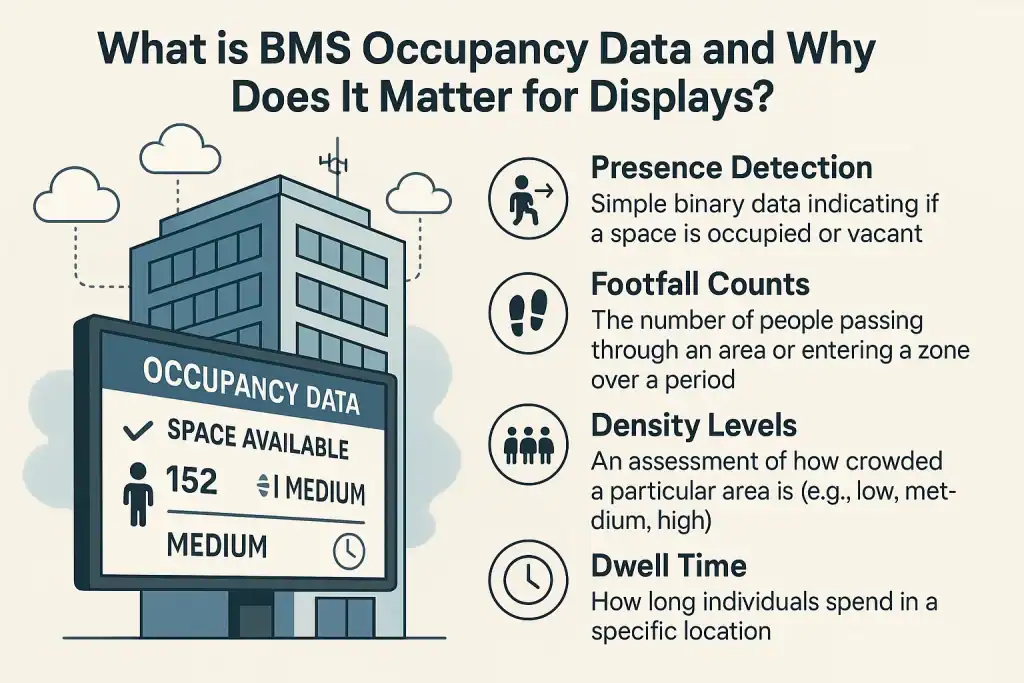
A BMS (Building Management System — Siemens Desigo, Honeywell Niagara, Trend IQ, JCI Metasys, the usual suspects) already sees more of your building than your CMS does. The signals we end up using fall into four buckets:- Presence — binary “this zone is occupied / vacant”. Comes from PIR sensors, desk sensors, room booking systems. Useful for switching meeting-room status screens or pausing content in empty zones to save power and reduce burn-in risk.
- Footfall count — number of people through a doorway or zone over a window. Comes from beam counters, time-of-flight sensors, BLE beacons, or vision systems (Density, Vergesense, Xovis). Useful for trigger thresholds.
- Density — derived metric: people per m². Used for crowd-pressure warnings on transport interchanges, or for switching retail screens from advertising to wayfinding once a zone is busy.
- Dwell time — average minutes a person spends in a zone. Usually comes from vision analytics rather than the BMS proper, but most BMS platforms can ingest the feed via Modbus, BACnet/IP, or REST.
The Integration Stack: BMS → Middleware → CMS → Panel
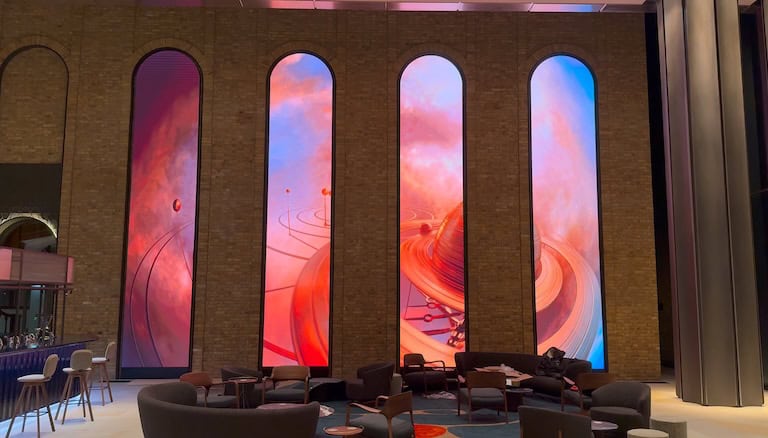
There’s no off-the-shelf BMS-to-LED appliance. Every install we build is a four-layer chain, and most of the project time goes into the middle two layers, not the LED itself. 1. Source layer — the BMS or sensor estate. The BMS publishes occupancy data on its native protocol — usually BACnet/IP for newer estates, Modbus TCP for older industrial, or a vendor REST API for cloud-managed platforms. Density and Vergesense ship their own REST APIs; XY Sense exposes a published occupancy intelligence API. The sensors themselves don’t talk to the LED — that’s never the right architecture. They talk to the BMS, the BMS aggregates, and the aggregated feed is what your CMS consumes. 2. Middleware layer — the translator. The BMS speaks one dialect, the CMS speaks another. You need something in the middle that subscribes to BMS events, applies rules, and pushes content commands to the CMS. We usually deploy a small Node.js or Python service running on a Raspberry Pi-class device on the building network. It maintains the rules table, debounces noisy sensors (a PIR firing every 0.5s shouldn’t trigger 7,200 content switches an hour), and handles the failure mode — if the BMS connection drops, the CMS falls back to its default schedule rather than going blank. 3. CMS layer — the content brain. Not every digital-signage CMS can accept external triggers. The ones we deploy regularly that handle this cleanly: Novastar VPlayer, Dynamo’s own cloud CMS, Brompton Tessera (broadcast), and BroadSign’s content API for larger retail networks. The CMS holds the content library and the rule mapping (“if event=high-density-zone-A then play playlist ‘calm-1′”). On Novastar-driven walls we typically wire this through the controller’s external trigger interface; on cloud CMSes it’s a webhook from the middleware. 4. Display layer — the panel. This is where the LED hardware actually matters. The screen needs a controller that can repaint without a perceptible cut (Novastar MX-series or H-series, Brompton Tessera SX-class for broadcast), and pixel pitch tight enough for the viewing distance (under 2.5mm for lobby work where viewers sit within 3m of the screen — DRE Series at P1.5 or P1.9, or the COB DYF for studio installs). On the Leadenhall arches we run Novastar MX40 controllers driving 1.9mm DRE cabinets, which is the sweet spot for that 6–8m typical viewing distance.Unlocking Value in Retail: Use Cases & Benefits
For retailers, the ability to adapt messaging based on real-time customer presence is invaluable. It moves displays from being mere decoration to active sales and experience enhancement tools.- Dynamic Promotions & Advertising:
- Targeted Offers: Trigger advertisements for specific products when footfall in that department or aisle is high. If more customers are browsing electronics, nearby screens can flash deals on the latest gadgets.
- Responsive Pricing/Messaging: Change promotional messaging based on overall store traffic. During quieter periods, screens could display “Beat the Rush” offers or highlight services like personal shopping.
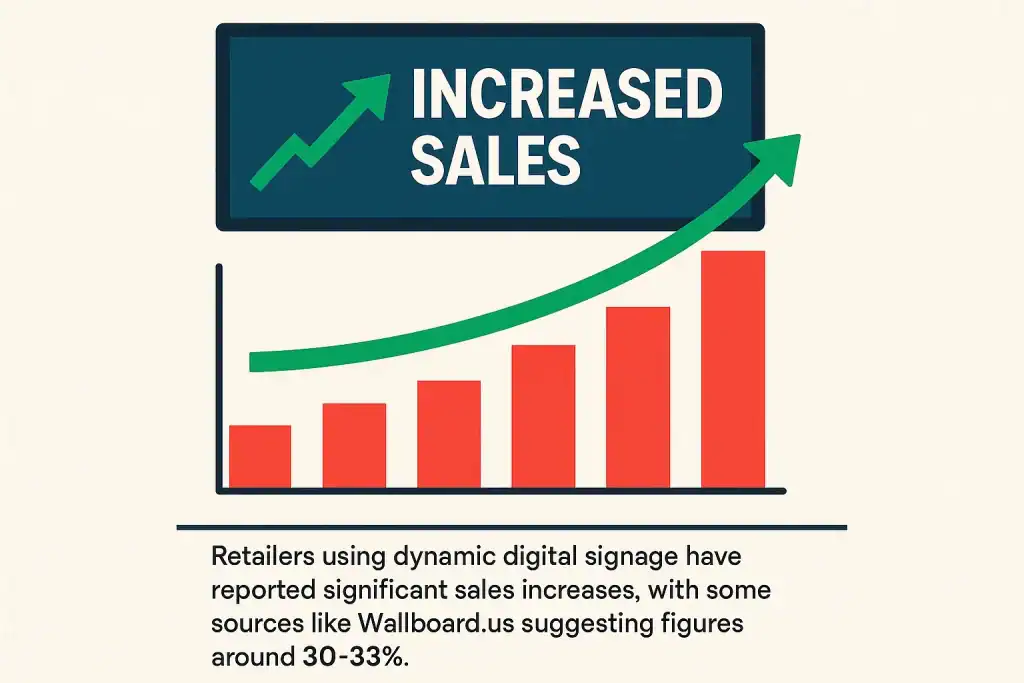
- Increased Sales: Retailers using dynamic digital signage have reported significant sales increases, with some sources like Wallboard.us suggesting figures around 30-33%.
- Enhanced Customer Flow & Experience:
- Real-time Wait Times: Display current waiting times for checkouts, fitting rooms, or customer service desks, helping manage expectations and reduce perceived wait times (which can be cut by up to 35% according to ScreenCloud statistics).
- Wayfinding: Guide shoppers to less congested areas of the store or highlight alternative checkout points during peak times.
- Improved Engagement: Dynamic, relevant content is more likely to capture attention and influence purchasing decisions, with some studies indicating that 70% of customers state digital signage influences their buying choices (CUInsight).
- Optimised Store Operations:
- Staff Alerts: Back-office displays can alert staff to busy zones needing assistance or restocking, triggered by high footfall data.
Transforming Corporate Environments: BMS Data Use Cases & Benefits
In corporate settings, BMS-driven dynamic LED displays can streamline operations, improve communication, and create a more intelligent and responsive workplace.- Intelligent Meeting Spaces:
- Automated Room Status: Displays outside meeting rooms can automatically show “Available,” “Meeting in Progress [Topic/Host],” or upcoming bookings based on actual occupancy detection, eliminating ghost bookings or confusion. Navori highlights the effectiveness of such meeting room occupancy screens.
- Welcome Messages: Personalised welcome messages can be displayed when a scheduled meeting’s participants enter the room.
- Efficient Workplace Navigation & Communication:
- Dynamic Wayfinding: In large office complexes, LED displays can guide employees and visitors, with routes potentially adapting based on highly trafficked or temporarily restricted areas.
- Targeted Internal Comms: Display important announcements, safety alerts, or company news on screens in occupied common areas, canteens, or specific departments, ensuring messages reach active audiences.
- Cafeteria & Amenities Info: Show real-time occupancy levels in the company cafeteria, gym, or other shared spaces. Displays can also showcase daily menus or specials, perhaps changing based on the time of day or how busy the area is.
- Optimised Resource Usage:
- Hot-Desking Availability: Provide live updates on available hot desks or collaborative spaces, helping employees quickly find a place to work.
- Energy Savings: While not direct content, linking display activity (e.g., brightness levels or on/off status) to area occupancy can contribute to overall energy efficiency goals.
Key Considerations for Implementation
Successfully implementing a system where BMS occupancy data drives LED content requires careful planning:- Choosing the Right Technology:
- BMS: Ensure your BMS can provide accessible and reliable occupancy data, ideally via a well-documented API.
- Sensors: Select appropriate sensor technology for the accuracy and type of data you need.
- LED Display & CMS: Opt for high-quality LED displays and, crucially, a robust Content Management System that explicitly supports integration with external data sources and offers flexible rule-based content triggering. Dynamo LED Displays specialises in providing such integrated solutions.
- Content Strategy for a Dynamic World:
- Plan Variations: Develop multiple content variations for different occupancy scenarios. What should the screen show when an area is empty, moderately busy, or very crowded?
- Clarity & Conciseness: Dynamic messages are often glanced at quickly. They must be clear, concise, and immediately understandable.
- Context is King: Ensure the triggered content is highly relevant to the specific location and the occupancy state.
- Data Privacy & Security:
- Be mindful of data privacy regulations. Occupancy data is generally anonymised, but transparency about data collection and usage is important, especially if camera-based sensors are used.
- Secure the integration points between systems to prevent unauthorised access or manipulation.
- Scalability & Future-Proofing:
- Consider how the system might need to expand. Will you add more displays, integrate more data sources, or develop more complex triggering rules in the future? Choose platforms that can grow with your needs.
The Future is Adaptive: BMS Trends to Watch
The integration of occupancy data with digital displays is just the beginning. Future advancements are likely to include:- AI-Driven Predictive Content: Machine learning algorithms could analyse historical occupancy patterns to predict future states and proactively adjust content.
- Deeper IoT Integration: Displays could react to a wider array of data from other smart building IoT devices, such as environmental sensors (temperature, air quality) or security systems.
- Sophisticated Analytics: Enhanced analytics will provide deeper insights into how different dynamic content impacts viewer behaviour and occupancy patterns, allowing for continuous optimisation.