1mm Pixel Pitch LED Display: Sub‑1mm (0.93mm) 4K DYF Series Case Study
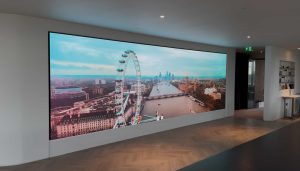
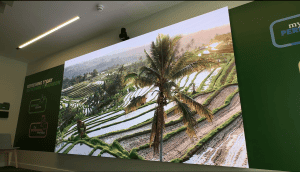
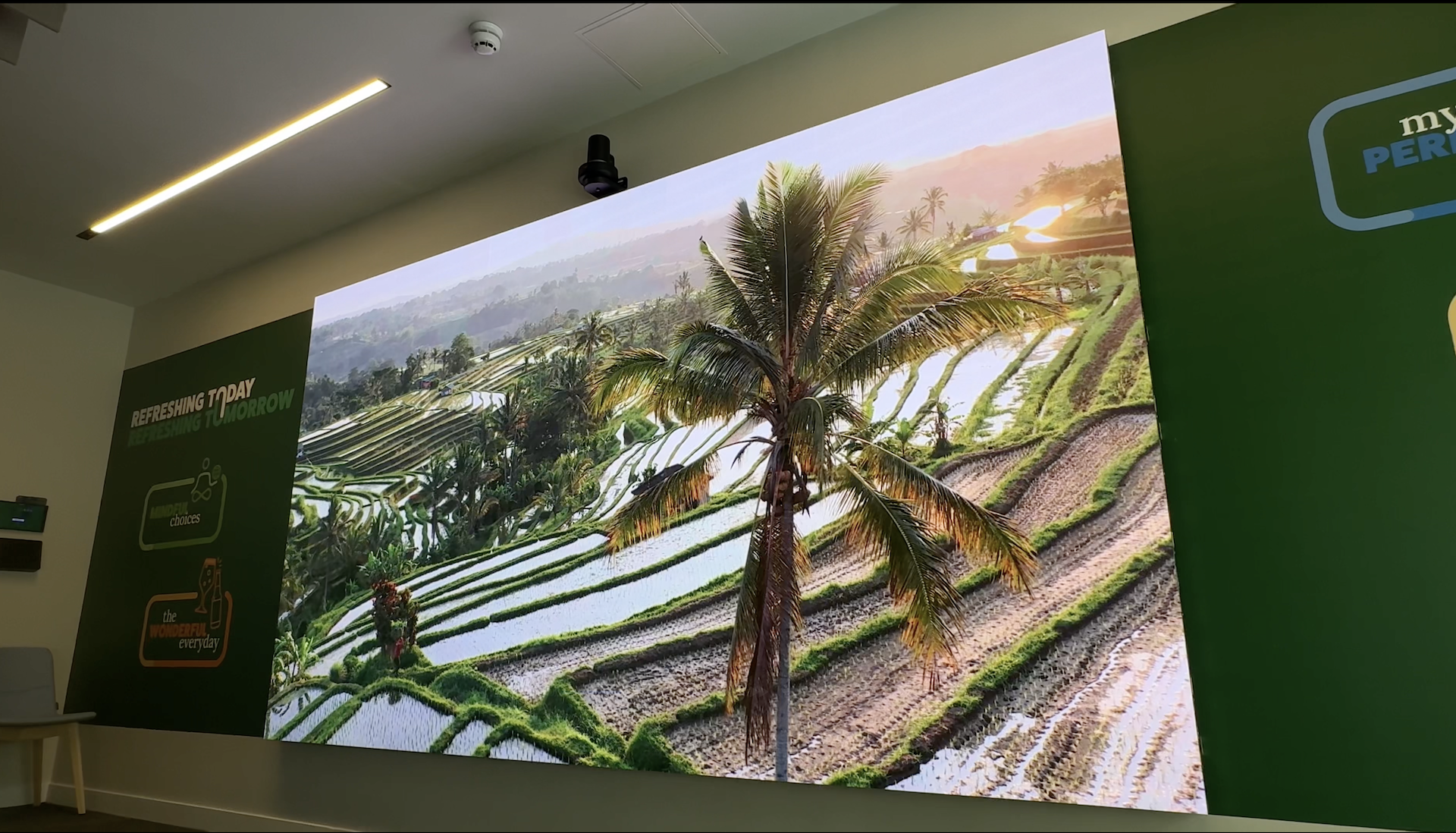
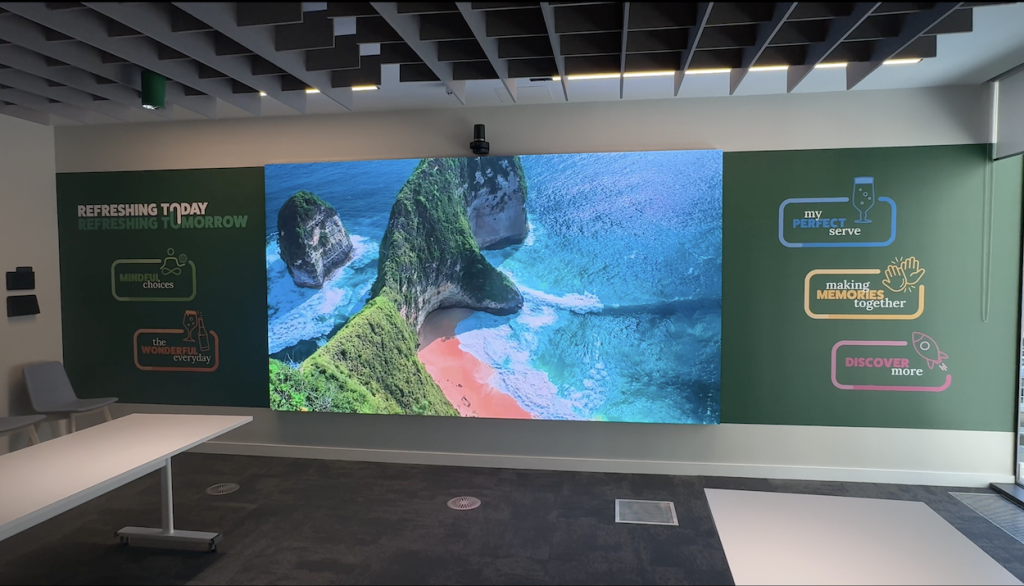
A sub‑1mm pixel pitch LED display is designed for close‑view environments where fine detail, smooth gradients, and clean typography matter. This case study explains how Dynamo LED Displays delivered a 0.93mm, native‑4K LED wall for immersive, VR‑style retail walkthroughs in a premium corporate meeting space — and what to specify if you are planning something similar.
Key takeaways
Sub‑1mm pixel pitch (such as 0.93mm) is typically specified when viewers will stand close to the screen and content needs to hold detail at short viewing distances.
A native 4K (3840 × 2160) LED wall at 3.6 m × 2.025 m supports true 1:1 pixel mapping from UHD sources, which can simplify content playback and review workflows.
HDR (High Dynamic Range) performance depends on the full signal chain (content, playback, processing and calibration), not just the LED hardware.
In this installation, the HDR workflow required a dedicated high‑bandwidth data connection to every cabinet, making cable routing and wall build details a key part of the engineering plan.
Close‑view LED projects succeed when the brief includes access, servicing, and commissioning time — not only pixel pitch and screen size.
Project facts
Location: 45 Mortimer Street, London W1W 8HJ
Environment: Corporate meeting room; close‑viewing; VR (Virtual Reality)‑style interactive walkthroughs
Screen type: DYF Series Flip‑Chip COB (Chip on Board) LED wall
Pixel pitch: 0.93mm (sub‑1mm)
Size / format: 3.6 m × 2.025 m
Resolution: Native 4K (3840 × 2160)
HDR: HDR‑enabled (High Dynamic Range)
Brightness: 1200 nits (display luminance is commonly expressed in cd/m²)
Refresh rate: 3840 Hz (hertz)
Power: Max ~13 A
Control / processing: NovaStar H2 processor
Primary use case: Interactive walkthroughs of retail store environments (for planning layouts and product placement)
Secondary use cases: Product demonstrations and streamed content
What “pixel pitch” means (and what changes below 1mm)
Pixel pitch is the distance (in millimetres) from the centre of one pixel to the centre of the next. Smaller pixel pitch means more pixels per square metre.
When you move below 1mm, you are usually designing for close viewing, where the audience can see pixel structure, seams, and calibration issues more easily. That shifts the focus of the brief:
mechanical flatness and alignment become more critical
content quality and scaling become more noticeable
commissioning and calibration take on more importance
cable routing and service access need to be engineered early
When sub‑1mm is worth considering
Sub‑1mm LED is typically most useful when you need one or more of the following:
viewers are regularly within a few metres of the screen
detailed content (fine text, product pack shots, CAD renders, VR‑style walkthroughs) must stay crisp
you want large‑format impact without moving to projection or tiled LCD
the wall must look “architectural” up close, not just at distance
Options to compare before you specify sub‑1mm
Sub‑1mm is not the default choice for every corporate space. A sensible early comparison is:
Standard indoor LED (larger pixel pitch): often a good fit when viewing is mostly at distance and content is signage or video.
Fine‑pitch indoor LED (around 1–2mm): common in boardrooms, showrooms, and control rooms where people stand closer.
Sub‑1mm LED: chosen where close viewing and high detail are non‑negotiable, and the project can support the extra engineering and commissioning detail.
Tiled LCD / commercial displays: can work well in some meeting rooms, but you trade off bezel lines, brightness, and layout flexibility.
If you are unsure, start with viewing distance, content type, and required resolution — then let those drive the pixel pitch discussion.
Case study overview: a close‑view VR‑style walkthrough wall
In this project, the client wanted a meeting room screen that could function as a visual centrepiece and a practical tool for decision‑making.
The core use was interactive walkthrough content showing retail store environments, so teams could review layouts and product placement with a high level of detail.
The display was also intended to be flexible enough for day‑to‑day use (for example, product demos and streamed events).
Why 0.93mm and native 4K were specified here
A sub‑1mm pitch can be justified when people will view content from close range and expect it to behave like a high‑quality large display — particularly with detailed visuals and text.
Here, the combination of:
0.93mm pixel pitch, and
native 4K resolution on a 3.6 m × 2.025 m canvas
supported a close‑view experience without relying on heavy scaling or aggressive content simplification.
Technical specification snapshot
Use this as a quick reference when you are comparing solutions or writing an initial brief.
| Specification | Value | Why it matters (plain English) |
|---|---|---|
| Series / LED package | DYF Series, Flip‑Chip COB (Chip on Board) | COB packaging is commonly chosen for fine‑pitch, close‑view applications. |
| Pixel pitch | 0.93mm | Supports higher pixel density for close viewing and detailed content. |
| Screen size | 3.6 m × 2.025 m | 16:9 format aligns well with UHD content workflows. |
| Resolution | 3840 × 2160 (native 4K) | Enables true 1:1 pixel mapping from a 4K source. |
| HDR | HDR‑enabled | Requires an end‑to‑end HDR workflow (content → playback → processing → calibration). |
| Brightness | 1200 nits | Helps maintain punch and clarity in bright meeting rooms. |
| Refresh rate | 3840 Hz | Higher refresh can improve perceived smoothness and reduce on‑camera artefacts. |
| Power (max) | ~13 A | Power planning still matters, even for “office sized” high‑resolution walls. |
| Processing | NovaStar H2 | Processor choice affects resolution mapping, signal handling, and workflow stability. |
Engineering considerations for sub‑1mm LED walls
1) Processing, bandwidth and HDR workflow
HDR (High Dynamic Range) is not a single checkbox feature. It is the result of choices across the workflow:
how content is produced and graded
how it is encoded and played back
how the processor handles colour and brightness mapping
how the wall is calibrated (including greyscale and colour tracking)
For a close‑view wall, the goal is usually clean gradients, stable greys, and consistent colour — not just peak brightness.
2) Data cabling and concealment
This project had an important practical requirement: to achieve the chosen HDR workflow, each cabinet needed its own high‑bandwidth data connection.
That is the sort of detail that can affect:
wall build and recess depth
the number and type of cable routes required
installation time and access planning
future servicing (where do those cables go, and how do you reach them?)
In this installation, Dynamo routed the cabling through a purpose‑designed void behind the wall, down to the floor and onwards to the processor. The result was a clean finish with hidden infrastructure.
3) Power planning in a corporate room
For corporate environments, power planning is often less about “can we power it?” and more about:
where circuits are located versus where the screen sits
how power is isolated and protected
how you keep power and data routes tidy and serviceable
whether the room needs changes to ventilation or cooling
Even with a quoted maximum of ~13 A for this wall, you still want the electrician, wall builder, and AV team working from the same drawing set.
4) Content quality and “what the viewer will notice”
With sub‑1mm pixel pitch, viewers notice different things:
low‑resolution sources and soft scaling
compression artefacts in gradients
mismatched colour temperature between content types
seams and flatness issues at the joins
inconsistent calibration, especially in near‑grey tones
If your main content is detailed (store walkthroughs, renders, product visuals), the content pipeline deserves the same attention as the display specification.
5) Servicing and long‑term operation
Sub‑1mm walls should be designed around realistic servicing:
How do you access modules and data connections?
Can you service without dismantling the room?
Is there space for safe working at height (where needed)?
What is the agreed dead‑pixel/defect policy at handover? Dynamo will always ensure there is not a single dead pixel on completion of the installation.
Dynamo’s standard purchase warranty is a 3‑year return‑to‑base warranty, with service contracts (24–48 hr response) available on request for clients who need faster support.
Common pitfalls (and how to avoid them)
The brief has screen size and pixel pitch, but no viewing distance. Include typical viewer positions and the closest expected viewing point.
No decision on native resolution mapping. Confirm whether the wall must be native 4K, and what sources will be connected.
Cable routes are treated as “someone else’s problem”. If the HDR/data design increases the number of data runs, make it part of the wall build plan early.
No plan for commissioning time. Fine‑pitch walls benefit from proper calibration and acceptance testing.
The room lighting is ignored. Glare and reflections can undermine perceived contrast, especially on dark content.
Servicing is an afterthought. If you cannot access the system safely, you do not have a maintainable installation.
From the field (Daniel Reynolds)
On close‑view projects, the delays rarely come from the LED itself. They come from missing “infrastructure detail” in the brief — things like cable routes, where the processor will live, and how we’re meant to service the wall once the room is finished.
If you want a smooth installation, share the room drawings early and be explicit about your content workflow (resolution, HDR/SDR, and sources). Sub‑1mm walls are achievable, but they reward planning.
Practical specification checklist (copy/paste into your brief)
Use this list to tighten your requirement before you request a quote or a design.
Use case: What is the wall used for (walkthroughs, conferencing, signage, broadcast, demos)?
Viewing distance: Closest and typical viewing positions (seated/standing).
Target resolution: Is native 4K required? What aspect ratio is needed?
Content workflow: Main content types, codecs, and playback devices.
HDR (if required): Confirm HDR expectations and where colour/brightness mapping is handled.
Room conditions: Ambient light levels, reflections, and any direct sunlight.
Wall build: Recess depth, structural support, and finished edge detail.
Cable routes: Data and power routes, with serviceable access.
Processor location: Rack/credenza location, ventilation, and network access.
Acceptance testing: What constitutes “done” (uniformity, seams, colour, defect policy).
Support expectations: Warranty, spares, response time, and who owns ongoing content support.
Standards and references (useful background)
ITU‑R BT.2100 (HDR image parameters, PQ/HLG): https://www.itu.int/dms_pubrec/itu-r/rec/bt/R-REC-BT.2100-3-202502-I%21%21PDF-E.pdf
VESA DisplayHDR overview (HDR test methodology for displays): https://displayhdr.org/
IEC guidance on IP (Ingress Protection) ratings / IEC 60529 (useful when comparing indoor vs outdoor enclosures): https://www.iec.ch/ip-ratings
NPL (UK National Metrology Institute) SI units reference, including luminance in cd/m²: https://www.npl.co.uk/resources/the-si-units
Related Dynamo pages
Learn more about LED video walls
Explore custom LED displays for architectural and bespoke applications
If you are building an immersive environment, see XR solutions
Browse more project case studies
Support options and servicing: service & support
Start a conversation: contact Dynamo LED Displays
FAQs - Sub 1mm LED Displays
What does “0.93mm pixel pitch” actually mean?
It means the distance between the centres of adjacent pixels is 0.93 mm. A smaller pixel pitch usually provides higher pixel density, which helps when people view the screen from close range.
How close can people stand to a sub‑1mm LED wall?
It depends on the pixel pitch, content type, and how demanding the audience is (for example, fine text versus full‑screen video). In general, sub‑1mm is chosen specifically because close viewing is expected, so it is important to specify the closest viewing position in your brief.
What is COB (Chip on Board) and why is it used in fine‑pitch LED?
COB (Chip on Board) is a packaging method where LED chips are mounted directly onto the board and typically protected with an encapsulation layer. It is commonly used for fine‑pitch, close‑view applications.
Does “HDR‑enabled” guarantee HDR performance?
Not on its own. HDR (High Dynamic Range) depends on the full workflow: content, playback device, processor settings, and calibration. You should define what “HDR” means for your use case (contrast, colour volume, highlight handling) and test the full chain.
Why would an LED wall need a data cable to each cabinet?
Some workflows require higher bandwidth or more direct data distribution to achieve the desired performance (for example, when handling high‑resolution or HDR content). Each cat 5/6 data cable from the LED controller to the screen (using proprietary signal) can only control so many pixels. If that is the case, cable routing and service access must be designed into the wall build.
What processor is needed for a native 4K LED wall?
You need processing that can reliably handle the target resolution, the chosen frame rates, and the input sources you plan to use. In this project, a NovaStar H2 processor was used, and Dynamo also works extensively with NovaStar and Brompton systems depending on requirements.
How do you keep the installation looking clean in a meeting room?
Plan the “infrastructure” early: where power and data will run, where the processor will sit, and how servicing will work. In this case study, the cabling was routed through a dedicated void behind the wall for a clean finish.
What warranty and support options are available?
Dynamo’s standard purchase warranty is a 3‑year return‑to‑base warranty. Service contracts with 24–48 hour response options are available on request for clients who need faster support.
Talk to Dynamo about a sub‑1mm LED wall
If you are planning a close‑view LED wall (boardroom, showroom, demo suite, or immersive walkthrough space), we can help you turn the brief into a buildable specification — including processing, cabling, and commissioning.
Call: +44 (0)203 489 9878
Headquarters: 146a Brick Lane, London, E1 6RU
Office: Rowan House, Long Toll, Oxfordshire, RG8 0RR
Written by Daniel Reynolds (Managing Director). Technically reviewed by Tristan Grant (Senior LED Engineer).