Executive LED displays are fine-pitch direct-view LED video walls specified for boardrooms, executive briefing centres and corporate lobbies. They replace projection and tiled LCD with a single seamless canvas that stays bright in daylight, runs all day, and is serviced from the front. Pitch, viewing distance and structural preparation decide whether the installation succeeds.
Updated September 2026: direct answer, first-hand project examples, expanded FAQ and link fixes; guidance unchanged.
Key takeaways
LED delivers superior brightness and contrast – direct‑view LED emits light directly and maintains vivid, high‑contrast visuals even in bright rooms, with contrast ratios often exceeding 100,000:1 .
Long‑term value – high‑quality LED displays have an industry‑standard lifespan around 100,000 hours (~10 years) and require minimal maintenance, giving them a favourable total cost of ownership compared with projection .
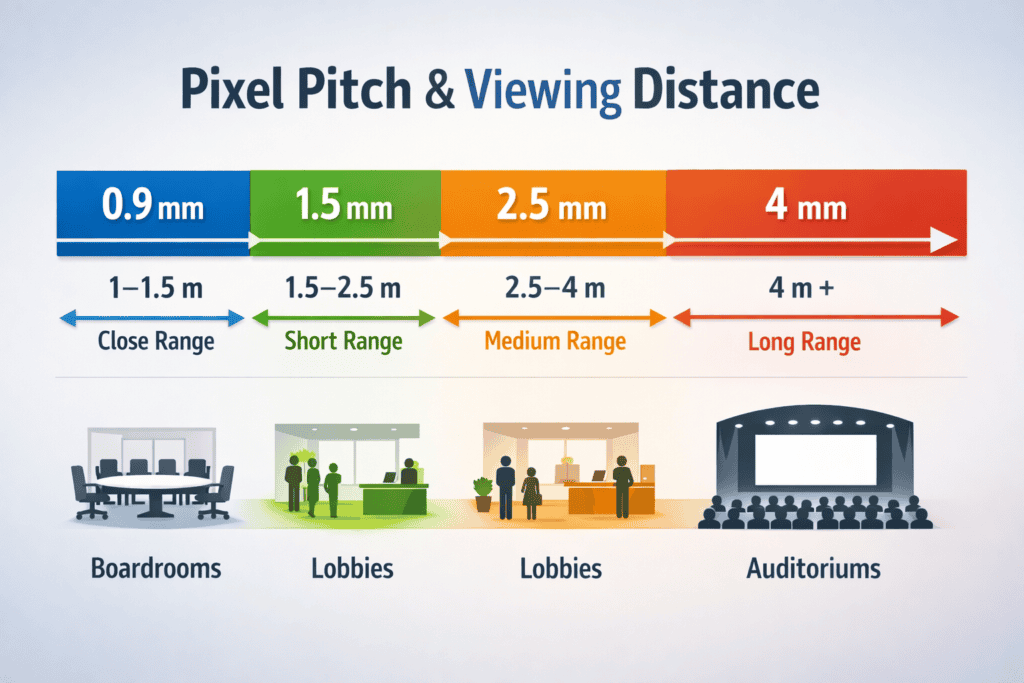
Pixel pitch matters – a narrow pixel pitch (1 mm–2.5 mm) is ideal for boardrooms and briefing centres where viewers sit close ; larger pitches suit lobbies and reception areas .
Projectors have portability but more upkeep – projectors rely on reflected light, delivering lower contrast and requiring regular lamp replacements and alignment .
Preparation is critical – site surveys must verify structural support, power, and environmental conditions before installation .
Modular design aids serviceability – front‑serviceable LED tiles enable quick panel replacement and reduced downtime.
Business leaders often evaluate display technologies through cost alone, but executive briefing centres and boardrooms demand more than commodity screens. An immersive LED wall communicates innovation and attention to detail, reinforcing your organisation’s brand values in high‑stakes meetings. While research from technology companies suggests that well‑designed executive briefing centres improve client relationships and purchasing intent, the strategic value extends beyond sales metrics:
First‑impression impact – bright, seamless video walls draw visitors into your story. Projectors can wash out in daylight, whereas LED’s self‑emissive pixels maintain vivid colour and contrast .
Data clarity – financial models, engineering schematics and video feeds require fine detail. Pixel pitches of 0.9–1.5 mm deliver crisp text and graphics at close viewing distances.
Flexibility and longevity – high‑quality LED modules operate for around 100,000 hours . Their modular design allows future upgrades or repairs without replacing the whole wall.
Consistent brand presence – lobbies and reception areas become living canvases for ambient content, news feeds or live data. Unlike projectors, LED walls can run 24/7 with low maintenance .
Two Dynamo projects show the range. At 40 Leadenhall we recessed custom LED arches into the lobby architecture of a City of London tower, so the displays read as part of the building rather than screens on a wall. At AutoTrader’s Manchester HQ we engineered a double-curved 1.86 mm LED ribbon across five zones, installed on a live site in under two weeks.
ROI and evaluation
When procuring executive technology, look beyond purchase price. Evaluate:
Total cost of ownership (TCO) – factor in lifespan, energy consumption and maintenance. Projection systems have cheaper up‑front costs but require bulb replacements and alignment .
Opportunity cost – consider the value of shortening sales cycles, improving client confidence and enhancing collaboration. Research claims that executive briefings can improve buyer relationships and purchasing decisions; while specific figures vary, premium environments undoubtedly influence perception.
Service and warranty – Dynamo offers a three‑year return‑to‑base warranty by default, with optional service contracts providing 24–48 hour response times.
LED vs projection: performance comparison
Projection has traditionally equipped boardrooms, yet its limitations become apparent in today’s visually rich presentations. The following comparison focuses on metrics that matter in executive spaces.
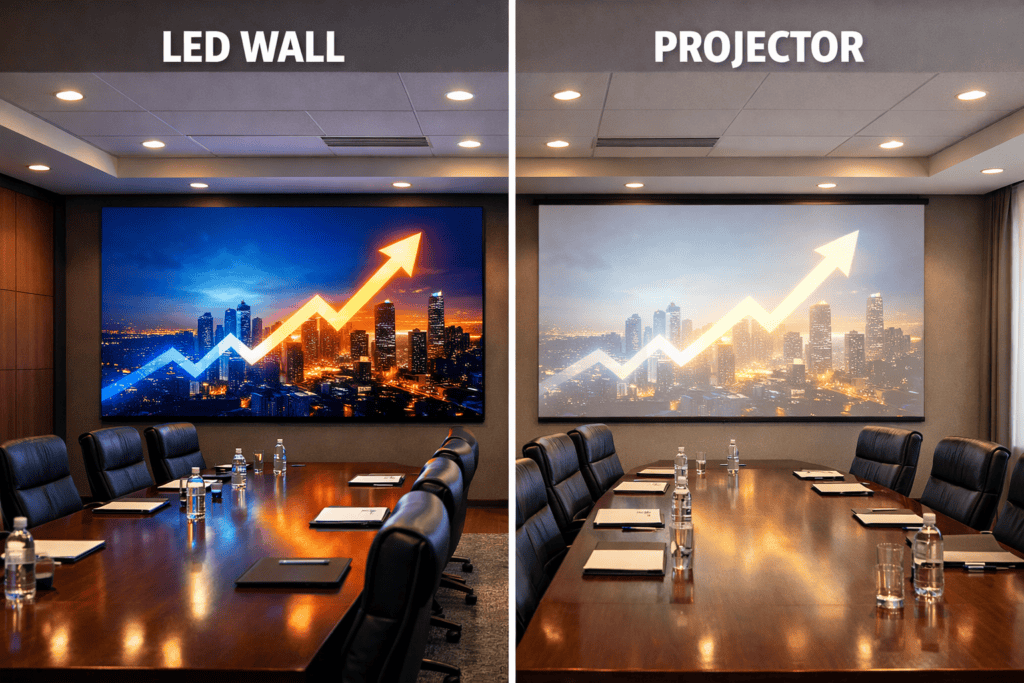
For most executive spaces, the brightness, clarity and longevity of LED displays outweigh the portability advantage of projection. Projectors still serve temporary event spaces or situations where budgets are tight, but they struggle to meet the expectations of high‑value clients .
Designing LED installations for executive environments
Choosing the right pixel pitch
Pixel pitch describes the distance between the centre of one LED and the next; smaller numbers mean higher pixel density and sharper images. Pixel pitch refers to the centre-to-centre distance between adjacent LED pixels, measured in millimetres (mm). As a very general guideline, the minimum comfortable viewing distance (in metres) is approximately 1.5–2 times the pixel pitch value.
If your display will be under 110 inches wide, a high‑quality backlit LCD may suffice ; however, larger canvases benefit from modular LED walls. Always consider content type: text‑heavy presentations require finer pitches (1.5 mm – 2.5 mm) for legibility, whereas video and simple graphics can tolerate wider pitches .
Aspect ratio and room layout
Modern collaboration platforms often support ultra‑wide aspect ratios (e.g., 21:9 or 32:9) that display remote participants alongside shared content. Assess how your teams will use the display: standard 16:9 works for typical presentations, but a wider canvas creates immersive meetings and future‑proofs your investment. Custom shapes and curves can wrap around columns or corners, provided pixel density remains appropriate.
Architectural integration
A premium installation should feel intentional. Consider:
Recessed mounting – embed the display flush within stone, wood or fabric to create a seamless digital wall.
Custom shapes & curves – use flexible LED modules to wrap around curved walls or create convex/concave forms.
Concealing infrastructure – hide cables, power supplies and control equipment behind the wall for a clean finish.
Compatible framework – Dynamo’s DRE series integrates with BeMatrix and Aluvision stand systems; the DX series can mount directly to a prepared wall without additional framework.
Tailored solutions for different spaces
Corporate lobbies
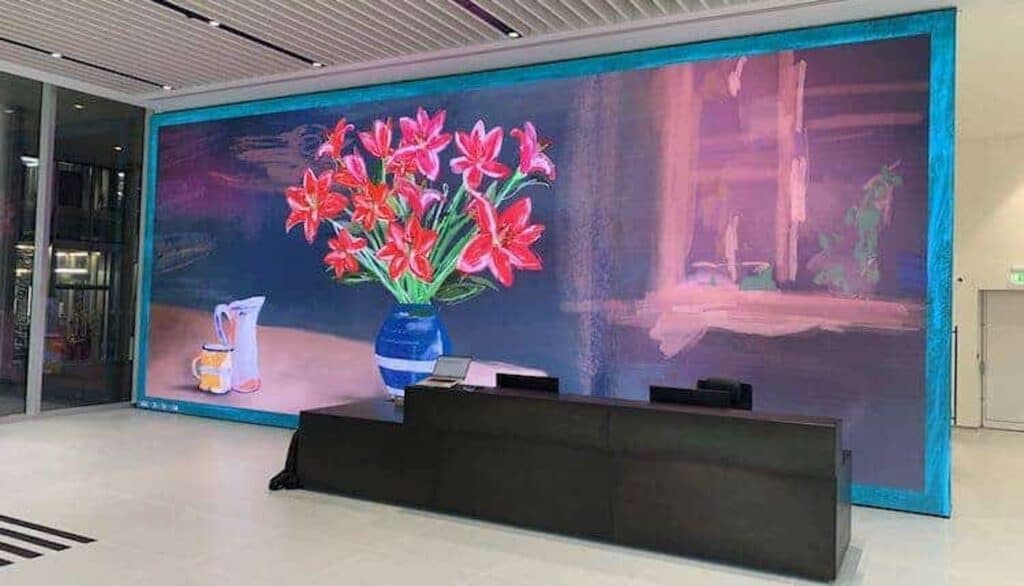
In reception areas, LED displays set the tone for your brand. High‑brightness modules combat sunlight and create an immersive entrance. Content is often ambient – dynamic art, real‑time data or welcome messages – so choose a pixel pitch around 1.8 mm to 2.9 mm and ensure the wall has front‑service access for maintenance. Outdoor‑rated DRX series tiles (0.9 mm – 3.9 mm) are suitable for semi‑outdoor atriums.
Executive briefing centres (EBCs)
EBCs host strategic discussions and product demonstrations. Flexibility is key: use modular walls that can be reconfigured or expanded, and integrate interactive elements such as touch overlays or sensor‑based controls. Ultra‑fine pixel pitches (0.9 mm–1.5 mm) support detailed visuals and high‑resolution video; align the aspect ratio with your collaboration tools.
Boardrooms & conference suites
For boardrooms, reliability and clarity matter more than spectacle. Choose fine‑pitch LED panels (1.2 mm–1.5 mm) to display spreadsheets, charts and video feeds without pixelation. Pair the wall with a robust control system (NovaStar or Brompton) and integrate it into your existing room management platform. Ensure that the wall has redundancy and is front‑serviceable to minimise downtime.
Technical considerations for flawless deployment
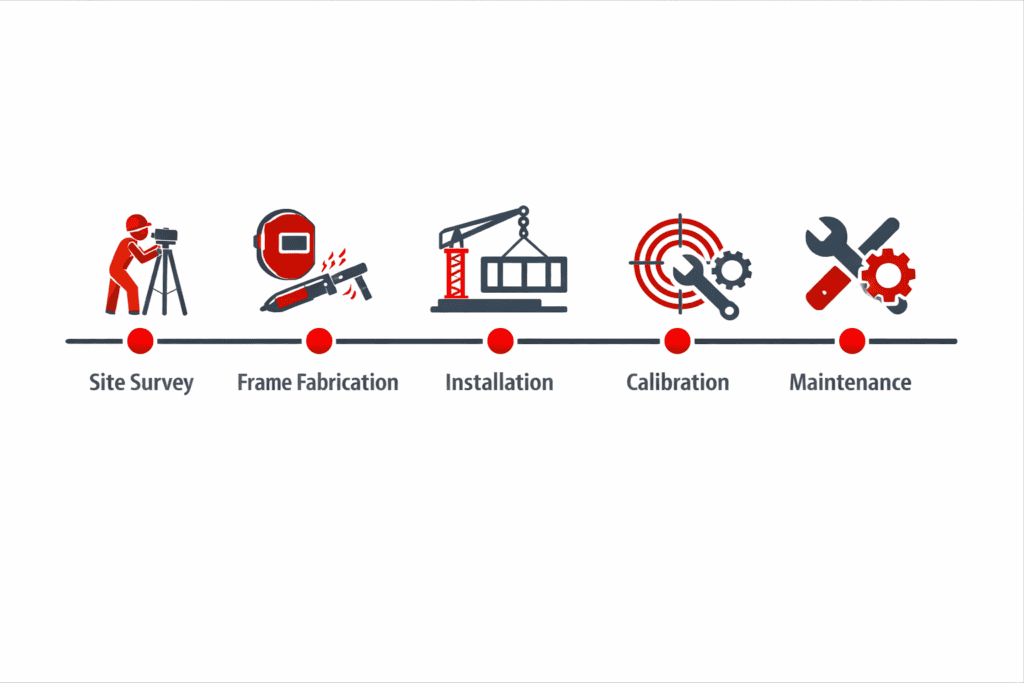
Successful LED projects are built on meticulous planning. Dynamo’s process follows good practice across the industry:
Pre‑installation diligence
Site survey and structural assessment – confirm that walls can support the weight of the display, identify load‑bearing points and evaluate ventilation. Third‑party experts recommend verifying structural support, finalising electrical and data routing and confirming environmental conditions before installation .
Frame fabrication – a precision‑engineered mounting frame ensures that cabinets align without visible seams. Custom frames may be needed for curved or recessed designs.
Power and data planning – map out circuits and data pathways so that all cables remain hidden and accessible. Consult electricians early to avoid overloading circuits.
During installation
Rigging and mounting – install the support structure, then align and interconnect panels. Proper alignment is critical; professional installers use laser tools to achieve pixel‑perfect seams .
Cable management and diagnostics – route power and signal cables neatly; run initial power‑up tests and correct any issues before final calibration.
Post‑installation support
Calibration & commissioning – fine‑tune colour and brightness uniformity, check refresh rates and configure processors .
Training and maintenance – train your team to operate the control system, perform basic troubleshooting and manage content .
Ongoing support – choose a service agreement that includes onsite support, extended warranties, remote diagnostics and fast panel replacement . Front‑serviceable cabinets, such as Dynamo’s DX and DRX series, allow for quick module replacement without dismantling the wall.
Pitfalls and how to avoid them
Under‑specifying pixel pitch – selecting a wide pixel pitch to save money will result in pixelation when viewers sit close. Use viewing‑distance guidelines and consult a specialist.
Ignoring structural loads – LED walls are heavy; failing to verify wall capacity can cause costly redesigns .
Overlooking control systems – high‑resolution walls require robust processors; ensure compatibility with your room’s AV infrastructure and plan for redundancy.
Poor content planning – high‑resolution displays need high‑resolution content. Invest in professional content design to maximise the impact.
Neglecting maintenance – build maintenance access into the design. Serviceable panels reduce downtime and prolong the life of the display.
From the field: Daniel Reynolds, Managing Director
As someone who has overseen LED installations in boardrooms and luxury showrooms, I’ve learned that the most common bottleneck isn’t pixel technology—it’s preparation. Clients often fall in love with the visuals but forget that their existing wall may not support the weight or depth of an LED wall. A thorough site survey and coordination with architects and electricians early on saves weeks down the line. I also see many projects delayed because content isn’t ready. An ultra‑fine pitch wall will reveal every flaw in low‑resolution images, so invest in content creation as early as you invest in hardware.
Another tip: think long term. Our DX and DRX series panels are front‑serviceable, meaning we can swap out a faulty module in minutes without tearing down the wall. This design consideration is often overlooked but makes a huge difference when an executive meeting depends on your display working flawlessly.
Executive LED Displays: Frequently Asked Questions
How does pixel pitch affect an executive boardroom display?
Pixel pitch sets how close people can sit before the image breaks into visible dots. For boardrooms, where directors sit two to four metres from the wall and read spreadsheets and charts, choose a pitch between 0.9 mm and 1.5 mm. Lobbies, where viewers stand further back and content is ambient, can use 1.8 mm to 2.9 mm and save budget.
Why are LED displays better than projectors in bright rooms?
LED pixels emit their own light, so contrast holds up under ambient light and daylight. A projector relies on light reflected from a screen, so the image washes out unless blinds are closed. In an executive briefing centre with glass walls, that difference decides whether the presentation is readable at ten in the morning.
Do LED walls require more maintenance than projectors?
No. A quality LED wall has no lamps or filters to change and a rated lifespan around 100,000 hours. Projectors need lamp replacements, filter cleaning and periodic realignment. The maintenance an LED wall does need, such as swapping a failed module or recalibrating brightness, is planned rather than reactive when the cabinets are front-serviceable.
How quickly can a faulty LED module be replaced?
In minutes, if the wall was specified with front-serviceable cabinets. A technician releases the module from the front, fits a spare and the processor re-maps it, with no need to dismantle neighbouring panels or access the rear. That is why we recommend front-service cabinets for boardrooms where the display has to work for a scheduled meeting.
Which LED tiles install fastest in a corporate lobby?
Modular fixed-install cabinets that mount to a prepared wall without a separate frame. Dynamo’s DX Series cabinets fix directly to a flat, load-checked wall and lock edge to edge, so a lobby wall goes up in days rather than weeks. Fastest of all is a wall where the structure, power and data were finished before the panels arrived, which is a planning decision, not a product one.
How bright is an executive LED display?
Indoor fine-pitch panels are rated at around 800 to 1,500 nits on the datasheet, which is more than enough for a boardroom and is usually run well below maximum. Lobbies with glazing and direct sun can use higher-brightness indoor cabinets rated at 3,000 nits or more. Brightness is calibrated down after installation so the wall matches the room rather than dominating it.
What pre-installation checks are necessary?
A site survey that confirms the wall can carry the weight and depth of the display, identifies fixing points, checks ventilation and confirms power and data routes. Electrical and data routing are finalised with the electrician and architect before the frame is fabricated, so cables and control equipment can be concealed. Skipping this step is the most common cause of delay.
Can we upgrade the LED wall later?
Yes. Because the wall is modular, sections can be added or the cabinets swapped for a finer pitch later, provided the support frame and the processor were sized with expansion in mind. Ask for that headroom at the design stage: a frame built exactly to the first wall and a processor with no spare capacity make a later upgrade a rebuild.
Next steps
Whether you are designing a flagship lobby, an EBC or a high‑stakes boardroom, choosing the right partner is as important as choosing the technology. Dynamo LED Displays has 13+ years of experience delivering bespoke LED solutions with NovaStar and Brompton control systems. Explore our LED video walls for case studies, learn about our DX Series and DRX outdoor series, or consult our LED buying guide for a deeper dive. Ready to discuss your project? Contact us or call 020 3489 9878 to speak with one of our specialists.

Digital Walls: the Citypoint Digital Art LED Wall in London
Dynamo LED Displays have completed the installation of a Digital...
Discover Led Video Wall Citypoint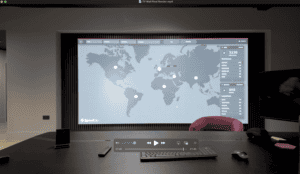
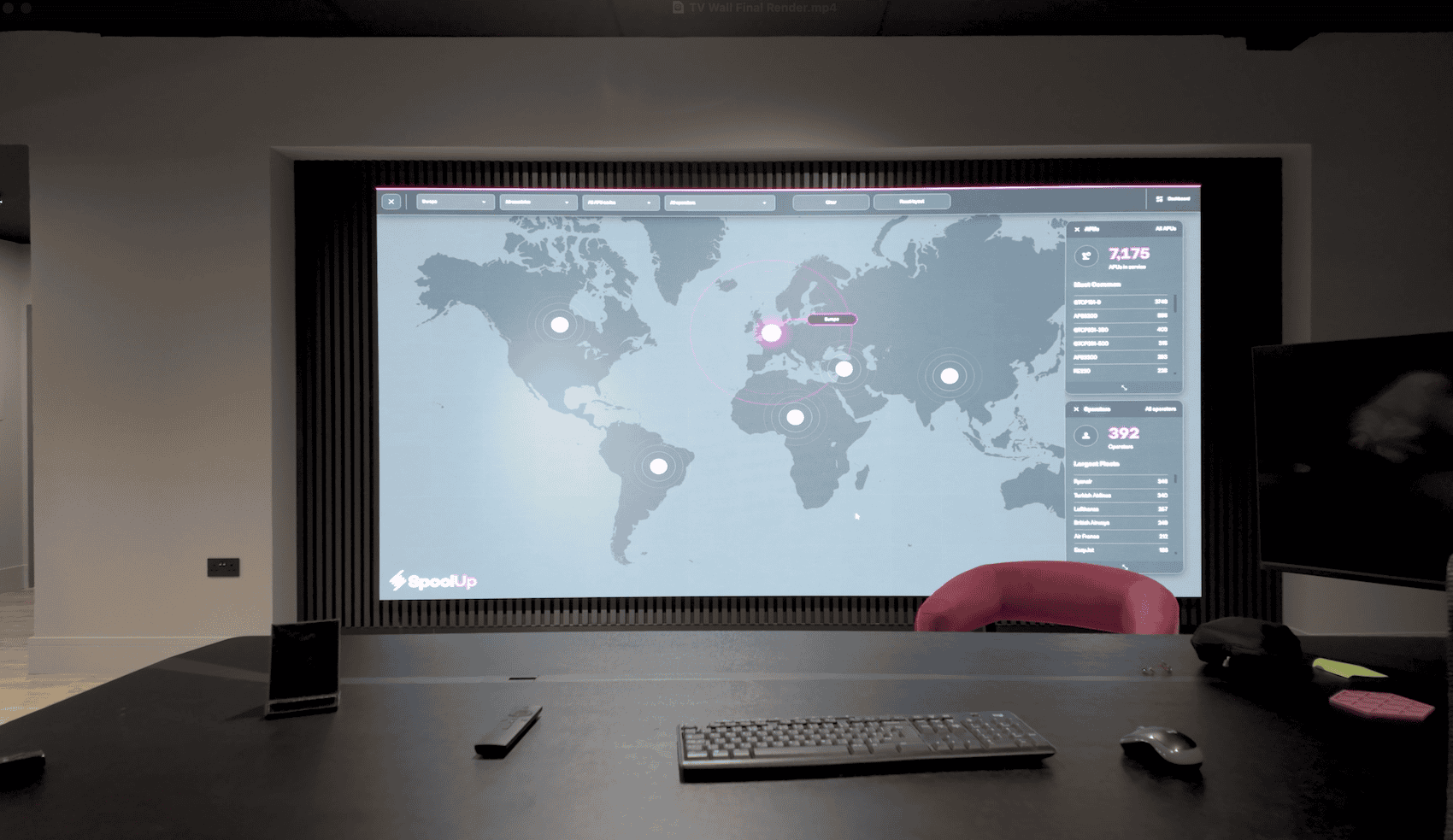
Office LED Video Wall Installation: 4m × 2m DX Series Case Study for Spool Up
A well‑specified LED video wall can do more than “look...
Discover Office Led Video Wall Installation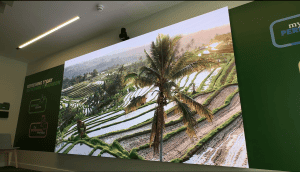
Sub‑1mm (0.93mm) 4K LED Wall Case Study | Dynamo
1mm Pixel Pitch LED Display: Sub‑1mm (0.93mm) 4K DYF Series...
Discover 1mm Pixel Pitch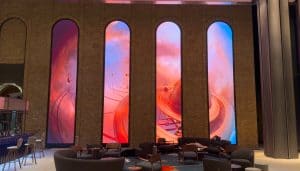
40 Leadenhall LED Arches: Recessed Architectural LED Case Study
Custom LED arches at 40 Leadenhall, London At 40 Leadenhall...
Discover 40 Leadenhall Dynamo Led Displays Delivers A Groundbreaking Digital Experience