
An LED display retrofit replaces the receiving cards and controller while keeping the cabinets, modules and power supplies, and it can add years of life to a display whose control system has fallen behind. It is not always the right call. A receiving card upgrade only pays off when the LEDs themselves are still healthy, and plenty of ageing displays fail that test. This guide explains what receiving cards and controllers actually do, when a retrofit makes commercial sense, what the work involves, and the warning signs that tell you to replace the display instead.
What is an LED display retrofit?
An LED display retrofit replaces the controller and the receiving cards inside each cabinet while retaining the cabinets, LED modules, power supplies and mounting structure. Hub boards and data cabling are reused where pinout and bandwidth allow. Done well, it restores current refresh and greyscale performance for a fraction of the cost of a new display. Done to a display with decaying LEDs, it is money spent making the decay easier to see.
Key takeaways
- Receiving cards and the controller are the replaceable brain of an LED display; the LEDs, cabinets and power supplies are the body. A retrofit replaces the brain and keeps the body.
- A retrofit makes sense when the LEDs are bright, uniform and well within their service life, but the control system is discontinued, unsupported or limiting what you can feed the display.
- The single biggest technical risk is module mapping: the new receiving cards must match the exact scan arrangement, driver ICs and pinout of your existing modules.
- Back up the old system before touching it. Controller files, receiving-card configurations and calibration data can rarely be recreated once the hardware is gone.
- Prove compatibility on one complete cabinet before pricing or ordering a full display’s worth of cards.
- If modules are failing, colours have drifted or spares are no longer manufactured, do not retrofit. Replace.
- When retrofit cost plus outstanding repair liabilities exceeds 50% of the cost of a new LED display, replacement usually wins on total cost of ownership.
At a glance: what an LED display retrofit covers
A retrofit replaces the controller and the receiving cards, occasionally the hub boards where pinouts differ, and little else. The cabinets, LED modules, power supplies and structure all stay in service, which is where most of the original cost sits. Calibration data rarely transfers and is re-measured during commissioning.
| Item | Retrofit: replaced | Retrofit: retained |
|---|---|---|
| Controller | Yes, replaced with a current model | — |
| Receiving cards (one or more per cabinet) | Yes | — |
| Hub boards | Sometimes, if pinout differs | Often reused |
| LED modules | — | Retained (must be healthy) |
| Power supplies | — | Retained, tested under load |
| Cabinets, mounting, structure | — | Retained |
| Data cabling | Sometimes upgraded | Reused if within spec |
| Calibration data | Rebuilt or re-measured | Rarely transferable |
The retained column is the whole argument for a retrofit. If any of those retained items are on their way out, the case collapses, which is why the inspection stage matters more than the hardware choice.
What receiving cards and controllers actually do
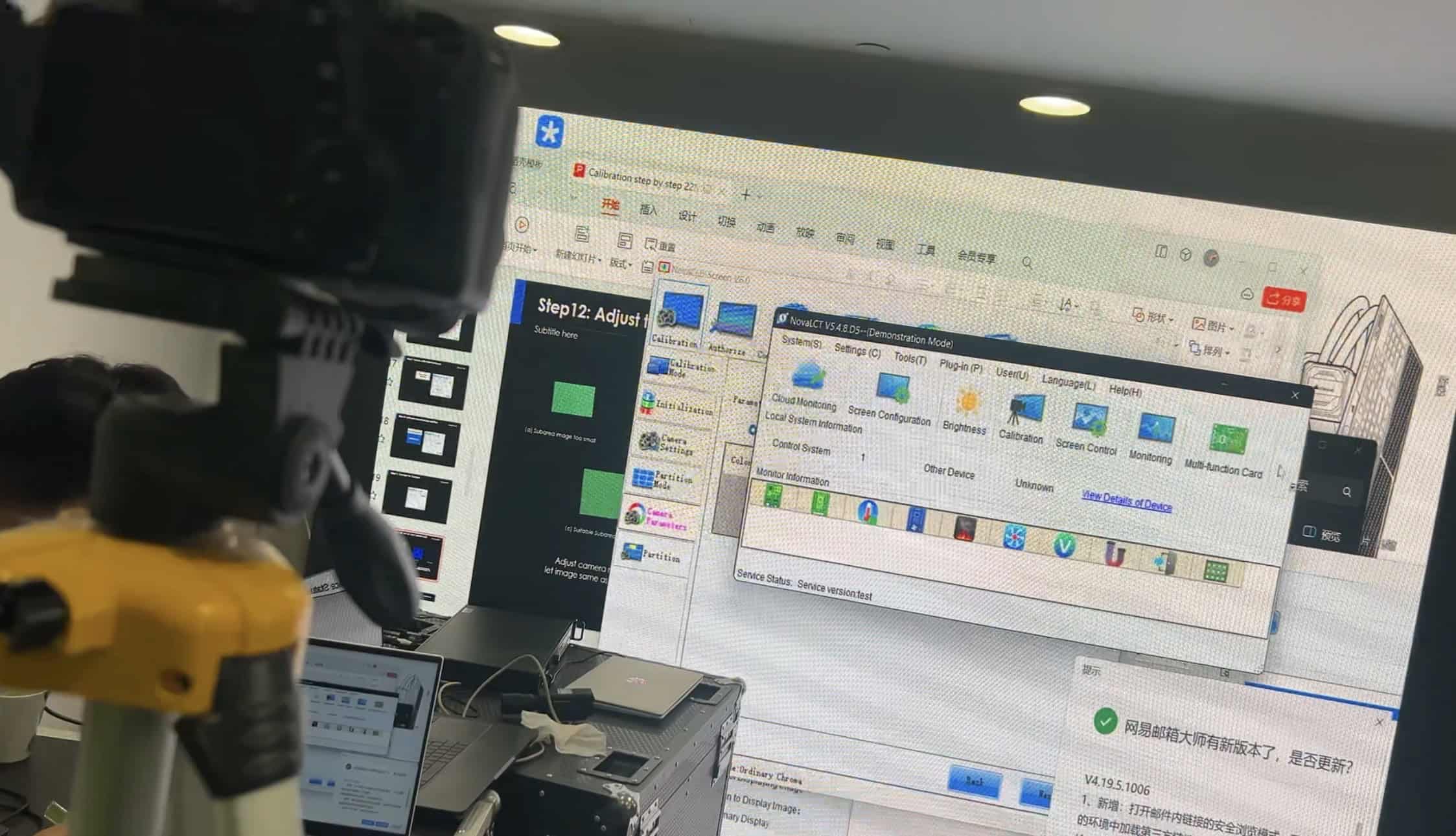
Every direct-view LED display is a chain: a source feeds a controller (also called a processor or sending unit), the controller distributes video data over gigabit ethernet to receiving cards mounted inside the cabinets, and each receiving card drives the LED modules in front of it through hub boards. We cover the full path in our guide to the LED video wall signal chain, but for retrofit purposes the key point is this: the receiving card is where video data becomes drive current for individual pixels.
That makes the receiving card responsible for most of what you see. Scan timing, refresh rate, greyscale depth, brightness control and per-module calibration all live at receiving-card level. A display built ten years ago is often refreshing at around 1,920Hz with coarse greyscale handling, where current cards drive the same class of modules at 3,840Hz and above with far finer low-brightness greyscale. That is why an old display can look flickery on camera and muddy in dark content even when every LED still works.
Almost every fixed-install display we open up in the UK is running Novastar hardware; Brompton Technology‘s Tessera system owns the premium end, particularly where camera performance matters. In practice a retrofit means current cards from one of those two ecosystems: Novastar’s Armor series receiving cards for most fixed installations, or Brompton’s Tessera receiving cards where the job justifies them. In both cases the architecture is the same: controller, ethernet distribution, receiving cards. And in both cases the cards are a serviceable, replaceable component rather than a fused part of the display.
Controllers age faster than LEDs. Input standards move on, firmware support ends, and features like HDR handling, low-latency modes and better scaling arrive only in newer controllers. So it is entirely normal to find a display whose diodes have thousands of hours of useful life left sitting behind a control system that has become the bottleneck. That gap is what a retrofit exploits.
When does an LED display retrofit make sense?
We look for four conditions before recommending an LED display retrofit rather than a replacement.
The LEDs are genuinely healthy. Not “looks fine from reception”: measured. Full white, full red, full green and full blue test patterns at close range, checked for dead pixels, decayed columns and colour shift between modules. LED decay is gradual and viewers adapt to it, so the people who walk past a display daily are the least reliable judges of its condition. Our piece on how long LED displays actually last covers real-world failure behaviour; the short version is that the published lifetime figure on the original datasheet tells you little about a specific display that has run at high brightness in direct sunlight for eight years.
Spares still exist for what you are keeping. A retrofit keeps the modules, so module availability is the constraint. If the module series is discontinued and no compatible stock exists, one impact or water ingress after the retrofit leaves you with an unrepairable display and a new control system stranded inside it.
The control system is the actual problem. Typical triggers: the controller has failed and the model is discontinued; the manufacturer has ended firmware support; the display cannot accept the sources you now need to feed it; refresh or greyscale performance is unacceptable for the content; or the original supplier has disappeared and nobody can service the configuration. Be wary when the control fault is being used to explain every visible problem. Intermittent black cabinets can also come from power supply drop-out, damaged network connections or loose ribbon cables, and replacing cards without tracing the fault adds a variable while leaving the original problem in place.
The maths works. Receiving cards, a current controller and the engineering time to configure them cost real money, and the display is out of service while the work happens. Against that, a full replacement buys you current pixel pitch, fresh LEDs, new power supplies and a fresh warranty; our standard cover on new displays is 3-year return-to-base. Our rule: when retrofit cost plus outstanding repair liabilities exceeds 50% of the cost of a new LED display, replacement usually wins on total cost of ownership.
Where a retrofit clears all four conditions, it is a genuinely good outcome. Most of the embodied cost of an LED display is in the cabinets, modules and installation, and a retrofit keeps all of it in service.
Either way, the practical starting point is a survey. We inspect the display, test the modules and quote a retrofit and a replacement side by side, with our LED video walls hub covering the replacement options if it comes to that. Book a retrofit survey through our contact page or call +44 (0)203 489 9878.
What does the retrofit work actually involve?
A control-system retrofit is mostly configuration work wrapped around a modest amount of hardware swapping. The sequence matters.
Back up the old system first
A working but undocumented display has value, and once cards are removed that value can disappear quickly. Before anything else, capture the controller configuration, receiving-card files, screen connection and cabinet-mapping files, calibration coefficients where they exist, and photographs of card positions, cable routes and DIP-switch settings. Open the files and check them rather than merely copying them; a directory full of unidentified configuration files is not a recovery plan. If the trial exposes a problem, this backup is the route back to a working display.
Survey and module identification
Before anything is ordered, the modules need to be identified precisely: driver ICs, scan rate, data pinout, module resolution. Reading part numbers off the boards is usually the fastest route; Macroblock’s MBI5153 and Chipone’s ICN2153 are typical of the PWM driver chips found in modules from the last decade, and current receiving cards support most common drivers. This determines whether the new cards can drive the modules at all, and whether the existing hub boards can be reused or need replacing with ones matching the module connectors. On older displays from defunct suppliers this identification step is sometimes the hardest part of the whole job, because documentation has evaporated and the answers have to come from the boards themselves. Once you have the driver IC, decoding IC and module resolution, our guide to creating an RCFGX file with NovaStar Smart Settings walks through turning those facts into a working receiving-card configuration.
Prove it on one cabinet
The single-cabinet trial is where you find out whether any of this actually works: the proposed card, adaptor hardware and controller driving a cabinet from the installed batch, tested across colour fields, greyscale ramps at low brightness, motion, power-cycling recovery and, where the display will be filmed, representative camera settings. A wrong scan configuration may still produce an image; it shows up as duplicated rows, shifted sections or poor low-grey performance, which is why a photograph of a lit test pattern is not sufficient evidence of compatibility. The trial also fixes quantities: a 20-cabinet wall with two cards per cabinet needs 40 cards, and holding 10% as commissioned spares takes the order to 44.
Controller selection and capacity
The new controller needs enough port capacity for the display’s pixel count, with sensible data redundancy if the display is business-critical. Nominal ethernet bandwidth is not usable pixel capacity; port limits depend on frame rate, bit depth and mapping, so work from the manufacturer’s current documentation. For Novastar-based systems our Novastar LED processor calculator works through the port-loading arithmetic. This is also the moment to fix historical cabling sins: daisy-chains routed with no redundancy loop, or runs that were marginal at the old data rate.
Calibration and commissioning
Calibration data from the old system rarely transfers, because it was measured against the old cards’ drive characteristics. After a retrofit the display either runs uncalibrated, which is acceptable on some signage but visible on anything with large flat colour fields, or gets re-measured with a camera-based calibration pass. Commissioning finishes with the same test patterns used in the survey, plus brightness scheduling, input mapping and handover documentation: configuration backups, spare cards, cabinet maps and a recovery process another technician can follow without reverse-engineering the display again. It is also the natural point to put the display onto a proper maintenance footing; our guide to LED screen service contracts and SLAs covers what that should include, because a freshly retrofitted display with no spares strategy repeats the mistake that made the retrofit necessary.
When should you replace the LED display instead?
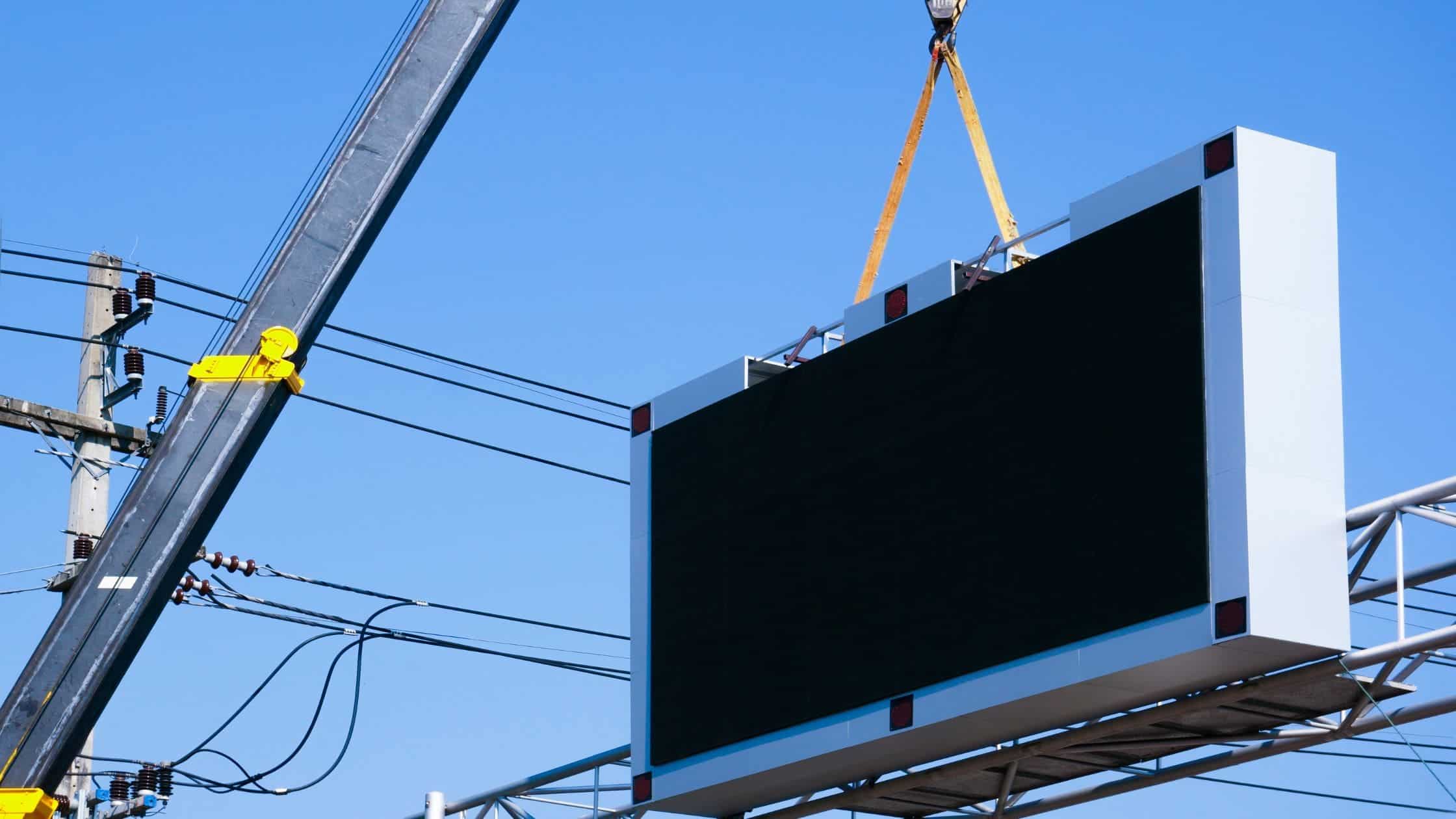
Replace when the survey finds decay in what a retrofit would keep: modules with colour shift or dead pixels, a spreading pattern of power supply failures, discontinued modules with no spares, a structure that no longer keeps water out, or a pixel pitch that no longer suits the viewing distance. New receiving cards fix none of those. The signs in more detail:
The pitch no longer suits the job. Viewing distances and content expectations have moved, and a pitch specified for a lobby a decade ago may read as visibly coarse next to what visitors now see elsewhere. No receiving card changes the physical pixel density. If the display’s fundamental resolution is wrong for its role, replacement is the only fix, and choosing the right pixel pitch is the first decision a new display forces on you.
The LEDs are decaying. Colour shift between modules, banding where replacement modules of different ages sit side by side, brightness that has to be driven hard to compete with ambient light. Calibration can pull stronger cabinets down to match weaker ones, but that spends your brightness headroom; new control hardware makes decayed LEDs easier to see, not better.
Power and thermal problems are recurring. PSUs age with heat and hours. One or two failures is maintenance; a spreading pattern across the display, heat-damaged connectors or discoloured distribution boards is a fleet reaching end of life, and re-powering an old display erodes the cost case for keeping it.
The structure or sealing has deteriorated. On outdoor installations, check door seals, drainage, cable glands and corrosion. A receiving-card retrofit does not restore ingress protection; where the outdoor structure is no longer serviceable, a replacement from our DVO outdoor LED display range should be assessed as a complete system.
Spares have dried up. No compatible modules means every future fault is permanent. This alone is disqualifying, whatever the display looks like today.
For indoor fixed installations the replacement conversation starts with our DFC series at the premium end and the DX series in the mid-range, and our LED screen configurator will price a like-for-like or upgraded display from your dimensions. A replacement quote costs nothing and turns “should we retrofit?” from a guess into a comparison.
From the field: what retrofit surveys actually find
The retrofit enquiries I see almost always start the same way: it’s a reception or showroom display, the controller has died, the company that installed it no longer exists, and someone has told the owner the whole thing is scrap. My first question is never about the controller — it’s about the modules. If the LEDs are healthy and I can read the driver chips and scan configuration off the boards, there’s a good chance we can put modern receiving cards behind them and have the display outperform its original spec on refresh and greyscale. I treat the first cabinet as an investigation, not an installation. I want the scan behaviour and low-grey performance proven before anyone orders a display’s worth of cards.
But I’ve also stood in front of displays where the honest answer was the opposite: module decay you could see from across the room, a graveyard of failed power supplies behind the cabinets, and a client hoping a cheap controller fix would sort it. Putting new cards in that display would have been selling them a sharper picture of the problem. My rule: I’ll quote a retrofit and a replacement side by side, with the survey findings attached, and let the numbers make the argument.
LED display retrofit and receiving card FAQs
What does a receiving card do in an LED display?
A receiving card sits inside each cabinet and converts video data from the controller into drive signals for the LED modules. It governs refresh rate, greyscale depth, brightness control and calibration for its section of the display. Because so much image quality lives at receiving-card level, replacing old cards with current ones can visibly improve a display whose LEDs are still healthy.
Can new receiving cards work with any old LED modules?
Usually, but not automatically. The new cards must be configured to match the modules’ driver ICs, scan rate and data pinout, and the hub boards must physically connect the two. Most common driver chips are supported by current Novastar and Brompton hardware, but undocumented modules from defunct suppliers need identification work first. A one-cabinet trial settles this before any bulk order.
Do I need to recalibrate after changing receiving cards?
In most cases the old calibration data cannot be reused, because it was measured against the previous cards’ drive characteristics. The display will run uncalibrated after the retrofit, which may be acceptable for some signage but shows on flat colour fields. Camera-based recalibration during commissioning restores uniformity and should be priced into the retrofit from the start.
Will a retrofit fix flicker on camera?
Frequently. On-camera flicker is largely a refresh-rate issue, and refresh performance is set by the receiving cards and driver configuration rather than the LEDs themselves. Modern cards can take the same modules from the 1,920Hz common on older installs to 3,840Hz and above. It is one of the clearest wins from a retrofit, particularly for displays that appear in filmed or streamed environments.
How many spare receiving cards should a retrofit include?
It depends on card count, how critical the display is and replacement lead time, but a 10% holding is a sensible starting point: a 40-card display would carry four commissioned spares. Spares should be loaded with the approved configuration or supplied with a documented loading process, and any custom adaptors or cabinet-specific cables need their own spares.
How long does an LED display retrofit take?
The physical card swap is quick; the time goes into module identification, configuration, the single-cabinet trial, testing and calibration, and that varies with display size, access and how well the modules are documented. A small, well-documented indoor display can be a short job, while a large display with unknown modules takes considerably longer. A survey lets us give you a firm programme rather than a guess.
Is retrofitting cheaper than replacing an LED display?
Often, yes. Cabinets, modules, power supplies and installation represent most of a display’s cost, and a retrofit keeps them all. But the comparison must include labour and access time, custom adaptor work, and the old display’s remaining liabilities. When retrofit cost plus outstanding repair liabilities exceeds 50% of the cost of a new LED display, replacement usually wins on total cost of ownership.
The verdict: retrofit the control system, not the decay
The decision framework is short. If the LEDs are healthy, spares exist and the control system is the bottleneck, a retrofit built around current receiving cards and a supported controller is a sound investment that keeps most of the display’s original value in service, provided compatibility is proven on a real cabinet and the job leaves behind backups, spares and documentation. If the modules are decaying, the pitch is wrong for the job or spares have vanished, new electronics will not save failing LEDs. Replace, and specify properly this time.
We survey and quote both routes side by side, with test-pattern findings to back the recommendation. If you are weighing an LED display retrofit against a full replacement and want to know whether a receiving card upgrade can save your existing display, book a survey via contact us or call +44 (0)203 489 9878 and we will put real numbers against both options.