
A showroom floor holds perhaps a dozen room sets. The range runs to hundreds. LED screens for furniture and kitchen showrooms, the large-format end of showroom digital signage, close that gap: one wall shows the colourways, door fronts, worktops and fabrics the floor cannot, and head office changes it without anyone in store touching it. We built exactly this for Roche Bobois in London in 2016: a 3.84 m × 1.92 m wall at 3 mm pitch, recessed 100 mm so it sits flush with the plaster. Ten years on it is still our template. This guide covers where the screen goes, which pitch and brightness suit each position, what to put on it, and how the build differs from hanging a television.
Key takeaways
- A showroom LED screen is a range-extension tool first. Specify it from the content customers need to see, not from the biggest wall you have.
- Three positions, three products: DIT Pro P1.9 behind the design desk (customer within 2 m), DX Series on the feature wall (3 m or more), DX HB Series facing the window.
- The standard indoor DX Series runs at 800 nits. Facing the window, the DX HB Series runs at 3,000 nits.
- A screen shows a scheme. Physical samples still carry the decision on fabric, veneer and worktop finish.
- A recessed, flush screen needs front-serviceable modules, working space in front of it, and power, data and processor positions agreed before the shopfitter closes the wall.
At a glance: a showroom LED screen in practice
| Item | Detail |
|---|---|
| Reference project | Roche Bobois furniture showroom, London, 2016 |
| Display | 3.84 m × 1.92 m LED wall, 3 mm pitch, 2:1 landscape |
| Mounting | Recessed 100 mm so the screen face sits flush with the finished wall |
| Content | Current collections, campaign imagery and offers, scheduled remotely |
| Scope | Supply, installation and commissioning by Dynamo LED Displays |
| Current equivalent | DX Series fixed-install cabinets, 250 × 250 mm front-serviceable modules |
| Window-facing option | DX HB Series, 3,000 nits |
The full write-up is on our Roche Bobois showroom case study page, alongside the other retail projects on our work hub.
First question: what is the screen for?
An LED screen in a furniture or kitchen showroom exists to show the range the floor cannot hold: every door front, worktop, colourway and fabric, plus the customer’s own configurator render, changed from head office without anyone in store touching it. Car dealers can park the whole line-up on the forecourt, and our car showroom LED screens buying guide covers that version. A kitchen retailer cannot build every door front in every finish, and the sale often hinges on the version that is not there.
Roche Bobois wanted one large wall that could show the rest of the collection, the current campaign and any seasonal offer. The brief was not “put a big screen in”. It was “show the collection we cannot fit in the room”. A screen for configurator output is a different brief: the customer’s own layout is far more persuasive at 3 m wide behind the design desk than on a 27-inch monitor, and that decides where the screen goes. The wider placement decisions for any shop floor are in our retail LED display buying guide.
Where should an LED screen go in a kitchen or furniture showroom?
The three positions are a feature wall behind a room set (DX Series, viewed from 3 m or more), behind the design desk or kitchen island (DIT Pro P1.9, customer within 2 m), and facing the window (DX HB Series, 3,000 nits). Each one changes the product choice.
The feature wall behind a room set
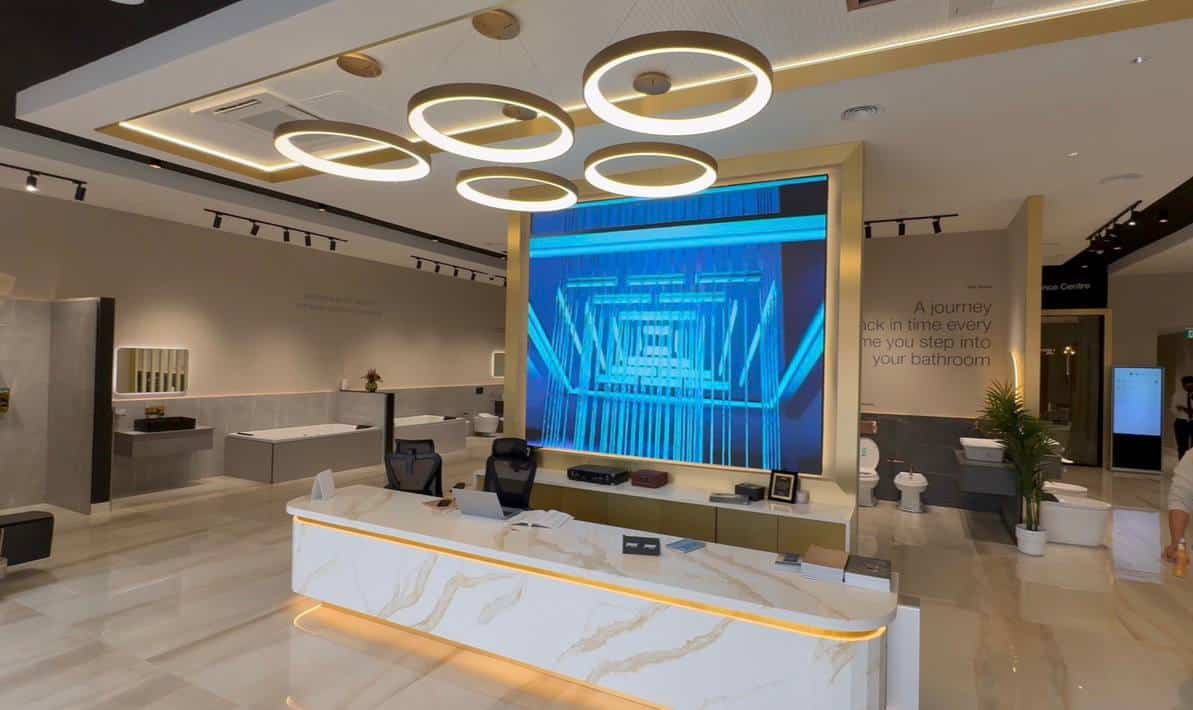
This is the Roche Bobois position: a wall bay visible from most of the floor, with the room set in front of it. The screen replaces the printed campaign graphic that would otherwise fill that wall, except that it changes with the season. Customers read it from 3 m or more under controlled showroom lighting, so DX2.9 or DX3.9 is enough. We build this position with the DX Series, our mid-range fixed-install product, on 250 × 250 mm front-serviceable modules. Keep the furniture visible and check the view from the sofa as well as the aisle.
Behind the design desk or kitchen island
Kitchen showrooms sell at the desk. The designer sits with the customer, the layout comes up on screen, and the finish changes while they watch. The viewing distance is often 1.5 m to 2.5 m, and the content carries fine detail: grain in a wood-effect door, veining in a quartz worktop, small type on a price card. Where the customer sits within 2 m, we specify the DIT Pro P1.9, our fine-pitch indoor range with a resin-protected module face that takes the knocks a design desk attracts; further back, DX2.5 is the usual choice. Our pixel pitch guide covers the viewing-distance arithmetic.
Position the wall so the designer and customer look at it together, with physical samples within reach. Our design-desk guidance comes from retail and reception installs, and the kitchen render test on a sample wall is how we settle each one.
Facing the window
A screen that faces the street competes with daylight. A standard indoor cabinet at 800 nits looks washed out from the pavement on a bright afternoon, and the retailer ends up turning it off. For window-facing walls we use the DX HB Series, rated at 3,000 nits or more. The power draw is higher, listed at 600 W per square metre maximum against 450 W for the standard DX Series. A window wall also needs simpler content: someone walking past should identify the range or the offer without waiting. Our guide to indoor LED screen brightness in lobbies and receptions goes deeper on brightness.
Which pixel pitch and brightness does a showroom LED screen need?
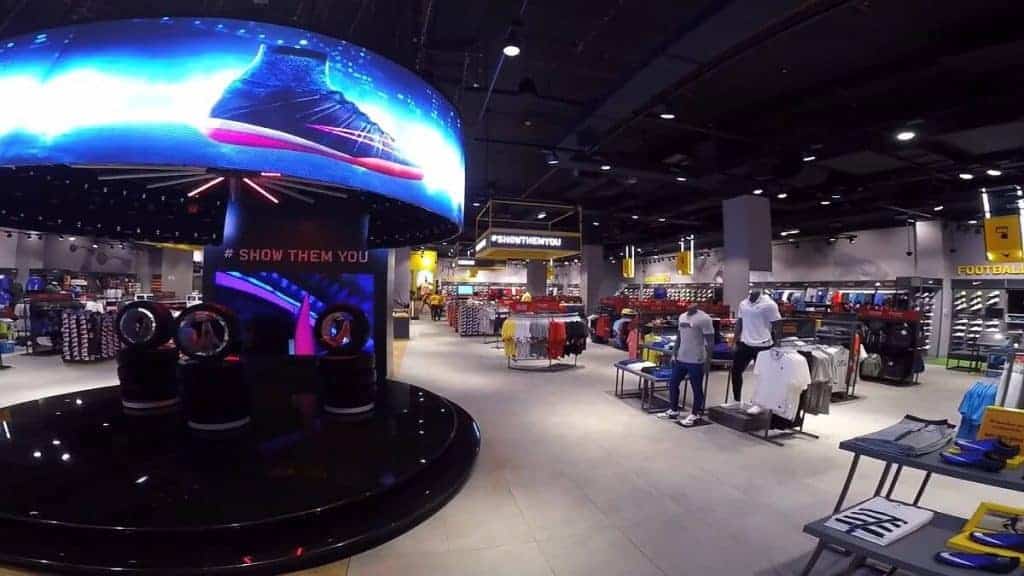
Pixel pitch follows viewing distance: DIT Pro P1.9 under 2 m, DX2.5 at 2 m to 3 m, DX2.9 or DX3.9 at 3 m or more. Brightness follows the light on the wall: 800 nits under showroom lighting, 3,000 nits facing the window. The DX figures are from the DX Series datasheet.
| Position | Typical viewing distance | Pitch we specify | Brightness |
|---|---|---|---|
| Design desk, customer seated close | Under 2 m | DIT Pro P1.9 | Indoor, controlled lighting |
| Design desk, further back | 2 m to 3 m | DX2.5 | Rated at 800 nits or more |
| Feature wall behind a room set | 3 m or more | DX2.9 or DX3.9 | Rated at 800 nits or more |
| Window-facing wall | Street side | DX HB2.9 or DX HB3.9 | Rated at 3,000 nits or more |
Those distances are test positions, not rules. Before we fix a pitch we put the retailer’s own kitchen renders on a sample wall and look at them from the nearest seat. Where DFC, our premium fixed-install range at 1.5 mm and finer, is justified, we say so; it is not the default for a showroom.
Resolution follows from the module count. A DIT Pro P1.9 module is 128 × 128 pixels and a DX2.5 module is 100 × 100, so a 4 m × 2 m image area (16 × 8 modules) is 2,048 × 1,024 pixels at P1.9 or 1,600 × 800 at DX2.5. Neither canvas is 16:9, so we agree a crop or a dedicated layout before any content is produced.
Colour management is a whole discipline (the ICC’s display calibration guidance is the reference), but for a showroom it comes down to one check: the approved image, through playback, on the installed wall, under the shop’s working lighting, with neutral cabinetry, pale stone and dark upholstery on screen. Use the wall to discuss the scheme and approve the finish from the sample.
Content: room sets, configurators and campaigns
Three content types work on a showroom LED screen: room-set video and stills, kitchen configurator output at native resolution, and scheduled campaign offers. Rolling news, generic stock footage and small text do not. That holds for any kitchen showroom digital signage, whatever its size.
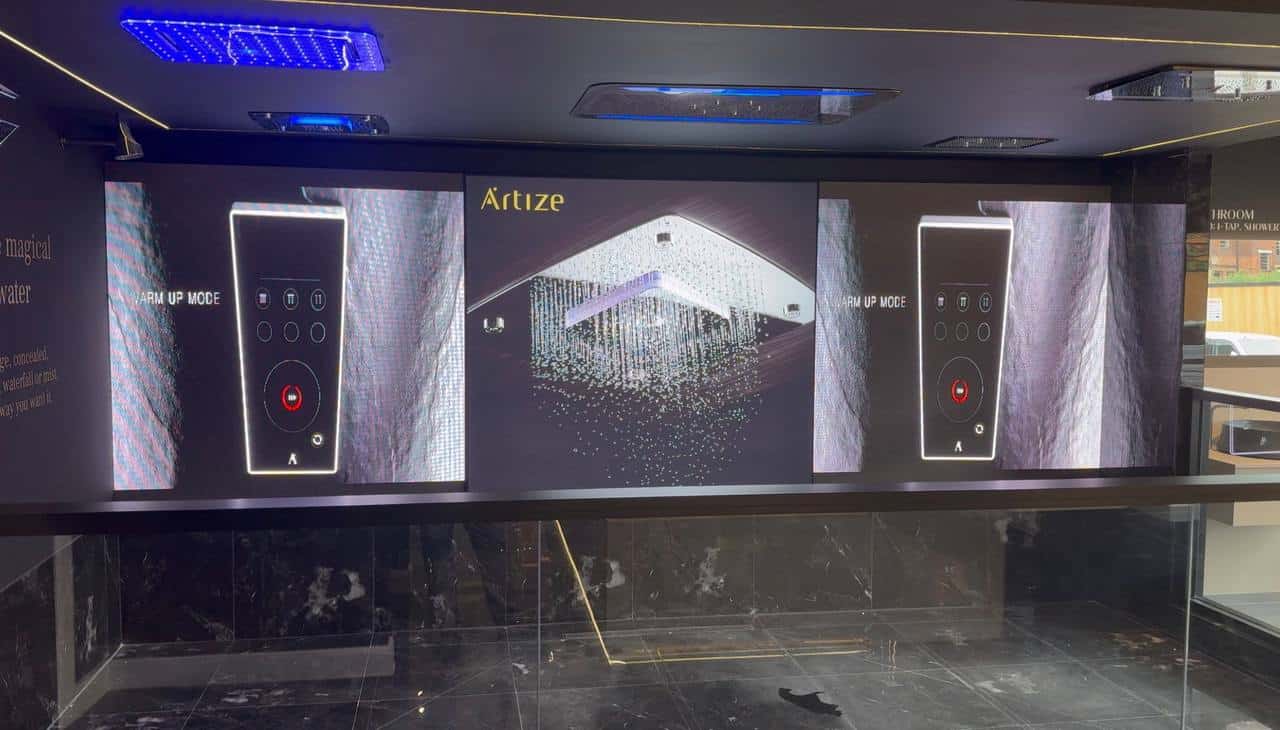
Room-set video and stills are the staple. Roche Bobois runs the campaign imagery its marketing team already produces for print and web, re-cut to the wall’s native resolution, so a new season appears on the wall the day it launches.
Configurator output is where kitchen and bathroom retailers get the most from the wall. If the design software can export a render at the screen’s resolution, the customer’s own kitchen appears at full size in the finish they just picked. Keep the working interface off the customer display: toolbars and notifications interrupt a consultation, so we test the actual software output through the proposed playback before we sign it off. Six door finishes against four worktops is 24 pre-rendered combinations, so render the ones customers actually ask about.
The wall runs two ways: the playlist between appointments, and whatever the designer puts up during one. Staff need a clear way to switch between them, and we agree what appears if the workstation disconnects, then test that at handover. Our LED wall content strategy guide covers scheduling, ownership and keeping a playlist fresh. The Roche Bobois playlist is scheduled remotely, so one person can run several stores.
How is a recessed showroom LED wall built?
A showroom wall is a fit-out item, and the build decisions have to be made with the shopfitter rather than after.
Recess depth
A DX cabinet is 47 mm deep, so a 100 mm recess like the Roche Bobois one leaves around 50 mm for the mounting frame and cable dressing, with the screen face flush to the plaster. We give the shopfitter the recess dimensions, fixing positions, ventilation requirement and cable entry point before the stud wall goes up.
Service access
A recessed screen has no rear. Every module and power supply must come out from the front, which is why we specify front-serviceable cabinets for any built-in showroom wall. Front access also needs working space: a kitchen island hard up against the screen can block maintenance even when the modules are removable.
Power and data
A 3.84 m × 1.92 m DX wall is roughly 7.4 square metres. At the datasheet maximum of 450 W per square metre that is a peak in the region of 3.3 kW, and a window wall at 600 W per square metre draws more. Typical running draw is lower, and the electrical designer should work from the documented figures. The installation has to be inspectable, so put the maintenance plan in the brief (the Health and Safety Executive’s electrical maintenance guidance sets out why). The data run to the wall is a single cable, so route it before the wall closes.
Processing
We commission showroom walls on NovaStar processing. The processor sets the wall’s native resolution and takes the player output, and for a showroom it is set and left. At handover we test the opening routine, consultation mode and recovery after a restart, and record the settings and support route for the store manager. The Roche Bobois wall was playing the live campaign on handover, and that is the standard for every showroom.
Send us the bay dimensions and a photo of the wall and we will return a pitch, cabinet layout and price.
From the field
Daniel, who runs Dynamo, on thirteen years of installs:
The conversation I have most often with a kitchen retailer starts with “we want a big screen for the window” and ends somewhere else. Once I ask what they actually want customers to see, the answer is nearly always the customer’s own design in the finish they have just chosen, and that belongs behind the design desk, not facing the street. I would rather a retailer buy one screen in the right place than two in the wrong ones.
My other standing advice is to involve the shopfitter from day one. The Roche Bobois wall looks like part of the building because the recess was there before we arrived. When I am called after the plaster is finished, the screen ends up surface-mounted with a trim, and it never looks as good.
LED Screens for Furniture and Kitchen Showrooms: Frequently Asked Questions
Which pixel pitch should a kitchen showroom choose?
It depends on where customers stand. Behind a design desk where the customer sits within 2 m, we specify the DIT Pro P1.9 so worktop veining and door-front grain read cleanly. A feature wall seen from 3 m or more is fine at DX2.9 or DX3.9, which costs less per square metre. We confirm the choice with your own renders on a sample wall.
Can the screen show our kitchen design software?
Yes, provided the software can export a render or presentation output at the wall’s native resolution and aspect ratio. We give the content team the pixel count before anything is built, and we test switching between the designer’s scheme and the scheduled playlist before signing off. A customer’s own layout at full size in their chosen finish is the strongest use of a showroom wall.
Can an LED screen show accurate kitchen and furniture colours?
We calibrate the wall and check the content workflow under the showroom’s working lighting, which gets the colour close. It does not replace a physical sample. A screen emits light and a fabric or veneer reflects it, so use the wall to compare the overall scheme and approve the actual door front, worktop or upholstery from the sample in the customer’s hand.
Will a standard indoor LED wall work facing the shop window?
Usually not. A standard DX cabinet runs at 800 nits, which looks washed out against daylight from the pavement. For a window-facing position we use the DX HB Series at 3,000 nits. It draws more power, so the electrical allowance and ventilation around the recess are planned for it, and we agree how brightness drops after dark.
Can the screen be recessed so it sits flush with the wall?
Yes. The Roche Bobois wall sits in a 100 mm recess with the screen face flush to the plaster and no visible frame. A recessed wall has no rear access, so we specify front-serviceable modules so any module or power supply can be swapped from the showroom floor without disturbing the finish, and we check there is working space in front of the whole display.
How much do LED screens for furniture and kitchen showrooms cost?
LED screens for furniture and kitchen showrooms are priced per square metre, with pixel pitch the largest driver: a DIT Pro P1.9 design-desk wall costs more per square metre than a DX2.9 feature wall of the same size. A quotation covers screen, processing, mounting, installation and commissioning. Run your bay through the LED screen configurator for a layout, then send it through our contact page for a price.
Conclusion
A showroom can only hold so many room sets, and the version the customer wants is often the one that is not on the floor. LED screens for furniture and kitchen showrooms put the rest of the range, the live campaign and the customer’s own configurator render on the wall at full size, and change it from head office. Specify from the content and the viewing position: DIT Pro P1.9 at the design desk, DX Series on the feature wall, DX HB facing the window, and front-serviceable modules in any recess. Prove the content from the nearest seat and involve the shopfitter before the wall is built.
Call us on +44 (0)203 489 9878 or request a quote for LED screens for furniture and kitchen showrooms and we will reply with a pitch, cabinet layout and price for your showroom wall.