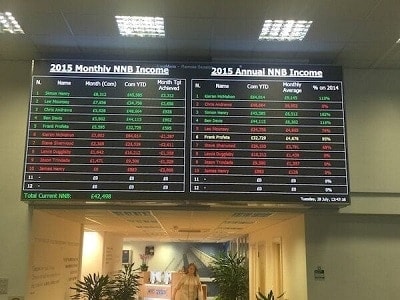
A well-designed LED production counter display turns a factory floor into a live operations dashboard. Line leaders see target versus actual in real time. Shift managers see efficiency trending hour by hour. Operations directors see which lines are hitting rate and which are falling behind — without waiting for an end-of-shift report. Dynamo designs and installs production counter displays for UK and international manufacturing sites, connected directly to the PLCs, MES or SCADA systems that already run the line.
These aren’t off-the-shelf digital clocks. They’re purpose-built industrial displays, configured around the metrics your operations team actually uses — OEE, cycle time, units per hour, downtime, scrap rate — and built to survive the environment they’re installed in.
From target vs actual to full OEE — on the line, in real time
The simplest production counter shows target and actual units for the current shift, with a third line calculating efficiency as a percentage. That configuration alone transforms behaviour: operators self-correct when they see the gap widening, and team leaders intervene earlier. From that baseline, displays can expand to show cycle time, takt time, downtime minutes, reject count, first-pass yield and shift-to-date OEE — whatever matches your lean manufacturing system.
Data is colour-coded — green on target, amber slipping, red behind — and threshold alarms can trigger visual or audible alerts. If a line falls behind, the display flashes and a shift manager is notified. Small intervention, early, beats a post-shift root-cause meeting.
Case in point: Sanoh UK, Bristol
Dynamo supplied and installed LED production counter displays at Sanoh UK’s Bristol manufacturing facility, showing target, actual and efficiency per production line in real time. Each line has its own display, driven from the site’s PLCs, with counts resetting per shift and the efficiency figure updated live as parts are produced. Visibility across the factory floor improved, line leaders responded to drops in rate faster, and the displays became part of daily stand-up visual management rather than a one-off gadget.
That project set the pattern for how we deploy production counters — start with the metric that matters most (usually target/actual/efficiency), prove it on one line, then roll out across the facility with consistent hardware and connectivity.
Connected to your PLC, MES or SCADA — not a parallel system
A production counter is only useful if it reflects the same truth as the rest of the operations stack. Our displays integrate with the systems already on site:
- PLCs — Siemens S7, Allen-Bradley ControlLogix, Mitsubishi, Omron, Beckhoff — via Modbus TCP, Profinet, Ethernet/IP, RS485 serial or direct tag read
- MES / SCADA — Wonderware, Ignition, Rockwell FactoryTalk, bespoke systems — via OPC UA, SQL, REST API
- ERP counts — SAP, Oracle, Infor — when production volumes are booked centrally
- Simple digital inputs — for small lines, a pulse from a photo-eye or encoder can drive the count directly, no PLC integration required
The display runs its own controller, so if the network drops the last-known state is preserved and the count continues from local inputs where configured. Data integrity matters — an “actual” figure on a display is only trusted if it matches what the MES says at shift end.
Built for the factory floor, not the office
Brightness, durability and legibility need to be specified properly for an industrial environment. Our production counter displays use:
- High-brightness LEDs — 2,500 to 5,000 nits — so the board is readable across a long factory aisle, under high-bay lighting, or near window walls
- Robust industrial casing — powder-coated steel or aluminium, IP54 to IP65 depending on environment (dust, coolant spray, washdown areas)
- Viewing distance matched pixel pitch — P6 to P10 for typical shop floor viewing, finer pitches for close-up QC stations
- Large-character segment displays where only numerical data is needed — cheaper, simpler, often the right answer
- Full-matrix RGB displays where graphics, icons, line diagrams or multi-metric layouts are required
- Impact-resistant front screens where forklift traffic or part handling is a risk
Mounting is suspended from ceilings, wall-mounted above a line, or on gantries over the production cell — whichever gives unobstructed sightlines from every operator position.
Custom metrics, custom layouts
Lean manufacturing teams rarely want the same display twice. We build the on-screen layout around your definitions — whether that’s a Kaizen-style Hour-by-Hour board, an Andon-integrated status strip, a Six Sigma SPC chart, or a simple three-line target/actual/efficiency panel. The template is configurable remotely; if your metric set changes, the display changes with it.
Remote management across multiple lines and sites
Every display is networked into a central management platform. From one dashboard, engineering or ops teams can:
- Change targets at shift handover
- Reconfigure thresholds or alert rules
- Push schedule changes (different product, different takt time)
- Monitor display health across multiple sites
- Export historic counts for audit or continuous improvement reviews
Specification at a glance
- Pixel pitch: P6, P8, P10 (matrix) or large-character 4″ / 6″ / 8″ segment
- Brightness: 2,500–5,000 nits, auto-adjusting
- IP rating: IP54 standard, IP65 for washdown/harsh environments
- Connectivity: Modbus TCP, Profinet, Ethernet/IP, OPC UA, RS485, REST, SQL
- Metrics: target, actual, efficiency, OEE, cycle time, takt, downtime, scrap, FPY
- Alerts: colour change, flashing, audible, Andon output
- Casing: industrial steel/aluminium, powder-coated, custom colour
- Mounting: suspended, wall, gantry, freestanding
- Warranty: 2 years standard, 5-year options for 24/7 operations
Frequently asked questions
How does the display get the count from our line?
Most commonly we read directly from your PLC via Modbus TCP, Profinet or Ethernet/IP. Without PLC visibility, we can take a pulse input from an encoder or photo-eye. For sites with an MES, we read from its database or API so the display always matches the MES figure.
Can we show OEE, not just a count?
Yes. OEE is a standard configuration — you provide planned run time, ideal cycle time and reject count, and we build the calculation into the display controller.
What happens if the network drops?
The display holds the last known value and continues counting from local inputs where configured. Data reconciles automatically once the connection is restored.
How many lines can we run from one system?
No practical limit — we’ve deployed single-line installations and site-wide rollouts covering 20+ lines from a single management platform.
Can it integrate with our Andon system?
Yes. The display can act as a combined production counter and Andon indicator — changing colour, flashing or triggering an escalation output when a station calls for assistance or a line stops.
Ready to specify your production counter?
Send us your line layout, target metrics and PLC/MES details and we’ll come back with a full proposal — including sightline analysis, integration plan and rollout timeline. Explore our full LED display products range, review our LED safety signs for complementary factory floor signage, or see how LED video walls can act as central operations dashboards in your control room.
Get in touch with the Dynamo team to scope your LED production counter display — we’ll advise on metrics, connectivity and hardware before you commit to anything.