Technical Specification Notes
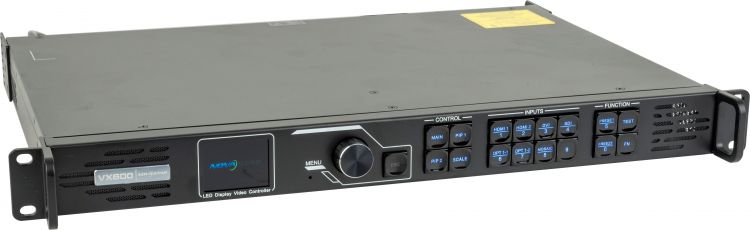
The Novastar VX600 is best understood as a compact all-in-one controller: it combines video processing, scaling, layer control and LED sending-card output in a single rack-mount chassis. It is not a 4K HDMI 2.0 processor, and that distinction matters when specifying it for current laptops, media servers and broadcast workflows. The VX600’s strength is not maximum input format support; it is a practical 3.9 million pixel sending capacity, six gigabit Ethernet outputs, SDI support, Genlock, fibre options and familiar Novastar commissioning through NovaLCT and V-Can.
| Area |
VX600 specification |
Specifier note |
| Form factor |
1U-class rack-mount chassis; 483.6 mm x 351.2 mm x 50.1 mm; approx. 4 kg |
Suitable for touring racks, control racks and compact fixed-install equipment rooms. |
| Video inputs |
2 x HDMI 1.3, 1 x DVI, 1 x 3G-SDI input with loop-through, plus OPT 1 optical input mode |
Do not specify as native HDMI 2.0. Use upstream conversion where modern 4K HDMI sources are required. |
| Input resolution |
HDMI/DVI: 1920 x 1200 at 60 Hz standard; custom formats up to 3840 px wide or 2784 px high; forced input up to 600 x 3840 at 60 Hz. SDI: up to 1920 x 1080 at 60 Hz. OPT 1: up to 1 x 4K x 1K at 60 Hz or 2 x 2K x 1K at 60 Hz |
For full 3840 x 2160 workflows, use an MX40 PRO, VX600 Pro or another higher-tier processor rather than relying on the VX600. |
| LED outputs |
6 x gigabit Ethernet sending outputs |
Budget each port conservatively at around 650,000 pixels before cable routing, backup and cabinet-chain decisions. |
| Output capacity |
Up to 3.9 million pixels; maximum output width 10,240 pixels; maximum output height 8192 pixels |
Pixel load is usually the first pass/fail calculation for the VX600. |
| Monitoring / loop outputs |
1 x HDMI 1.3 monitor/video output; DVI and 3G-SDI loop-through supported; HDMI input 1 loop-through supported |
Useful for confidence monitoring and onward feed routing, but not a substitute for a full matrix or production switcher. |
| Fibre |
2 x optical ports. OPT 1 is self-adaptive for input or output; OPT 2 is output only with copy or backup mode |
Useful where the processor cannot sit close to the LED wall or where fibre backup is required. |
| Bit depth |
8-bit RGB / YCbCr 4:4:4 / YCbCr 4:2:2 on HDMI, DVI and OPT 1; 10-bit and 12-bit are not supported on those inputs as per Novastar datasheet |
Do not choose the VX600 for HDR-critical or high-bit-depth colour grading workflows. |
| Sync |
External Genlock input with loop-through; internal input source sync also supported |
Important for camera-facing LED, broadcast-adjacent work and multi-controller systems. |
| Layers |
3 layers, including main layer and PIP layers; up to 10 user presets |
Enough for basic source composition, not a replacement for a full presentation switcher. |
| Latency |
Low-latency mode can reduce delay to 20 lines when low latency and bypass mode are both enabled |
Real-world latency depends on processor mode, receiving card configuration, refresh rate and upstream signal chain. |
| Redundancy |
Input-source backup, Ethernet-port backup and device backup supported |
Useful for events, but critical installs should still plan UPS power and signal-path redundancy. |
| Control |
Front-panel controls, Ethernet control, USB 2.0 Type-B/Type-A cascade ports; NovaLCT and V-Can software |
V-Can is used for processor operation; NovaLCT remains central for screen configuration and receiver-card setup. |
| Power and environment |
100-240 V AC, 50/60 Hz; rated power approx. 28 W; operating temperature typically -10°C to 45°C |
Allow for rack ventilation and UPS support where uptime is business-critical. |
| Receiver-card compatibility |
Compatible with typical Novastar receiver-card ecosystems including A-series cards such as A4s, A5s, A8s, A10s, AT60 and related models, subject to firmware and cabinet configuration |
Always check the cabinet RCFGX file, firmware version and required receiving-card feature set before site deployment. |
For specification work, start with pixel-load headroom rather than screen area. A 15 m² wall at 3.9 mm pitch and a 15 m² wall at 1.9 mm pitch are completely different loads. Calculate cabinet pixel count first, then map it against the six Ethernet outputs and any backup requirement. If you need main and backup data paths, available port count can halve quickly.
The second priority is source format. The VX600 is comfortable with common HD and custom LED-ratio inputs, but it is not the right controller when the system brief demands native HDMI 2.0, 12G-SDI 4K, HDR, 10-bit processing or advanced colour workflows. Finally, consider the operator environment: hire stock and event crews often value V-Can and NovaLCT familiarity more than headline input resolution, whereas a broadcast or XR environment may need a more current COEX controller from the outset.
When To Choose The VX600
Mid-scale live events
The VX600 sits in a useful band for mid-scale live events: awards stages, conference backdrops, exhibition LED walls, product launches, DJ risers and modest IMAG or scenic LED canvases. For many 3-15 m² rental walls, especially at common touring pitches, the 3.9 million pixel load is more than enough and the six-port output layout is straightforward to cable. The unit also keeps racks simple because processing and sending are in one box.
Watch the input format. If the event’s media server or switcher is outputting 3840 x 2160 over HDMI 2.0, the VX600 may require an upstream scaler or a different processor. It is also worth planning presets and source backup before show day rather than treating them as emergency settings.
Corporate AV and fixed install
For boardrooms, auditoriums, lobbies, command-centre feature walls and briefing suites, the VX600 can reduce rack space and support a clean operational model. A single processor can receive the source, scale it to the LED canvas and send directly to the cabinets. That is useful where the client wants a stable LED display rather than a production-heavy control position.
The main caveat is long-term source compatibility. Corporate estates increasingly standardise around 4K laptops, USB-C docks and HDMI 2.0 or HDMI 2.1 signal chains. Where the LED wall needs to behave like a native 4K display, specify the source chain carefully or step up to a processor with newer input support.
Studio and broadcast-adjacent systems
The VX600 can work well for small studios, replay walls, commentator backdrops, sports graphics walls and simple camera-facing LED environments. The 3G-SDI input, Genlock support and low-latency operating modes make it more suitable for broadcast-adjacent use than a basic sender-only controller.
However, it is not a modern virtual-production processor. If the brief includes HDR, high-frame-rate camera sync, 10-bit colour pipelines, advanced frame remapping or close camera work on fine-pitch LED, a COEX unit such as the MX40 PRO is normally the better starting point.
System integrator stock unit
For AV integrators and LED hire companies, the VX600 is a practical stock processor because it fits many common UK rental and install workflows. Technicians are likely to know NovaLCT, cabinet files are widely available, and the front-panel controls are useful when a laptop is not immediately available.
The risk is overusing it. A stock processor should not become the default for every job. Use it where the canvas size, source format and redundancy requirement fit. Move up the range where the processor is becoming a compromise rather than a sensible standard part.
Comparison With Other Novastar Processors
VX600 vs J6 Splicing Processor
The J6 is a multi-screen splicing processor, while the VX600 is primarily a single-canvas LED controller with integrated sending outputs. Choose the VX600 when the requirement is one LED wall, one main canvas and a compact processing/sending workflow. Choose the J6 when the brief involves multiple displays, stitched outputs, irregular screen arrangements or more complex stage-screen management upstream of the LED sending system.
In practice, a J6 may sit earlier in the signal chain, feeding one or more LED controllers. The VX600 is more self-contained: it takes in video, scales it and sends data directly to the receiver cards. That makes it simpler, but also less flexible for multi-screen show control.
VX600 vs MX40 PRO COEX
The MX40 PRO is a higher-tier COEX controller for larger and more demanding systems. It offers a much higher pixel capacity, newer input formats, COEX/VMP workflow, stronger colour tools and a better fit for broadcast, XR, virtual production and large fine-pitch canvases. If the LED canvas exceeds the VX600’s 3.9 million pixel capacity, or if the project needs current 4K inputs, HDR-oriented workflows or more future-proofing, the MX40 PRO is the more appropriate specification.
The VX600 still has a role where the job does not need those features. It is smaller in scope, familiar to many crews and cost-effective in the qualitative sense: less platform overhead, less configuration complexity and enough capacity for many mid-scale walls.
VX600 vs NovaPro UHD
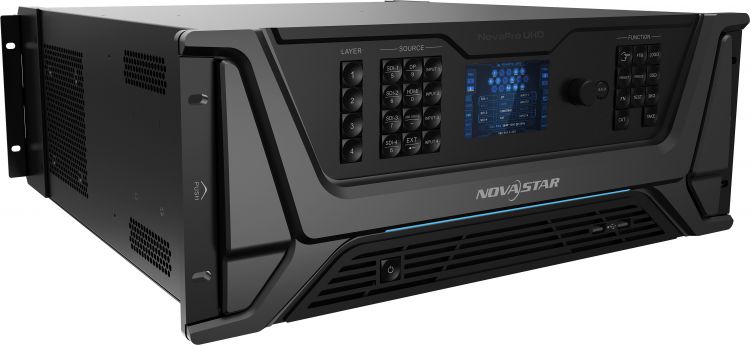
The NovaPro UHD was an older flagship all-in-one platform and remains present in many legacy LED estates. It is still relevant where a site has standardised around that unit, where the control workflow is already documented, or where spares and operator familiarity are tied to existing equipment.
For new builds, the VX600 is usually easier to justify when the required load is within range and the system does not need the NovaPro UHD’s higher-capacity legacy feature set. The VX600 is more compact, simpler to deploy and better aligned with many current mid-scale rental and install stacks. For genuinely high-end new systems, however, it is worth comparing against COEX rather than only against older NovaPro hardware.
VX600 vs MCTRL R5 / MCTRL4K
The MCTRL R5 and MCTRL4K are sender-focused controllers rather than all-in-one presentation processors. Choose them when video processing, switching, scaling and composition are handled upstream by a media server, switcher, scaler or broadcast infrastructure, and the Novastar unit only needs to send correctly mapped data to the LED wall.
The VX600 is the better fit when you need integrated scaling, layers, source selection, presets and input backup in the same chassis. It reduces the number of devices in the rack, but it also means the processor becomes a more central part of show operation.
VX600 vs TU Series
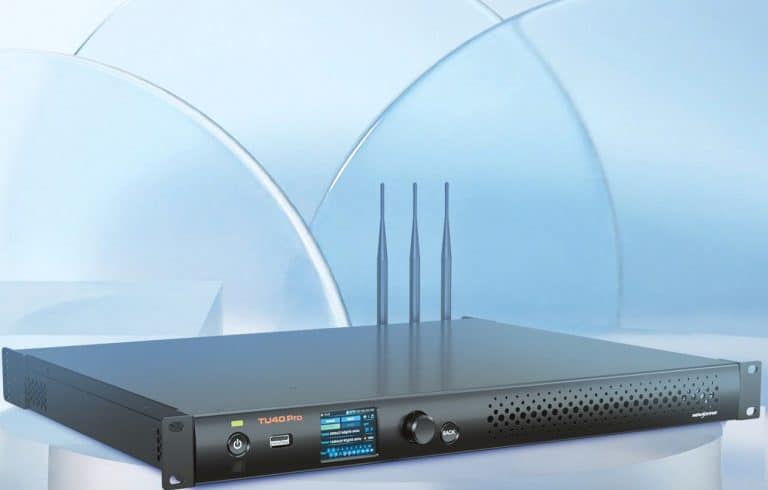
The TU Series is better suited to playback-led digital signage and fixed-content applications, particularly where cloud scheduling or local playback is more important than live input processing. Choose TU when content is predictable, centrally managed and does not require a live production source chain.
Choose the VX600 when the display needs live HDMI, DVI or SDI input, show operation, low-latency source handling or integration with a wider event workflow. It is a processor and sender, not a CMS playback controller.
Integration With The LED Cabinet Stack
When specifying the VX600 alongside Dynamo’s typical LED cabinet stack, start with receiver-card compatibility and cabinet mapping. The VX600 outputs Novastar protocol over gigabit Ethernet, so it pairs with common Novastar receiver-card families such as A4s, A5s, A8s, A10s, AT60 and related cards, provided the cabinet file, firmware and feature set are aligned. The receiver card is where much of the practical LED behaviour lives: scan configuration, calibration data, cabinet mapping, brightness response and refresh behaviour.
Pixel-count budgeting should be explicit. Calculate the total canvas pixel count by multiplying cabinet width in pixels by cabinet height in pixels, then multiplying by the number of cabinets. Divide the result by roughly 650,000 pixels per gigabit output to estimate the minimum number of VX600 Ethernet ports required. Leave headroom for sensible port loading, neat cabinet chains and backup requirements. A design that uses all six ports at maximum theoretical load leaves little room for changes on site.
The VX600’s rear-panel outputs are Ethernet, so standard Cat6 planning still applies. For copper runs, keep cable lengths within the usual 100 m Ethernet limit and avoid routing data cables through electrically noisy paths. Where the control position is further away, use fibre transport. The VX600’s optical ports can be used in copy or backup modes, and external Novastar fibre converters or suitable third-party fibre systems can also be planned where the processor must remain in a control room.
In live environments, it is often better to keep the sender stack close to the LED canvas and extend video or control to that location, rather than running long copper data paths from front of house. For fixed installs, consider service access as well as cable length: the processor needs to be reachable for firmware, diagnostics, EDID changes and emergency source switching.
The VX600 does not provide native dual power supplies. For production-critical or public-facing installations, plan a UPS and a documented recovery procedure. If the brief requires higher-grade hardware redundancy, larger pixel load or more advanced backup architecture, step up to a higher-tier Novastar platform rather than trying to engineer around the limitation.
EDID handling is also worth planning. Forced or custom input resolutions can make LED-ratio canvases much more stable, especially when sources are laptops, media servers or switchers that may otherwise renegotiate during a show. Set and test EDID before handover, and document the expected source resolution for operators.
Control And Operational Considerations
V-Can is the main software environment for VX600 live control, including layer management, presets, source handling and processor-level adjustments. NovaLCT remains important for screen configuration, receiver-card settings, cabinet files, Ethernet-port backup and calibration workflows. In a rental workflow, both should be available on the engineering laptop, with the correct USB and Ethernet drivers already tested.
VNNOX Care can be relevant for remote monitoring in supported Novastar ecosystems, including synchronous devices uploaded through NovaLCT, but it should not be confused with VNNOX Standard or VNNOX AD content publishing. The VX600 is not a cloud CMS player in the way a Taurus or TU controller can be. Treat it as a synchronous processor that may be monitored as part of a wider managed estate.
For live operation, source backup and hot switching are valuable. The VX600 supports backup between input sources, which can protect a show if a primary feed fails. Where the show depends on seamless presentation, rehearse the failover behaviour with the actual switcher, media server and signal converters rather than assuming every source change will be visually clean.
Brightness and colour calibration are usually handled at receiver-card and screen-configuration level, using NovaLCT and Novastar calibration tools. The processor can adjust image parameters such as brightness, contrast, saturation, hue and gamma, but it should not be used to hide poor cabinet calibration or mismatched panel batches.
Firmware should be checked before site-critical installs. Avoid updating immediately before doors unless there is a known fault that the firmware resolves. Keep a record of the processor firmware, receiver-card firmware, RCFGX file and screen connection file with the project documentation. For production-critical installs, add monitoring through VNNOX Care or the site’s own maintenance workflow where supported.
FAQs
- What is the maximum LED canvas size the VX600 can drive?
- The VX600 can drive up to 3.9 million pixels, with a maximum output width of 10,240 pixels and maximum output height of 8192 pixels. The physical size in metres depends entirely on pixel pitch and cabinet resolution.
- Can the VX600 handle 4K HDR content?
- Not as a native modern 4K HDR processor. HDMI and DVI inputs are standard 1920 x 1200 at 60 Hz with custom LED-ratio formats, and 10-bit / 12-bit input is not supported on HDMI, DVI or OPT 1 as per the Novastar datasheet. For 4K HDR workflows, specify a higher-tier processor such as MX40 PRO or another current COEX unit.
- Is it compatible with my existing Novastar receiver cards?
- In most Novastar cabinet stacks, yes, but compatibility should be checked against the exact receiver-card model, firmware, cabinet file and required features. A4s, A5s, A8s, A10s, AT60 and related Novastar cards are typical pairings.
- Does it support Genlock with broadcast camera systems?
- Yes. The VX600 includes Genlock input and loop-through, and can use an internal input source or external Genlock as the sync source. For camera-facing LED, test the complete chain including camera shutter, refresh rate, receiving-card settings and processor mode.
- What happens if a source feed fails mid-show?
- The VX600 supports input-source backup, so a secondary source can be configured as a fallback. The result depends on how the sources are matched and how the show file is configured, so failover should be rehearsed before the event.
- Can it be controlled remotely or over the network?
- Yes. The VX600 has Ethernet control and can be operated through V-Can and NovaLCT. Remote monitoring may be possible through VNNOX Care in supported Novastar monitoring setups, but it is not the same as cloud content publishing.
- When should I upgrade from a VX600 to an MX40 PRO?
- Upgrade when the canvas exceeds roughly 3.9 million pixels, when you need newer 4K inputs, higher bit depth, HDR-oriented workflows, advanced colour tools, larger output counts, COEX/VMP operation or a more future-proof platform for broadcast, XR or large fine-pitch LED.